EasyManua.ls Logo

Hitachi 22LD4550U - Picture Mode

Hitachi 22LD4550U
78 pages
Print Icon
To Next Page IconTo Next Page
To Previous Page IconTo Previous Page
Loading...
48
ENGLISH
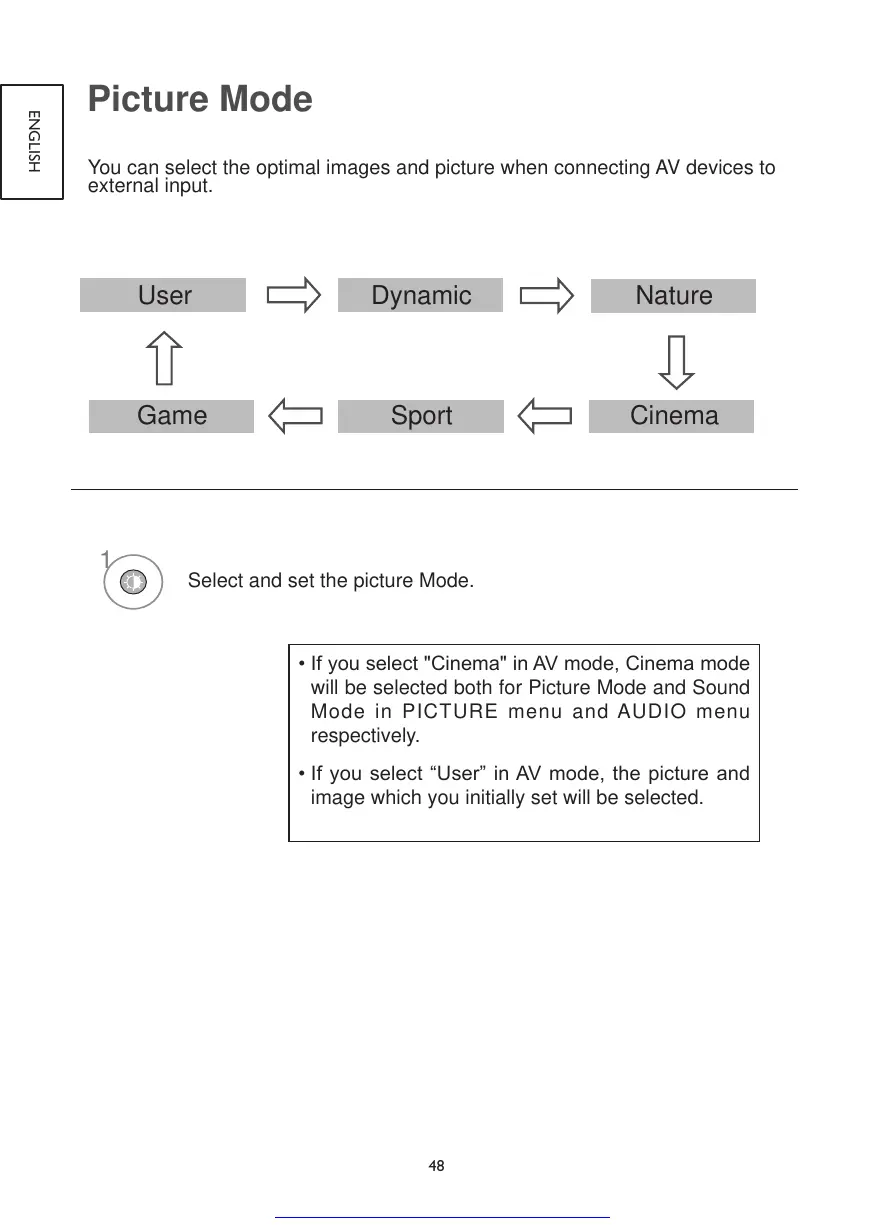
Picture Mode
You can select the optimal images and picture when connecting AV devices to
external input.
User Clear Voice
Standard
CinemaSportGame
Music
User Dynamic
Nature
CinemaSportGame
1
Select and set the picture Mode.
•Ifyouselect"Cinema"inAVmode,Cinemamode
will be selected both for Picture Mode and Sound
Mode in PICTURE menu and AUDIO menu
respectively.
•Ifyou selectUserinAVmode,thepictureand
image which you initially set will be selected.

Get other manuals https://www.bkmanuals.com

Table of Contents

Other manuals for Hitachi 22LD4550U

Related product manuals