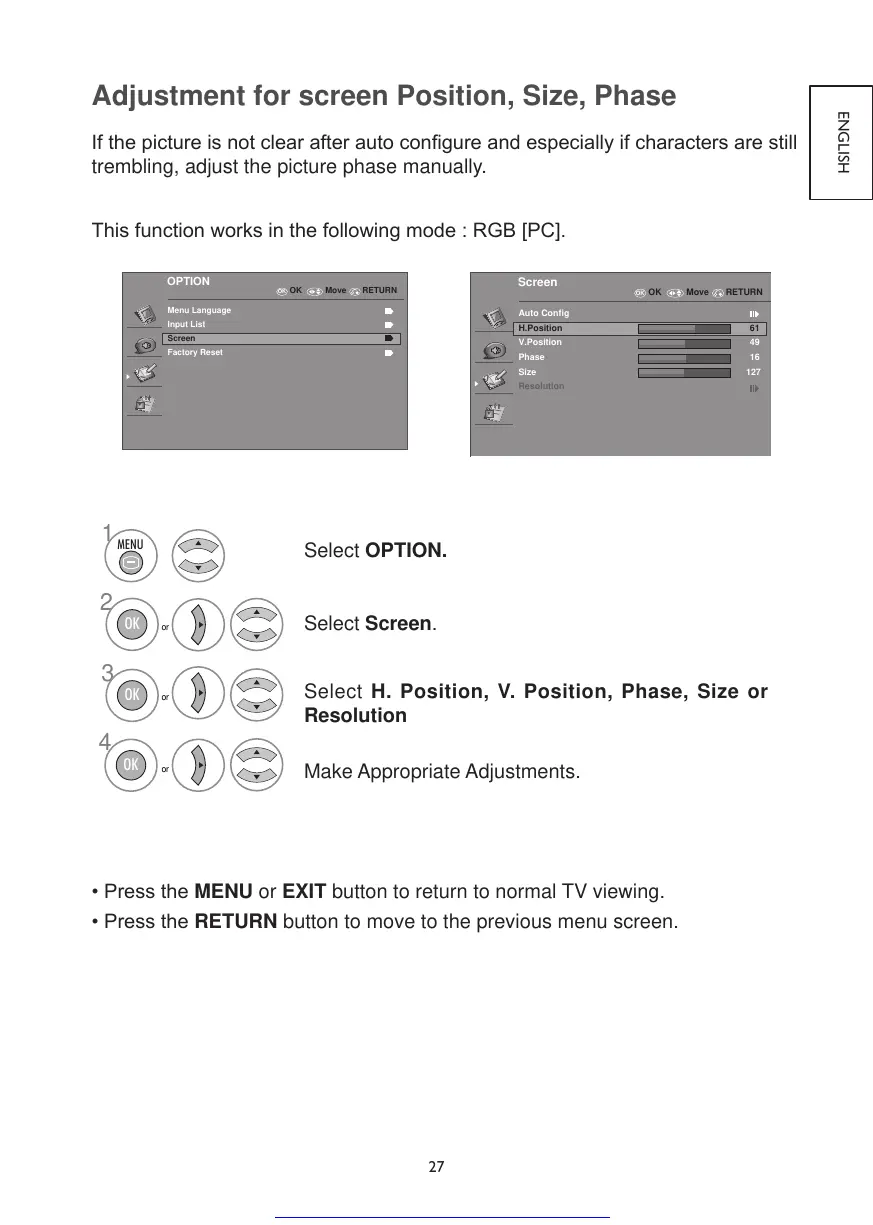
Adjustment for screen Position, Size, Phase
Ifthepictureisnotclearafterautocongureandespeciallyifcharactersarestill
trembling, adjust the picture phase manually.
Thisfunctionworksinthefollowingmode:RGB[PC].
OK
OPTION
Menu Language
Input List
Screen
Factory Reset
RETURNOK Move
OK
Screen
Auto Config
H.Position
V.Position
Phase
Size
61
49
16
127
Resolution
RETURNOK Move
Select OPTION.
Select Screen.
Select H. Position, V. Position, Phase, Size or
Resolution
Make Appropriate Adjustments.
•PresstheMENU or EXIT button to return to normal TV viewing.
•PresstheRETURN button to move to the previous menu screen.
Get other manuals https://www.bkmanuals.com



 To Next Page