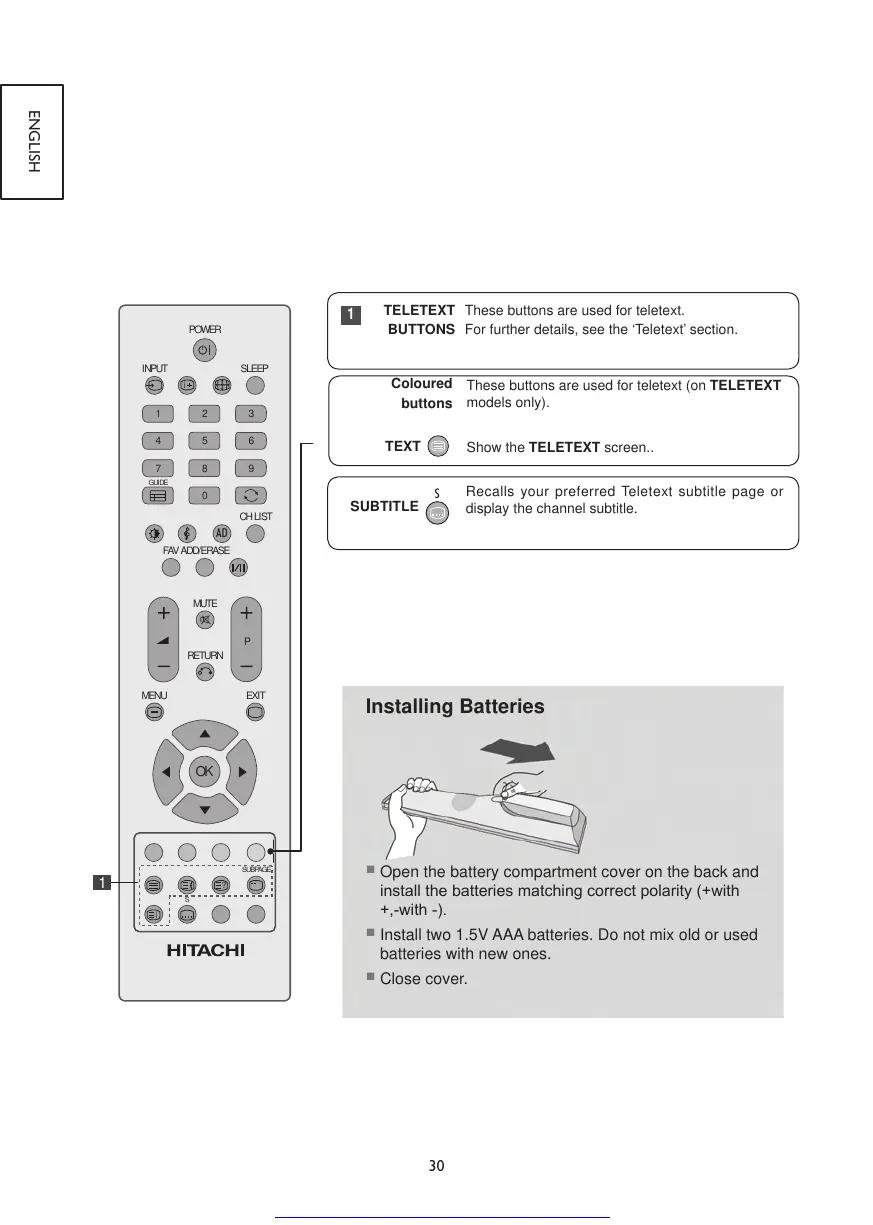
These buttons are used for teletext (on TELETEXT
models only).
Show the TELETEXT screen..
Recalls your preferred Teletext subtitle page or
display the channel subtitle.
Installing Batteries
■
Open the battery compartment cover on the back and
installthebatteriesmatchingcorrectpolarity(+with
+,-with-).
■
Install two 1.5V AAA batteries. Do not mix old or used
batteries with new ones.
■
Close cover.
TELETEXT
BUTTONS
These buttons are used for teletext.
For further details, see the ‘Teletext’ section.
1



 To Next Page