Engl ish -21-
Set Subwoofer to On when you connect an external
subwoofer to the set.
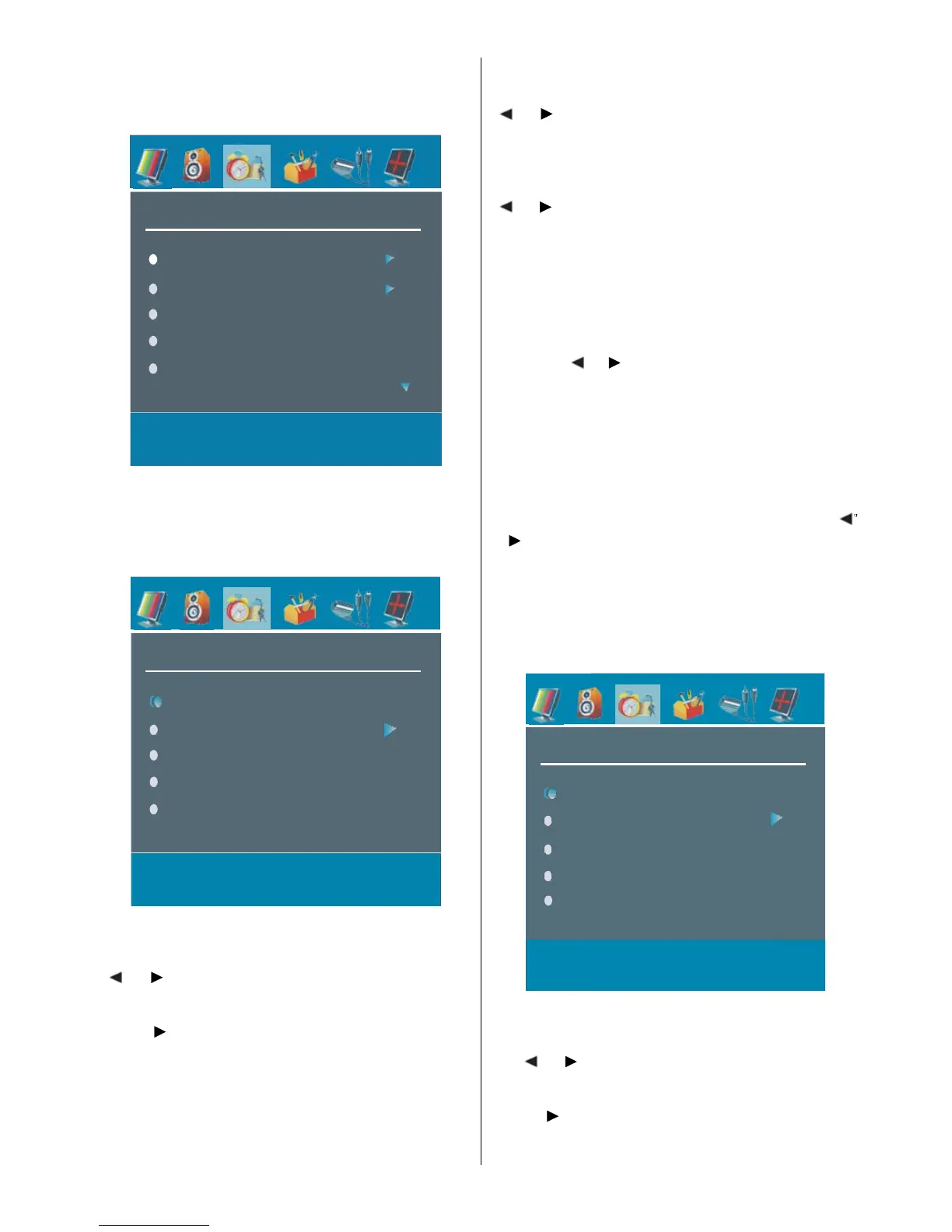
Features Menu
FEATURE
Sleep Timer
Child Lock
Language
PIP
PAP
PIP
In the “Feature” menu, highlight “PIP” item by pressing
“
a
/
b
” buttons. Press “
`
” button to enter “PIP”
submenu:
PIP
IP Position
PIP Picture
PIP Source
PIP Programme
PIP ON-OFF
PIP ON-OFF
You can activate or deactivate PIP mode by pressing
“
“ ” button.
PIP Picture
Press “ ” button to enter “PIP Picture” submenu. Ad-
justments of Contrast, Brightness, Sharpness, Colour,
Hue, Reset and S tore items in this part are identical
with “Picture” menu in the Menu System. Refer to
“Picture” menu explanations in the previous parts.
PIP Position
Select PIP Picture item by using “
” button to adjust PIP position. PIP Position
info will be displayed at the bottom of the menu OSD.
PIP Source
Select PIP Source item by using “
“ ” button to set PIP source.
Note: When main picture source is TV, EXT-1, EXT-2,
FAV or S-VIDEO, PIP Window can only be set to
HDMI, YPBPR, PC source or vice versa.
PIP Programme
Select PIP Programme item by using “
a
/
” button.
PIP Programme is displayed at the bottom of menu
OSD. Use “
” button to set PIP Programme. Youou
can also use digit buttons on the remote control to set
PIP Programme.
If the source is set to HDMI, PC or YPBPR; “PIP
Programme” line w ill be visible in PIP menu. Other-
wise, this line will not be visible.
PIP Swap
Select Swap item by using “
a
/
” button. This function enables to swap between
the main and the PIP picture.
PAP
In the “Feature” menu, highlight “PAP” item by press-
ing “
” button to enter “PAP”AP”
submenu:
PAP
PAP Pict ure
PAP Sour ce
PAP Prog ramme
PAP ON-O FF
PAP wapS
PAP ON-OFF
You can activate or deactivate PAP mode by press-
ing “
” button.
PAP Picture
Press “ ” button to enter “PAP Picture” submenu.
Adjus tments of Contrast, Bri ghtnes s , Sharpnes s ,



 To Next Page