26
Service information
Network Settings
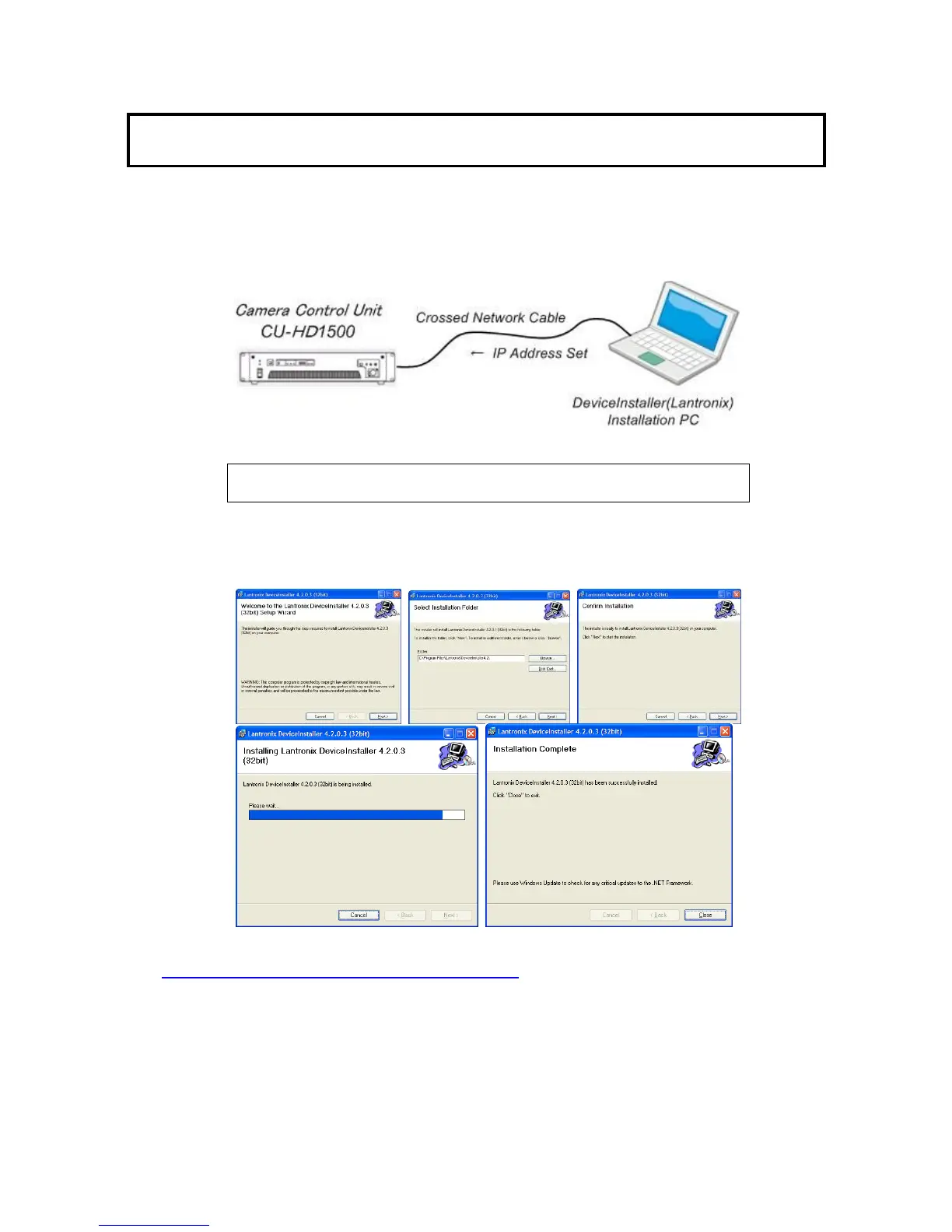
The network IP address can be set by connecting a CROSSED RJ45 network cable (crossed-cable) or
straight RJ45 cable with network hub between a PC and the CU-HD1500.
The control software is provided by HITACHI.
a. XPORT web server device installation
NOTE: Microsoft .NET Framework 2.0 or greater must be installed on the
PC beforehand
b. Insert the downloaded software that file name “Di32DL_4.2.0.3_Web.exe”
The PC does not have to be connected to the CU-HD1500 at this time.
c. Double click to install and follow the instructions on the screen to install the program on
the PC.
The latest version is on website as below.
http://ltxfaq.custhelp.com/app/answers/detail/a_id/644
The version No. is 4.3.0.1 ( as of Sep 2010 ).


 To Next Page