27
Service information
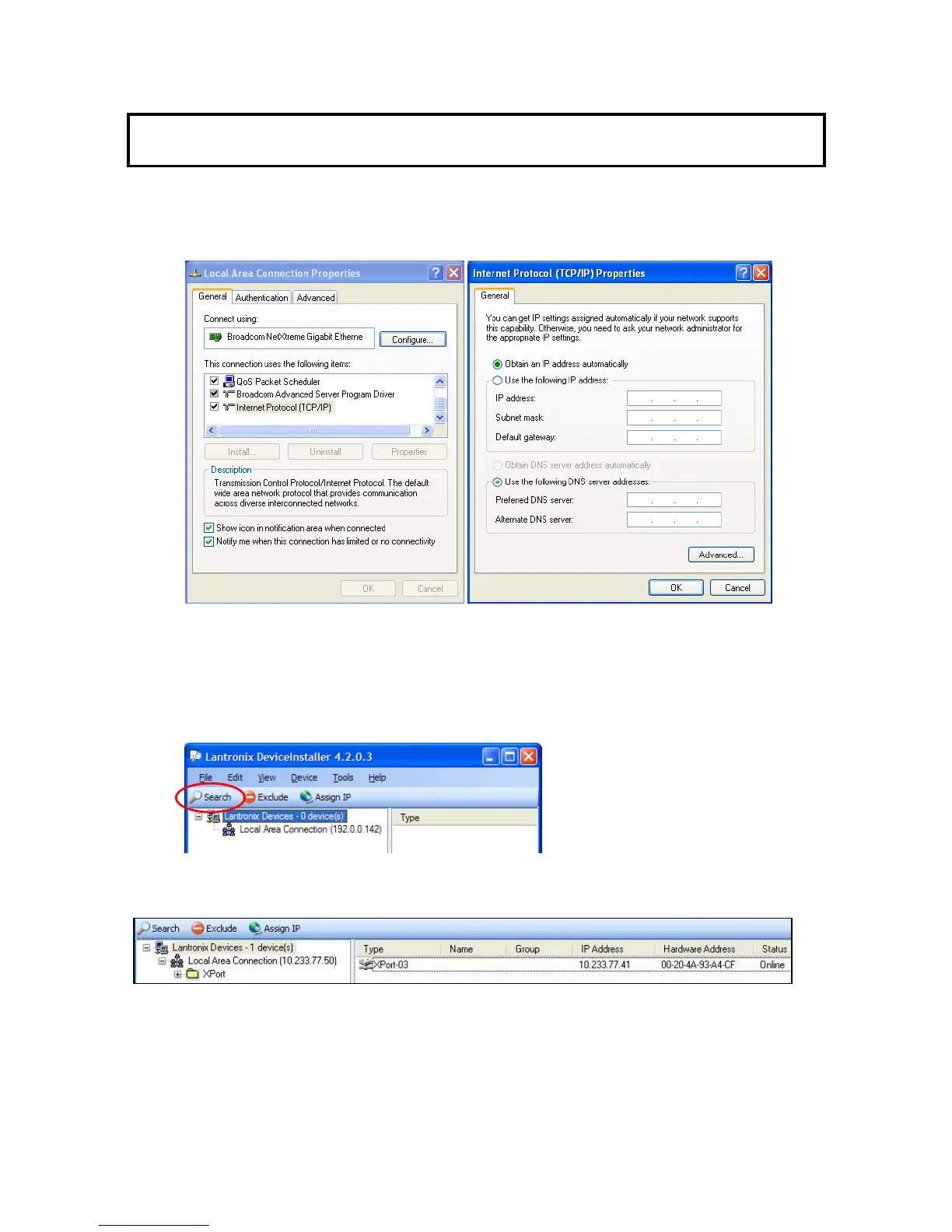
1.) Please set or change the TCP/IP protocol properties of the PC to “Obtain an IP address
automatically” because the IP Address initialization of CU-HD1500 is an automatic acquisition
mode.
If the CCU has set IP address, the PC has to be set “Use the following IP address” then input
the IP address, Subnet mask, and Default gateway.
2.) Connect the CU-HD1500 to the PC as shown in the above figure. Execute the Lantronix
DeviceInstaller application by START > ALL PROGRAMS > LANTRONIX > DeviceInstaller
4.2 > DeviceInstaller.
3.) Click on "Search" to display the current IP Address of the connected CU-HD1500. The right
pane will show the CU-HD1500 TCP/IP Network Settings.


 To Next Page