www.hi-ti.com
10
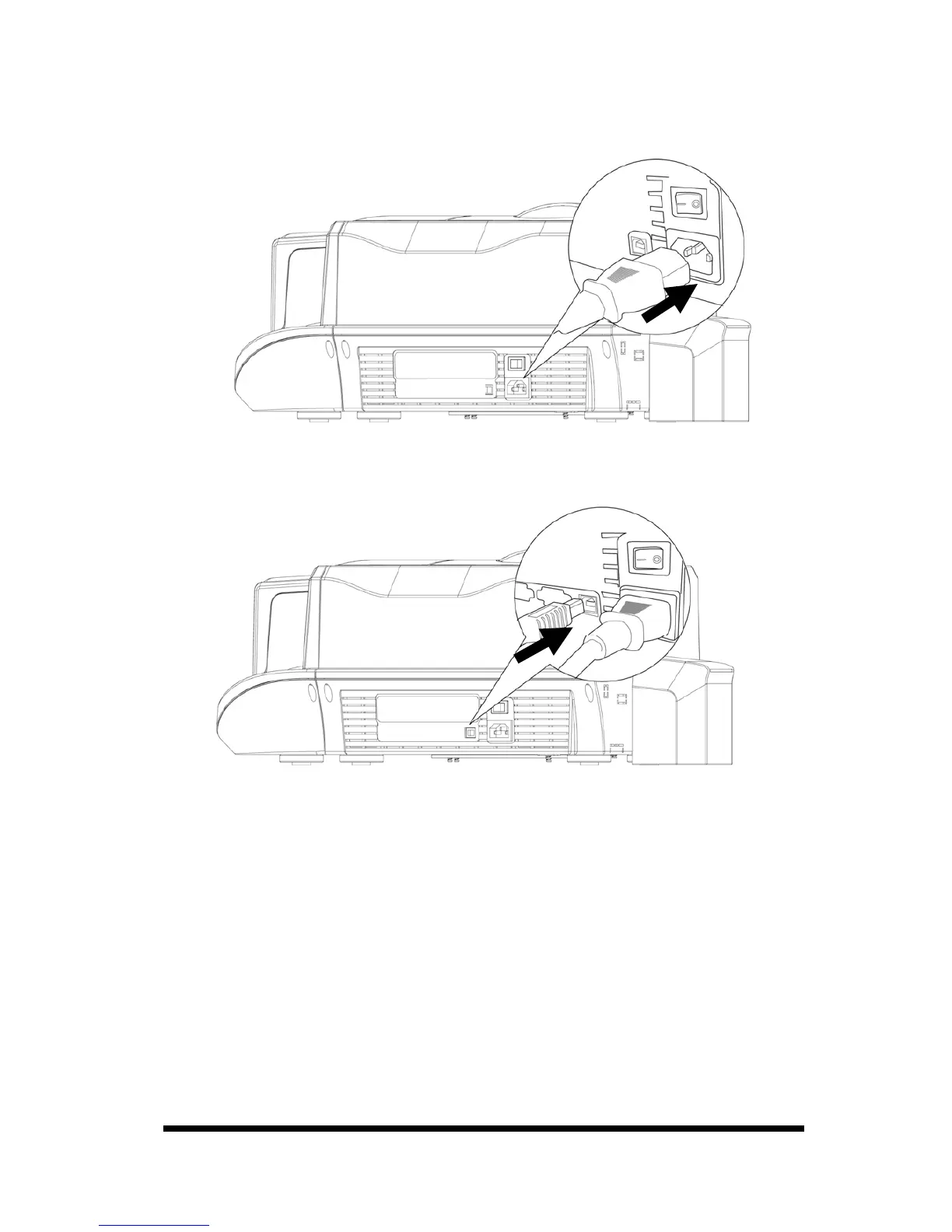
1-3 Install Power Cord & USB Cable
1. Connect the printer to the AC power outlet using the supplied power cord.
2. Please connect the printer to a PC using the supplied USB Cable.
3. Turn on the “Power Switch". Before you turn on the “Power Switch”, please
make sure that you have already installed the printer driver. Please refer to
Chapter 2.
4. You will see a "New Hardware Found" message display on the PC screen.
Then it will automatically initiate the printer driver.
5. The card printer will automatically check the printer status when you turn on
the power. If the “status LED” lights stable green; that would indicate that the
printer is ready. If the “error LED” lights on, please check the ERROR
message displayed on the LCD display and look it up in the troubleshooting
procedures.
6. Hardware and driver installation are finished.










 To Next Page