www.hi-ti.com
13
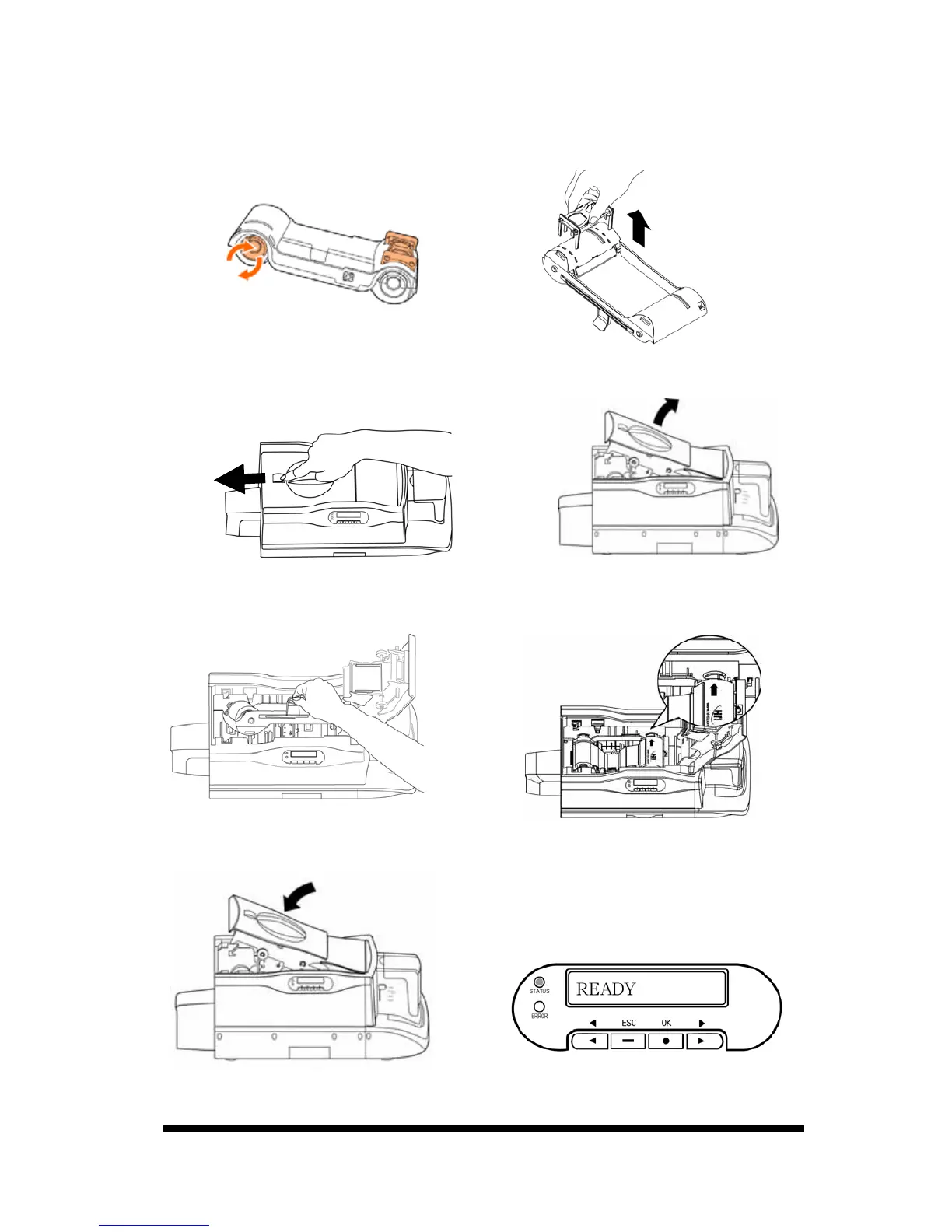
z The Ribbon Installation*
1. Remove the ribbon slack by rotating
the spool as illustrated.
2. Remove the fastener on the ribbon
as illustrated
3. Slide the ID button and lift the ribbon door up.
4. Hold the ribbon cartridge handle and insert it into the printer as illustrated.
Please make sure the drive gear is properly seated against the ribbon spool.
5. Close the ribbon door. Make sure the STATUS LED displays green light and
the LCD display shows “READY”.
*Remark: For CS310i / CS320i, please install the lamination ribbon into the
laminator as above illustrated.










 To Next Page