www.hi-ti.com
23
[Color]
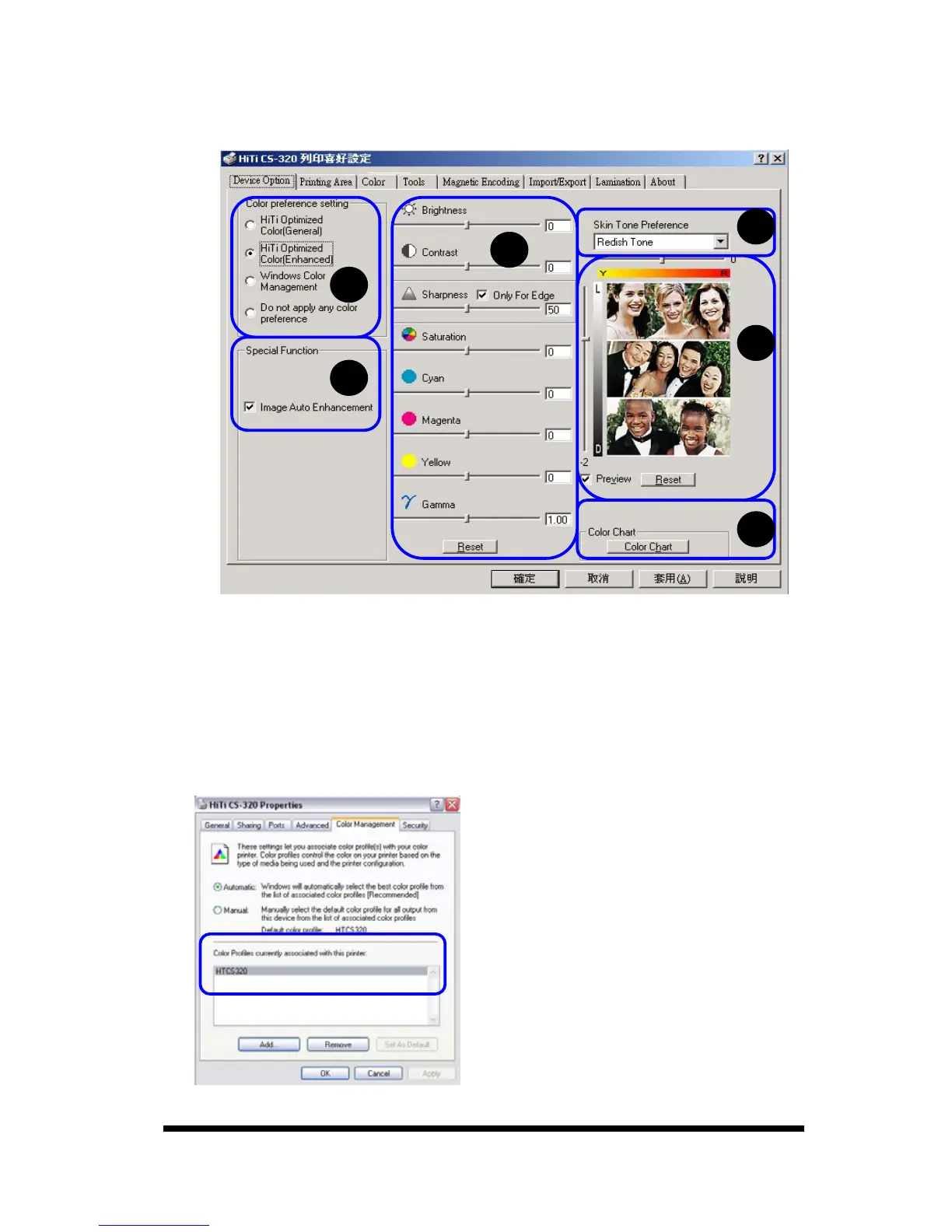
You may set the printing color of your preference in this page.
A.
Color preference setting: There are four options.
1. HiTi Optimized Color (General): The standard color presentation.
2. HiTi Optimized Color (Enhanced): Stronger contrast.
3. Windows Color Management: When applying this option, please follow the
procedures as below:
a. Please check whether the “HTCS310” / “HTCS320” file exists or not.
[Control Panel]→Printers and Faxes→HiTi CS-310/320→Properties→Color
Management.
A
B
C
D
E
F










 To Next Page