www.hi-ti.com
32
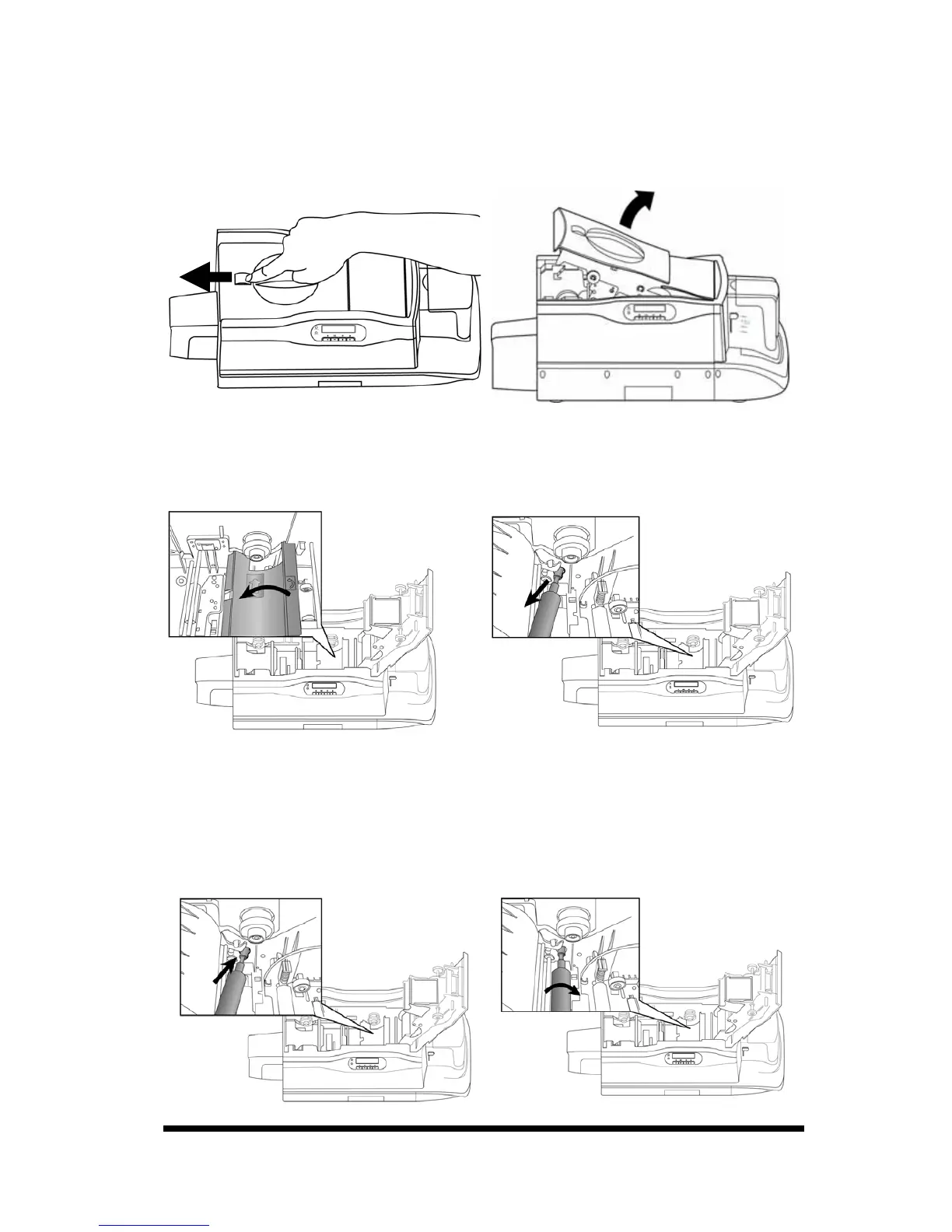
4-1 Clean Cleaning Roller
1. Switch the card printer off.
2. Slide the ID button and lift the ribbon door up.
3. Open the cover of the cleaning module and take the cleaning roller off, as
illustrated.
4. Roll the cleaning roller against the adhesive side of the cleaning card or against
the adhesive tape to remove the dust from the cleaning roller.
5. Please insert the cleaning roller spool into the spool receivers. Turn the
cleaning roller after installation; if it turns smoothly, the installation of the
cleaning roller is correct. If it does not turn smoothly, please re-install the
cleaning roller.










 To Next Page