www.hi-ti.com
34
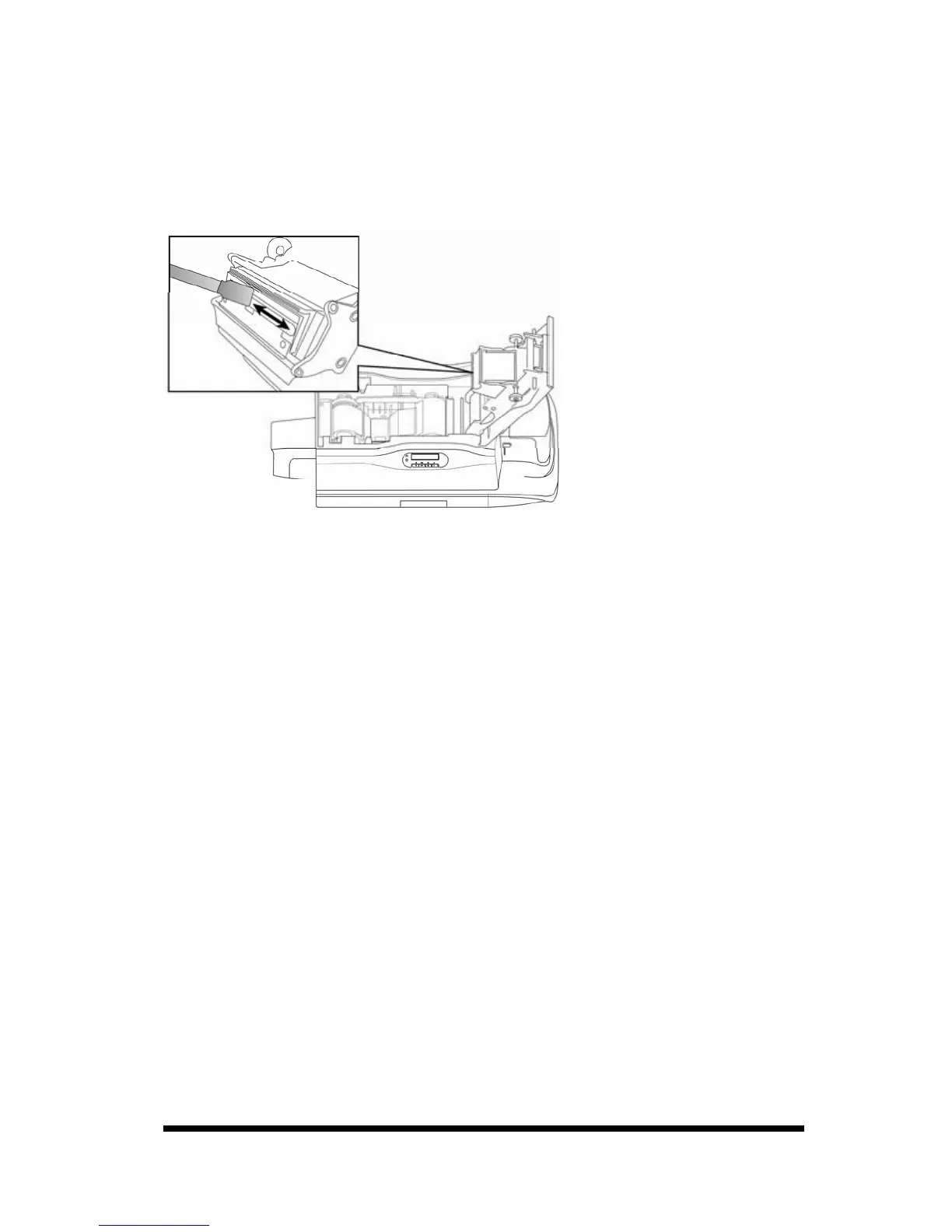
4-3 Clean TPH Head*
1. Please turn off the power before cleaning the TPH head.
2. Open the ribbon door, the TPH head is attached to the ribbon door module.
3. Please use the sponge cleaning swab to clean the TPH head.
※ Notices:
1. Please do not touch the TPH head with your hand.
2. Do not use any liquid detergents or aerosol cleaners to clean the
thermal printing head.
4. Please close the ribbon door, make sure the STATUS LED displays green and
LCD display displays “READY”. The cleaning process is finished.
*The above procedures are for the TPH of the card printer only NOT for the TPH
of the laminator.










 To Next Page