www.hi-ti.com
9
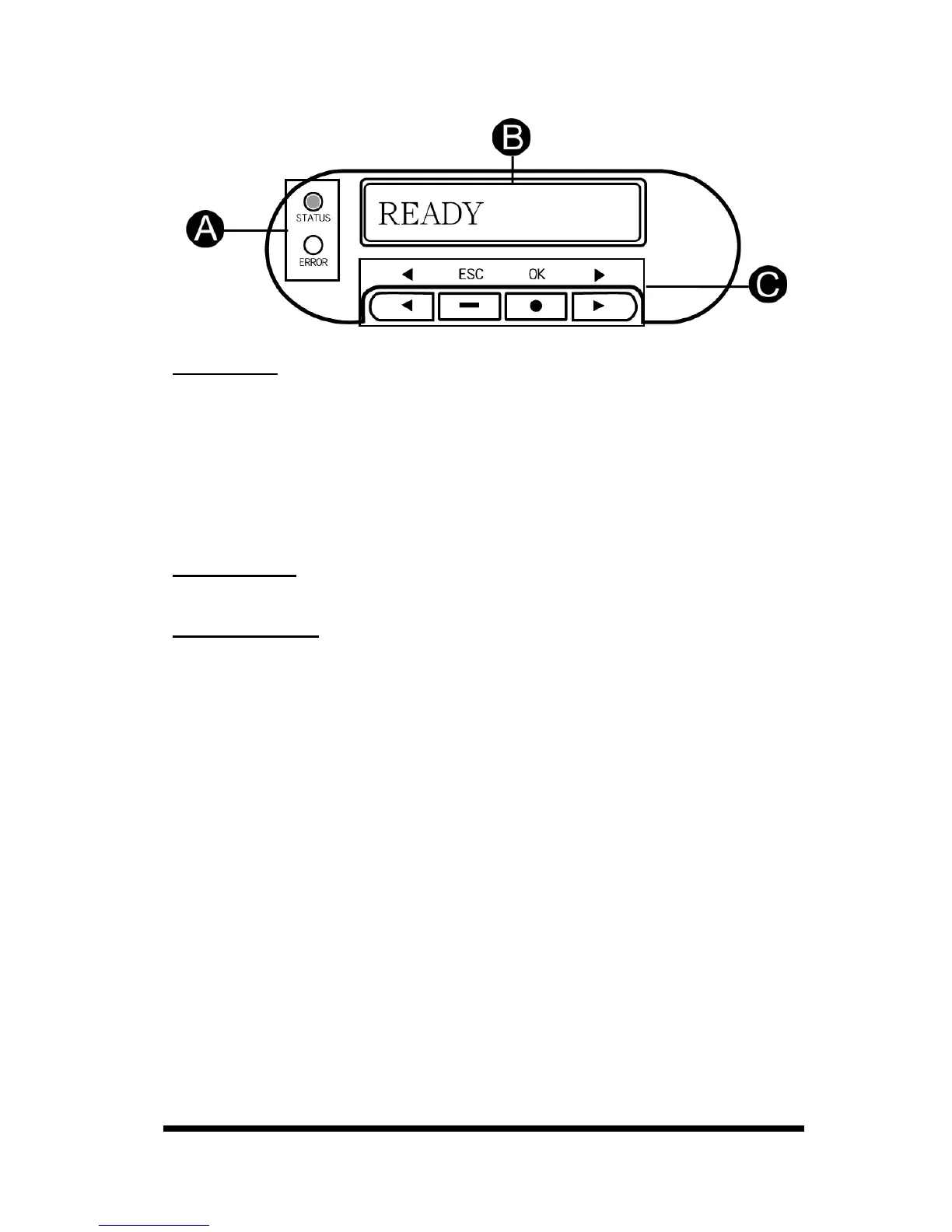
z Control Panel.
A. LED Light
Turn the power on. The printer will automatically initiate a system check and turn
on the green LED light to indicate that the printer status is normal. If an error
occurs, an error message will be shown on the LCD display and flash the LED.
Please refer to “Chapter 5 Troubleshooting” for resolving this error message.
Status Light: Green LED means that the status of the card printer is normal.
Error Light: Red LED means that an error has occurred. Please begin the
troubleshooting procedures.
B. LCD display
The device status and error messages are displayed on this LCD display.
C. Control Button
You can use [◄], [►], [OK], [ESC] buttons to check the information and the
status of the printer or use these buttons to initiate the cleaning process.










 To Next Page