www.hi-ti.com
8
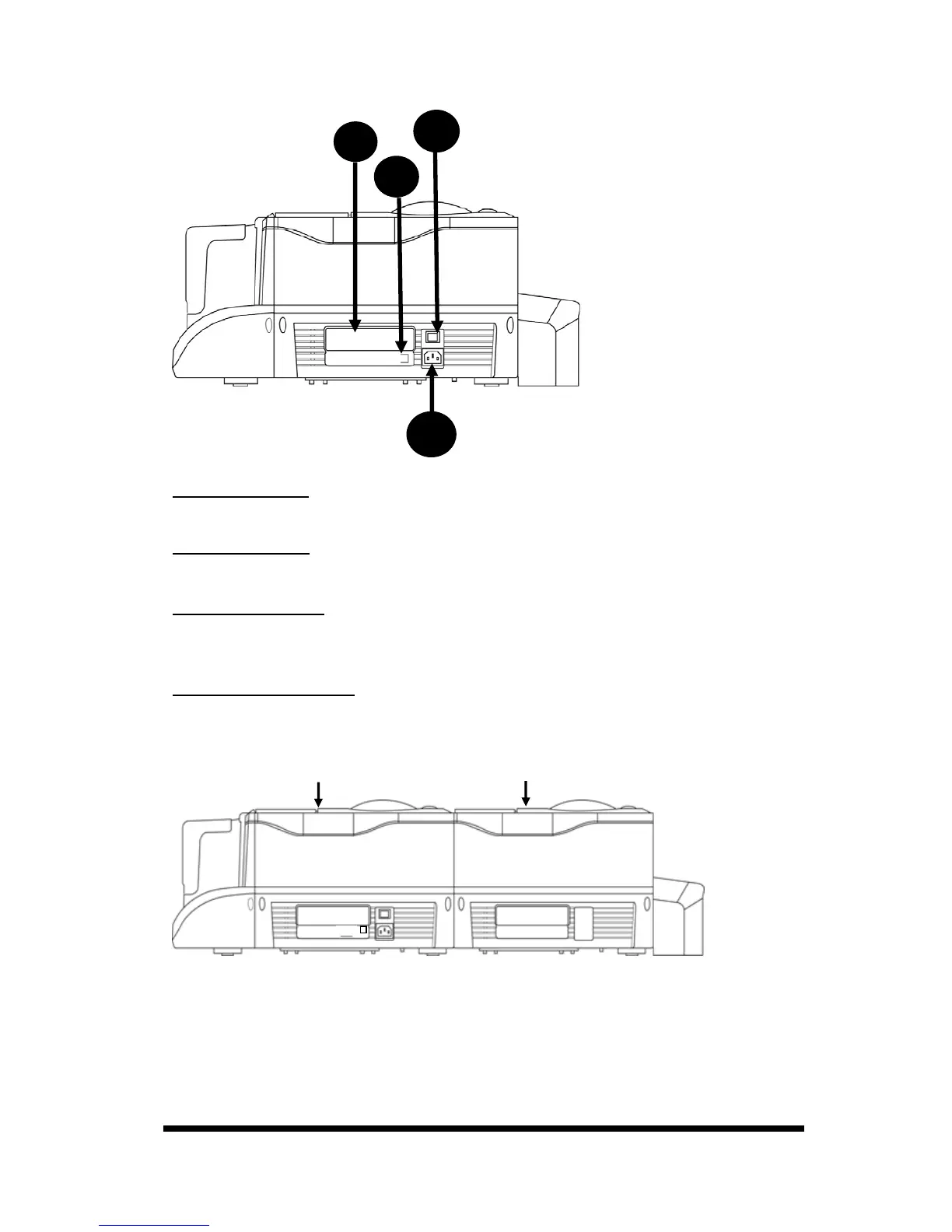
z CS-310/320 Back side*
A. Power Switch
This switch turns the power of the printer on or off.
B. Power Socket
Connect your power cord here.
C. USB Connector
Please connect the printer to a controlling device, such as a PC or a laptop,
hereby using the build-in USB connector.
D. Specification Label
Printer specification and detail information display label.
*For CS310i / CS320i (Card Printer + Laminator), the back view is shown as follows.
A
B
C
D
Card Printer
Laminator










 To Next Page