Access to the Ewon Cosy+ 10 (32)
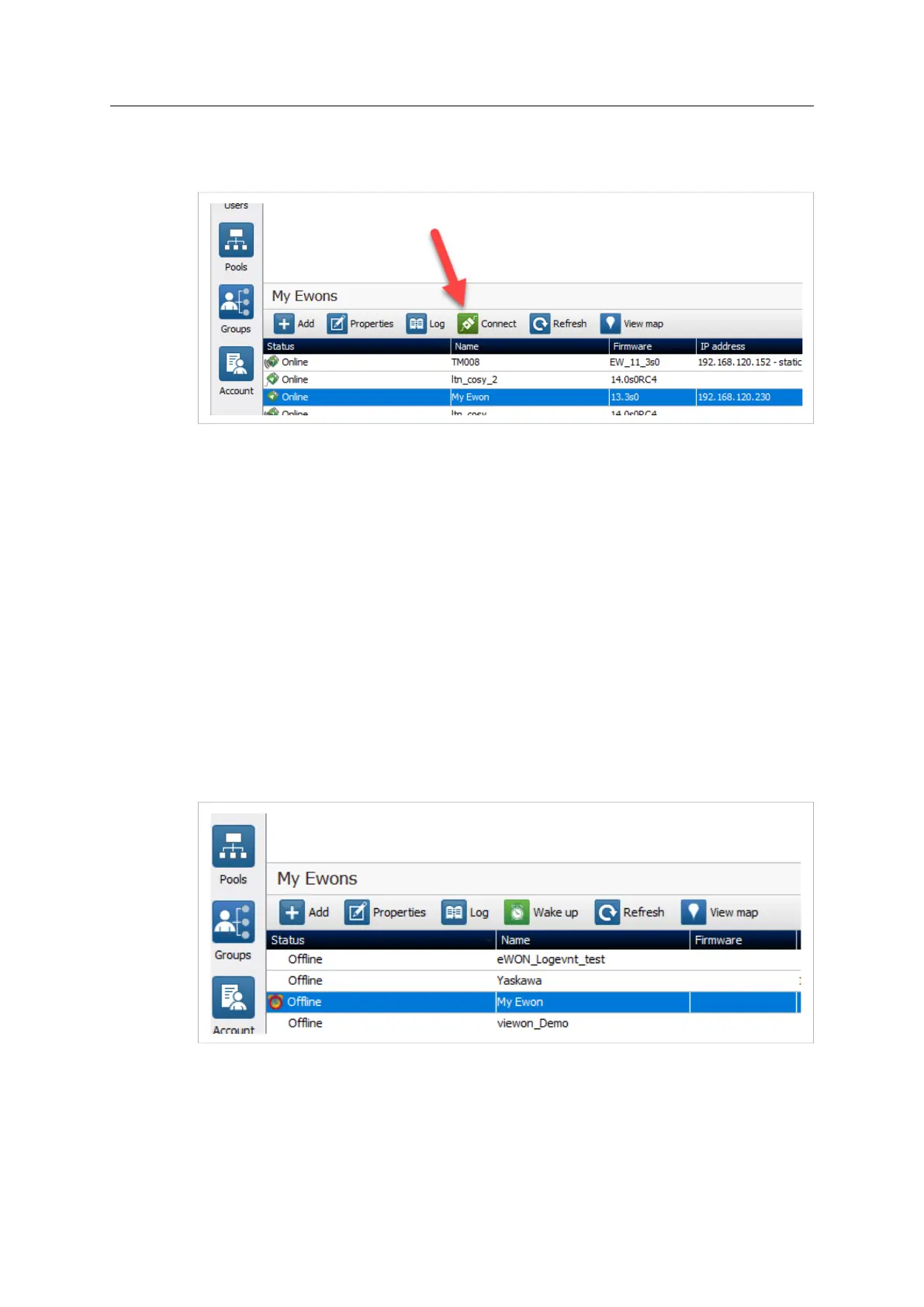
5. Click the green Connect button displayed in the Ewon Cosy+ list menu to establish the
remote connection. eCatcher is now attempting to establish a VPN connection to the
Talk2M server.
Fig. 6 Connection to an Cosy+
6. Once the VPN connection established, eCatcher displays the Ewon Cosy+ in the “Active
connection” section.
The computer is now connected to the Ewon Cosy+ using the VPN tunnel and you can use the
remote connection.
You can click the IP address link in the “Active Connection” section to display, in a web browser,
the homepage of the Ewon Cosy+ web interface.
3.4.2 Triggered Connection
To connect remotely to an Ewon Cosy+ tagged as triggered connection, follow the procedure:
1. Connect your computer to the Internet.
2. Verify that you have an Internet connection.
For example: open your web browser and browse to your favorite web page.
3. Open eCatcher (if not already opened).
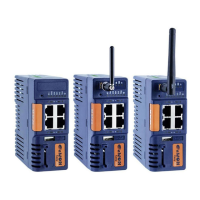
4. Select the Ewon Cosy+ you just configured in the “My Ewon Cosy+s” list.
Fig. 7 Wake up your Ewon Cosy+ — 1
Ewon Cosy+ User Manual
UM-0005-00 1.0 en-US













 To Next Page