Requirements
4 (32)
2 Requirements
2.1 Hardware
You need the following hardware equipment:
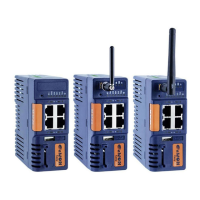
• an Ewon Cosy+
2.2 Software
You configure the Ewon Cosy+ through its web interface, accessible via any modern web browser.
The recommended platforms are:
• Firefox 85 and higher.
• Chrome 88 and higher.
• Safari 14 and higher.
• Edge 88 and higher.
eCatcher
The eCatcher application is required for you to connect to the Ewon Cosy+ (through the Ewon
Cloud Services, a.k.a Talk2M). It also allows the creation and setup of a Talk2M account.
To install eCatcher, you will need the administrator rights on the computer.
Download eCatcher.
[optional] eBuddy
The eBuddy application assists you with the initial IP address configuration for the Ewon Cosy+ as
well as maintenance tasks such as upgrading firmware, creating/restoring backups...
eBuddy is considered as an optional tool as you can do what eBuddy does either through
eCatcher (configuration of the communication settings of the Ewon Cosy+ through the Easy
Setup), or the web interface of your Ewon Cosy+ (firmware update, IP address modification, ...)
Download eBuddy.
Ewon Cosy+ User Manual
UM-0005-00 1.0 en-US













 To Next Page