Access to the Ewon Cosy+ 7 (32)
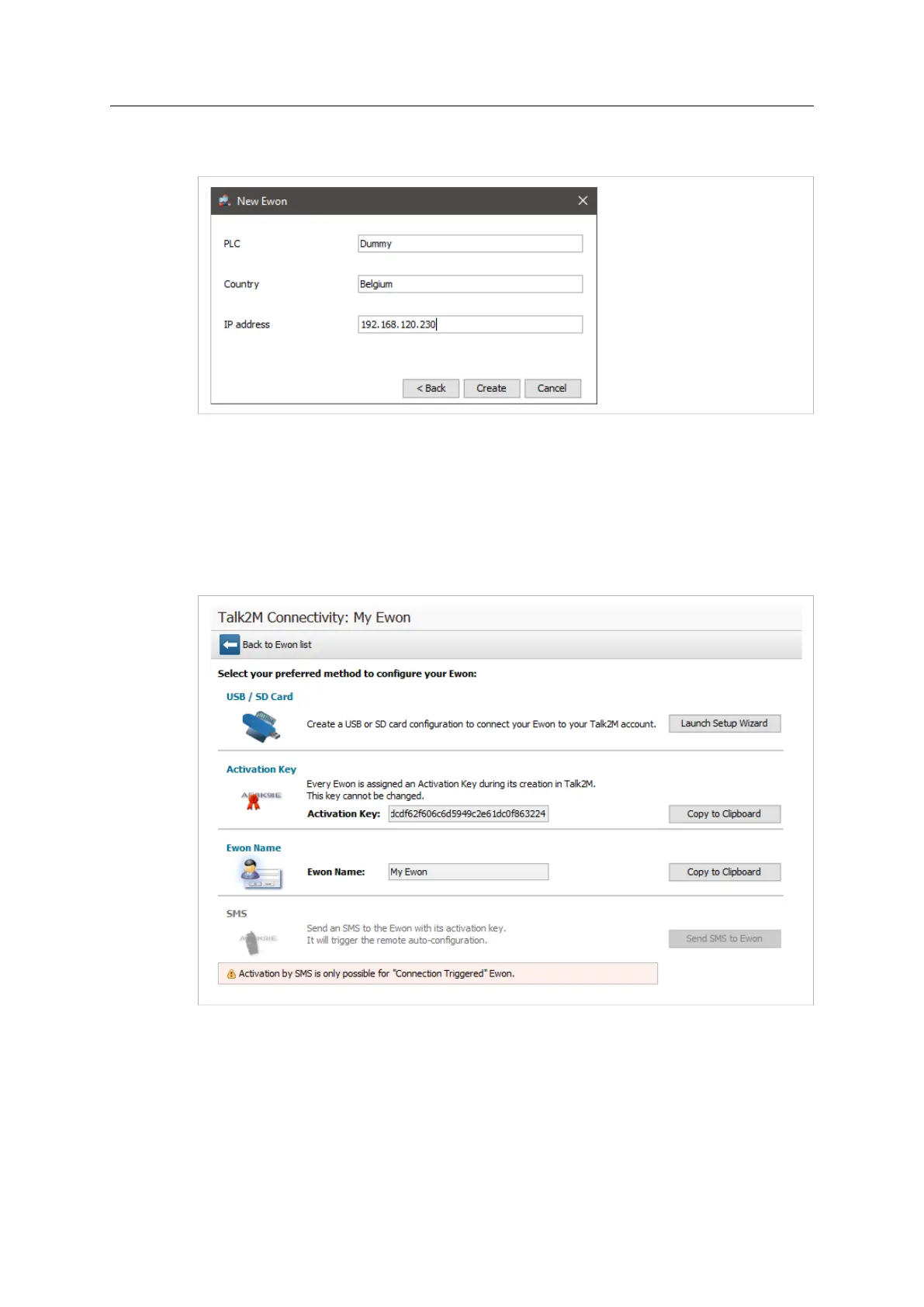
8. Enter custom information concerning your remote connection. You can use the Custom
Fields to classify or filter your different remote connections (your different Ewon Cosy+s).
Fig. 4 Add an Ewon in eCatcher — 4
9. If you’re logged in to a Talk2M PRO account, you will also need to associate your Ewon Cosy
+ to an Ewon Pool.
10. Click Create.
The newly created Ewon Cosy+ is now linked to your Talk2M account.
eCatcher displays the “Talk2M Connectivity” frame. Follow the Step 2: Prepare the Configuration
File, p. 7 to continue the configuration of the remote access.
Fig. 5 Talk2m Connectivity in eCatcher
3.2 Step 2: Prepare the Configuration File
To access remotely your Ewon Cosy+, you need to configure the Internet and the Talk2M VPN
connection of your Ewon Cosy+.
The configuration explained in this section uses the Talk2M Easy Setup feature embedded in the
eCatcher (as of v6.4).
Ewon Cosy+ User Manual
UM-0005-00 1.0 en-US













 To Next Page