Digital Input Wizard 16 (32)
6 Digital Input Wizard
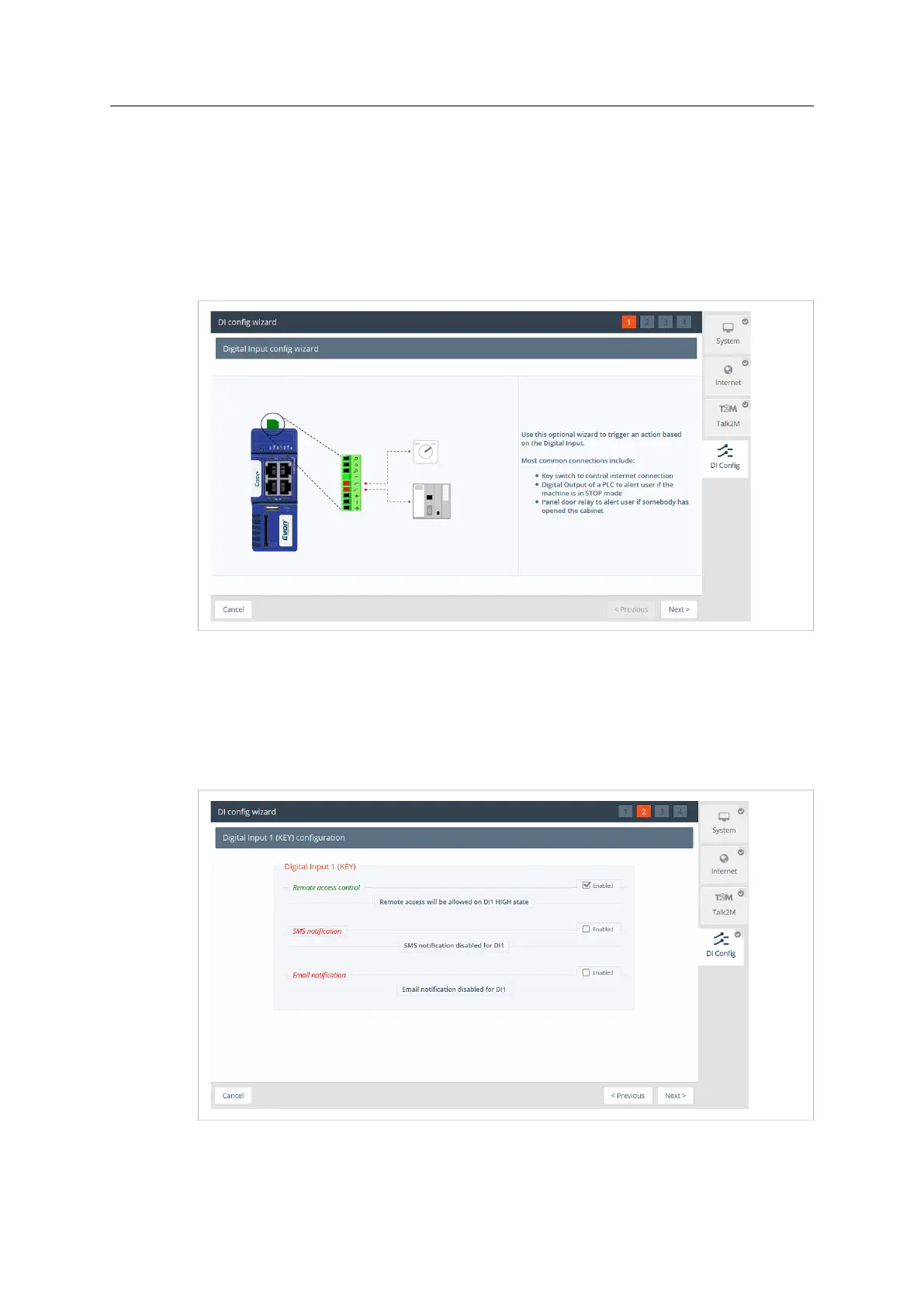
This option is not part of the Quick Launch Wizard, so it is only available by clicking on the DI
Config wizard. Moreover, the DI physical connection need to be wired to be used as a function.
The digital inputs can be used to :
• Control the remote access using a Key switch
• Send out an alarm notification by email and/or SMS
Fig. 12 DI Wizard
6.1 Remote Access Control
To enable the remote access control:
• Click the Enabled checkbox. If enabled, then Talk2M remote access will only be possible at
the high state of the digital input 1. Only if the Key Switch has been enabled.
Fig. 13 DI Wizard Remote Access Key Configuration
Ewon Cosy+ User Manual
UM-0005-00 1.0 en-US













 To Next Page