Digital Input Wizard 17 (32)
6.2 DI Alarm Notification
The following options are valid for DI1 and DI2. For both digital inputs you can setup email or
SMS text message notification.
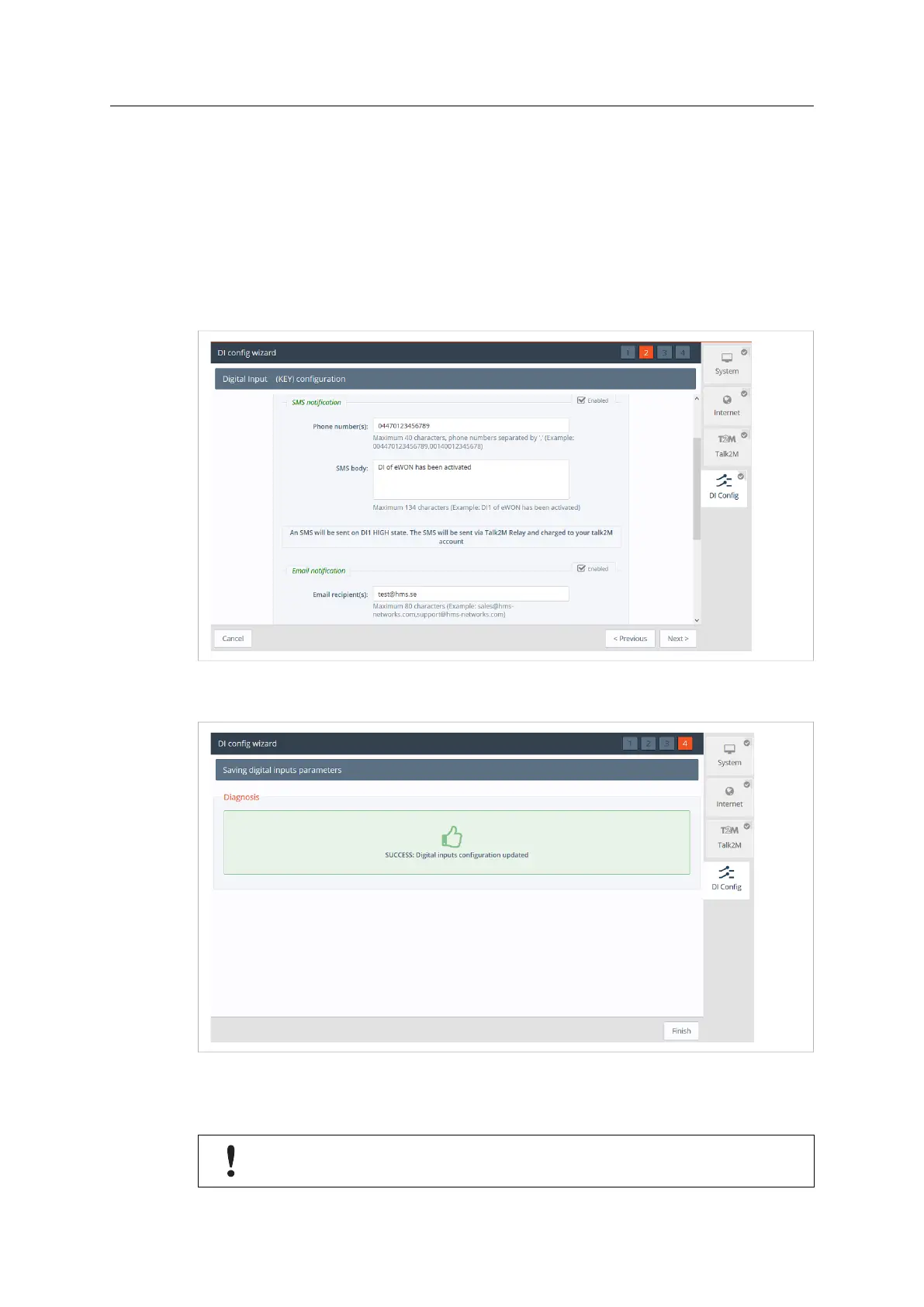
The DI Config Wizard: Select the option(s) by simply checking the Enable checkbox.
• The SMS notifications; enter the phone number, and body of the message accordingly; then
a notification will be sent when the Digital Input switch on a high state.
• The Email notification enter the recipient, subject, and body of the message; then a
notification will be sent when the Digital Input switch on a high state
Fig. 14 DI Wizard Notification Key Configuration
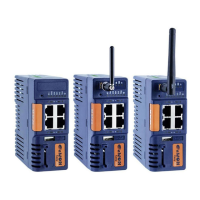
Click Next to test and apply the Digital Input connection settings.
Fig. 15 DI Wizard Remote Key Configuration Validation
If the Digital Input is on a high state at boot time; then a notification is sent out once the Ewon
Cosy+ is connected to Talk2M and a prefix “(BOOT)” is added to your messages
SMS and email notifications are sent via T2M relays, but it requires the Ewon Cosy+ to
have a T2M connectivity, and charges will apply for every SMS sent.
Ewon Cosy+ User Manual
UM-0005-00 1.0 en-US













 To Next Page