Configuring Remote Access in Netbiter Argos 10 (22)
3.2.4 Onsite Indication & Key
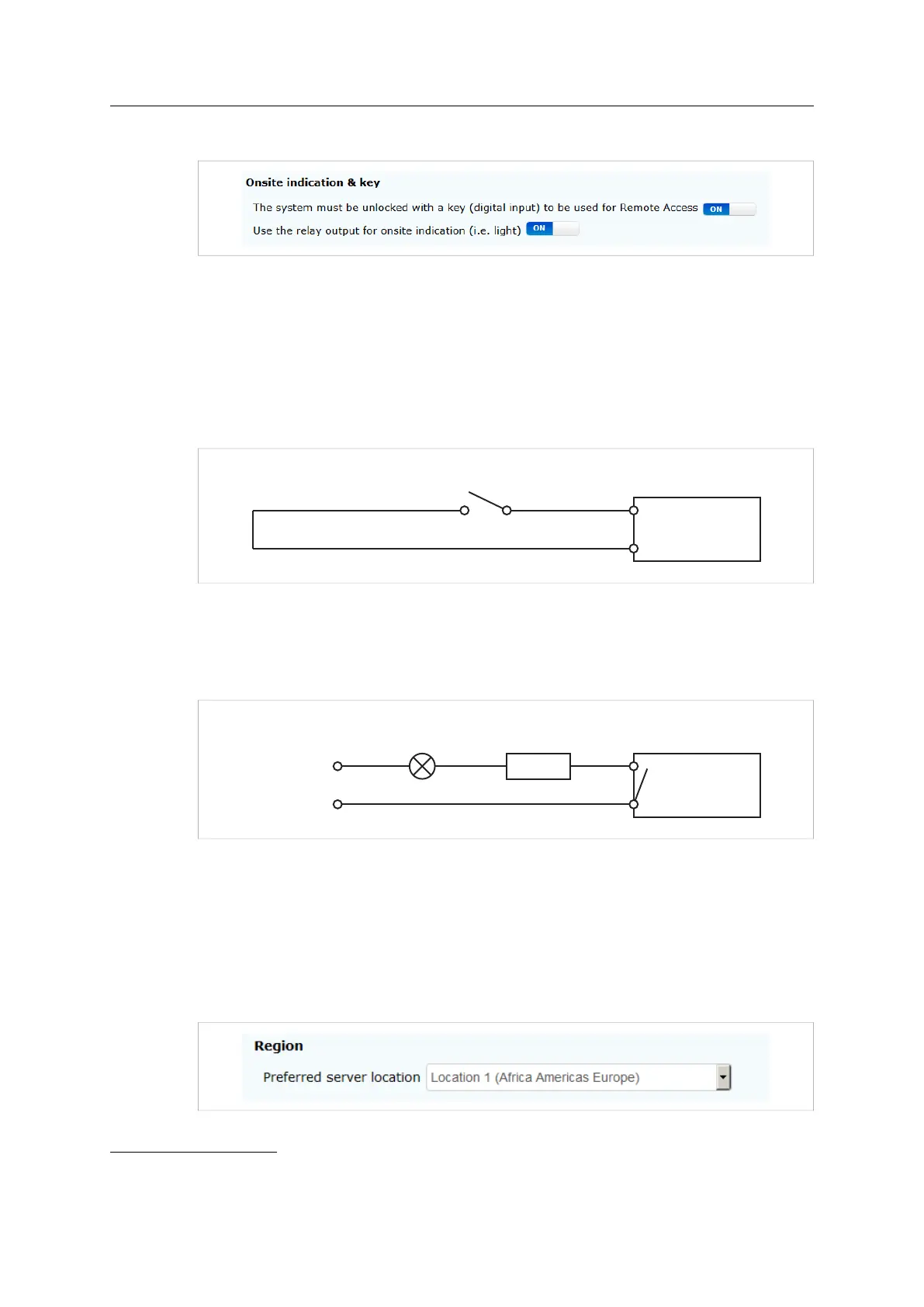
Fig. 9 Onsite indication & key
For greater physical security it is possible to locally enable/disable Remote Access directly
from the hardware, and also to visually indicate whether the function is currently in use.
The operator of a machine could for example temporarily allow maintenance personnel to
use Remote Access. The operator will be notified when the technician is connected. When
maintenance has completed, the operator can disable Remote Access again.
Key
DI/Pulse In:DI1+ (DI2+)
DI/Pulse In:DI1- (DI2-)
EC310 / EC350
Circuit closed = Remote Access unlocked (ON)
Circuit open = Remote Access locked (OFF)
Circuit closed = Remote Access unlocked (ON)
Circuit open = Remote Access locked (OFF)
Circuit closed = Remote Access unlocked (ON)
Circuit open = Remote Access locked (OFF)
Fig. 10 Wiring diagram- digital input
Set The system must be unlocked... to ON and connect a switch or relay to the digital in-
put on the Netbiter gateway as shown in the diagram.
Onsite Indication
Relay:NO
Relay:COM
24 V DC/AC
0 V
Fuse
EC310 / EC350
Relay closed = Remote Access connected (ON)
Relay open = Remote Access disconnected (OFF)
Relay closed = Remote Access connected (ON)
Relay open = Remote Access disconnected (OFF)
Relay closed = Remote Access connected (ON)
Relay open = Remote Access disconnected (OFF)
Fig. 11 Wiring diagram- relay output
Set Use the relay output... to ON and connect a lamp or other indication device to the re-
lay output on the Netbiter gateway as shown in the diagram.
3.2.5 Region
This will be the tunnel server used for secure communication. To minimize latency, select
a server location closest to where the Netbiter gateway is located.
1
Fig. 12 Server location setting
Netbiter
®
Remote Access User Manual Doc ID: HMSI-27-240 Version: 2.0
1. When using a mobile connection, the optimal location can also depend on the country origin of the SIM card in combi-
nation with the location of the Netbiter gateway.



 To Next Page