QuickConnect 17 (22)
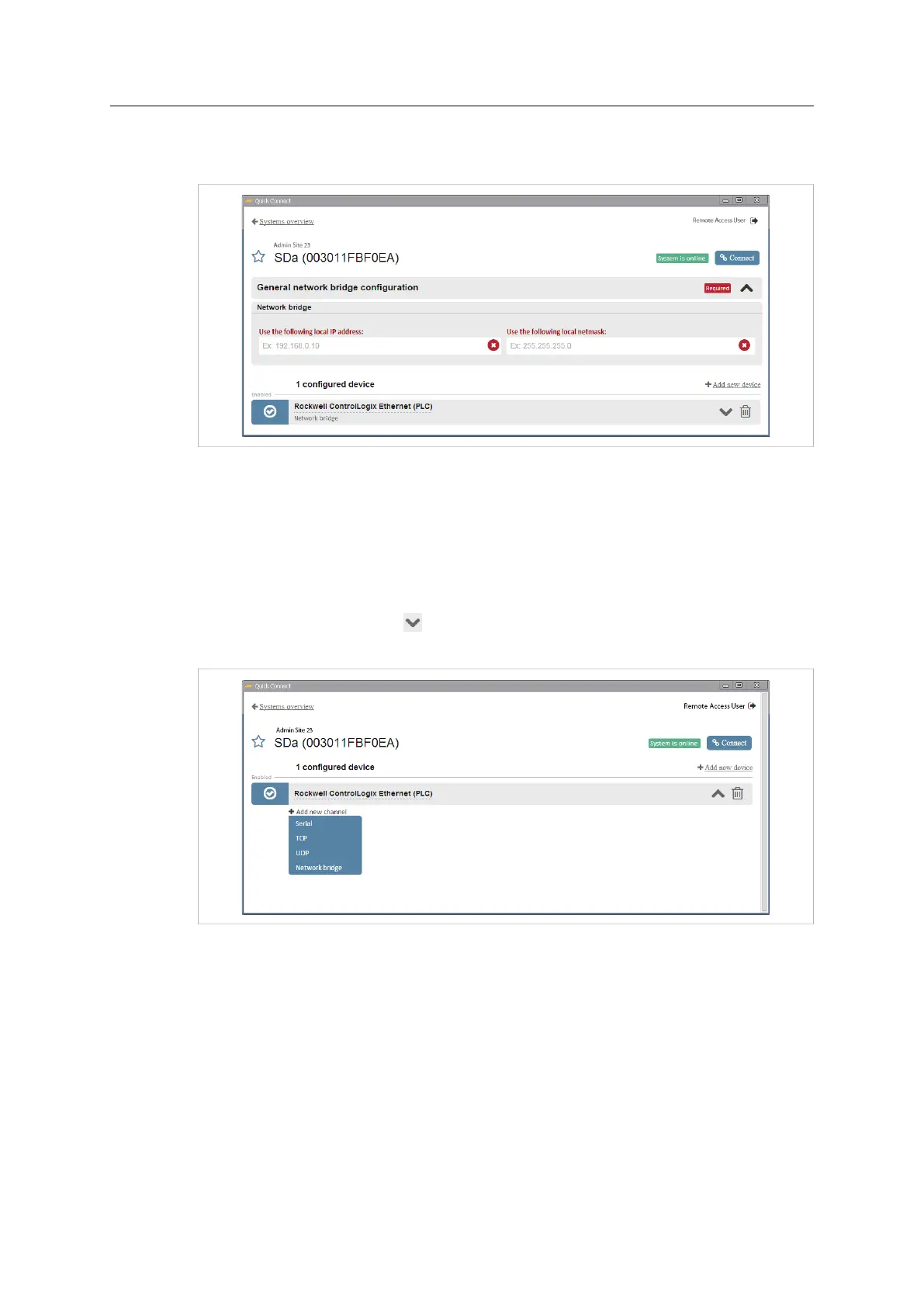
2. Click on General network bridge configuration and enter the IP address and subnet
mask for the virtual network adapter.
Fig. 24 General network bridge configuration
4.2.4 TCP/UDP Port Forwarding
Port forwarding allows you to specify the IP address, network protocol and remote port
to connect to. Any IP address not specified in this configuration will be blocked.
Configuring TCP/UDP Port Forwarding
1. Click on the down arrow
to show the the configuration settings for the device,
then click on Add new channel and select TCP or UDP from the dropdown menu.
Fig. 25 Select TCP/UDP port forwarding
Netbiter
®
Remote Access User Manual Doc ID: HMSI-27-240 Version: 2.0



 To Next Page