QuickConnect 14 (22)
4.2 Configuring a System for Remote Access
4.2.1 Adding a New Device
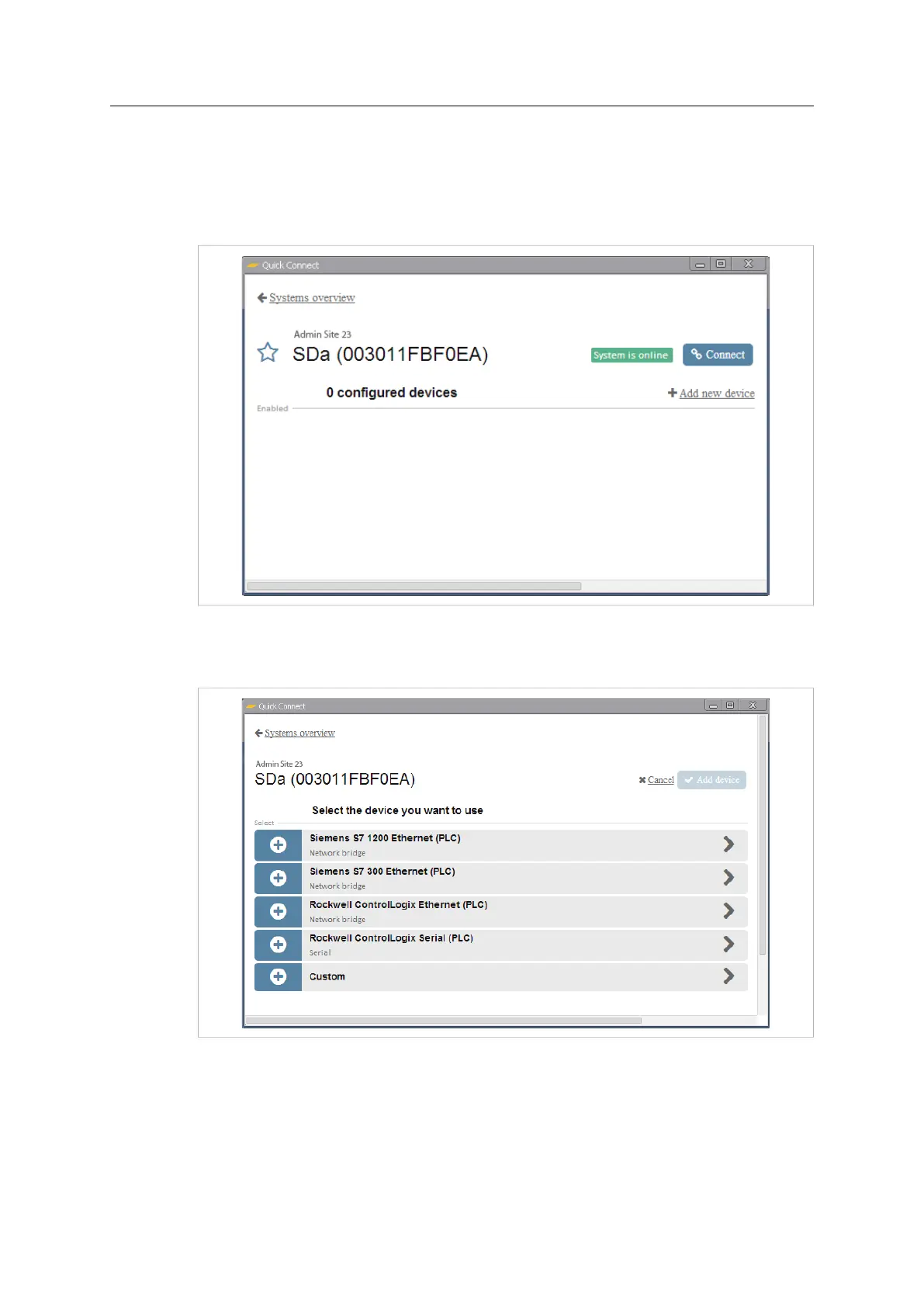
1. Click on Add new device to add a new configuration for a remote device. A list of
available pre-configured devices will be displayed.
Fig. 19 System configuration page
2. Click on a device in the list to start configuring the connection. If the device to be
used is not in the list, select the Custom device. See Custom Device, page 18
Fig. 20 Device list
Netbiter
®
Remote Access User Manual Doc ID: HMSI-27-240 Version: 2.0



 To Next Page