10. Built-in devices
116
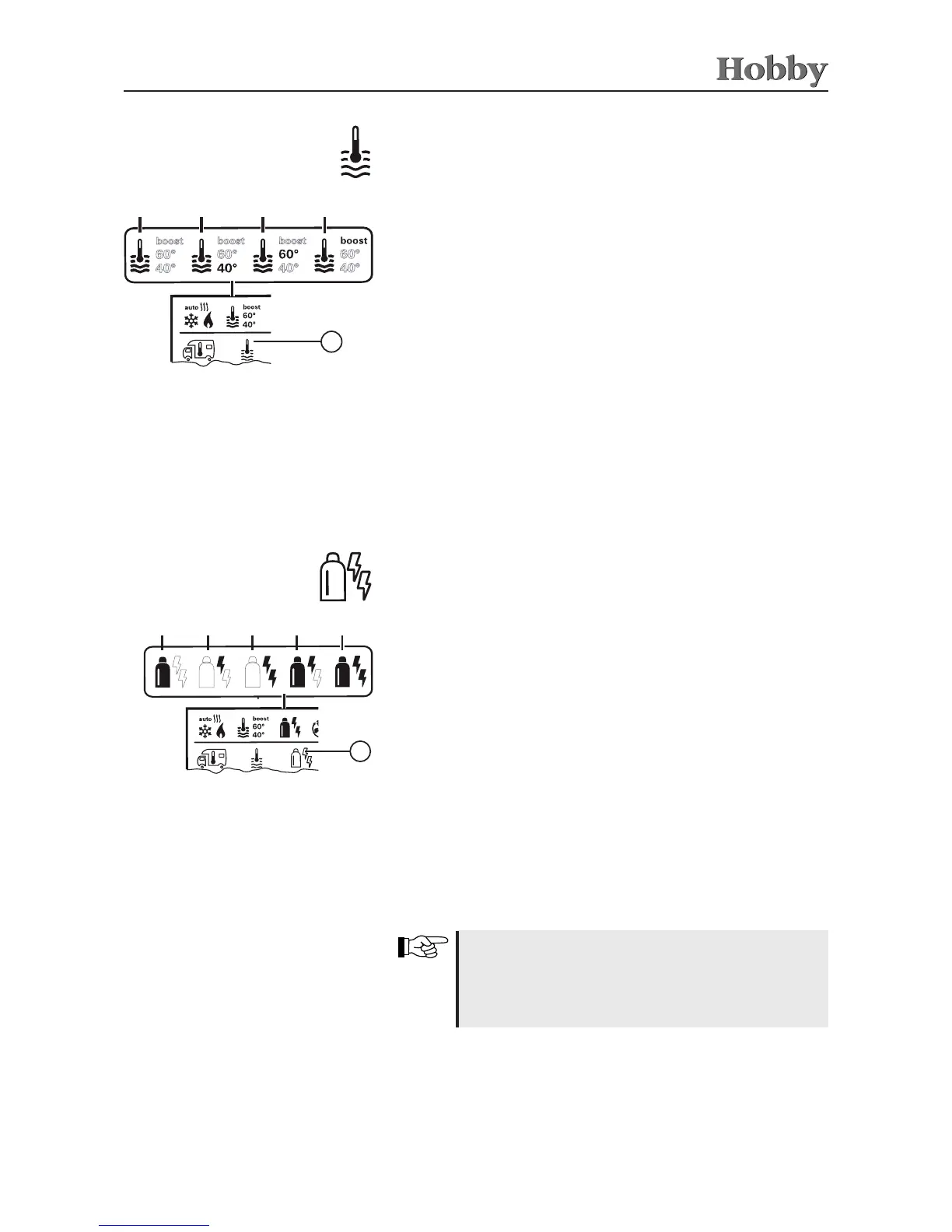
a = boiler
1)
is switched on
b = 40° ** hot water temperature of 40°C
c = 60° hot water temperature of 60°C
d = BOOST
1)
specically heats up the contents of the boiler
(boiler operation) fast for a max. period of 40 min.
Use the adjusting knob / pushbutton to select the icon in the
menu line
l
• Press to switch to the setting mode.
• Use the adjusting knob / pushbutton to select the desired
temperature.
• Press the adjusting knob / pushbutton to conrm the temperature.
Changing the hot water temperature
1)
The icon will blink until the desired water temperature is reached.
2)
Hot water temperature of 40°C can only be maintained at 40° C for a
limited period of time if both the room and the water are being heated.
a
b c
d
3
Icon Type of operation Type of energy
a Gas Gas
b EL 1 Electricity
c EL 2 Electricity
d MIX 1
1)
Electricity + Gas
e MIX 2
1)
Electricity + Gas
Use the adjusting knob / pushbutton to select the icon in the
menu line
l
• Press to switch to the setting mode.
• Use the adjusting knob / pushbutton to select the desired type
of energy
• Press the adjusting knob / pushbutton to conrm the temperature.
Selecting the type of energy *
1)
Mixed operation (electric and mixed operation are optional extras)
a
b c
d
3
e
As soon as the heating has been switched on (room
temperature and hot water temperature have been
activated) the type of energy selected in the previous
heating operation is displayed in the status line.
Manufacturer's default setting: gas.
Special features in mixed operation
Interrupting the 230V power supply
The heating system will switch automatically to gas operation. As
soon as the 230V power supply has been reinstated, the heating
system will automatically switch back to mixed operation.



 To Next Page