10. Built-in devices
117
Malfunction in the combustion process (e.g. lack of fuel)
Combi Gas
The heating system will switch automatically to electric operation. If
it is running in mixed operation, the cause of the malfunction must
be eliminated. Use the control panel to switch the heating o and
then on again.
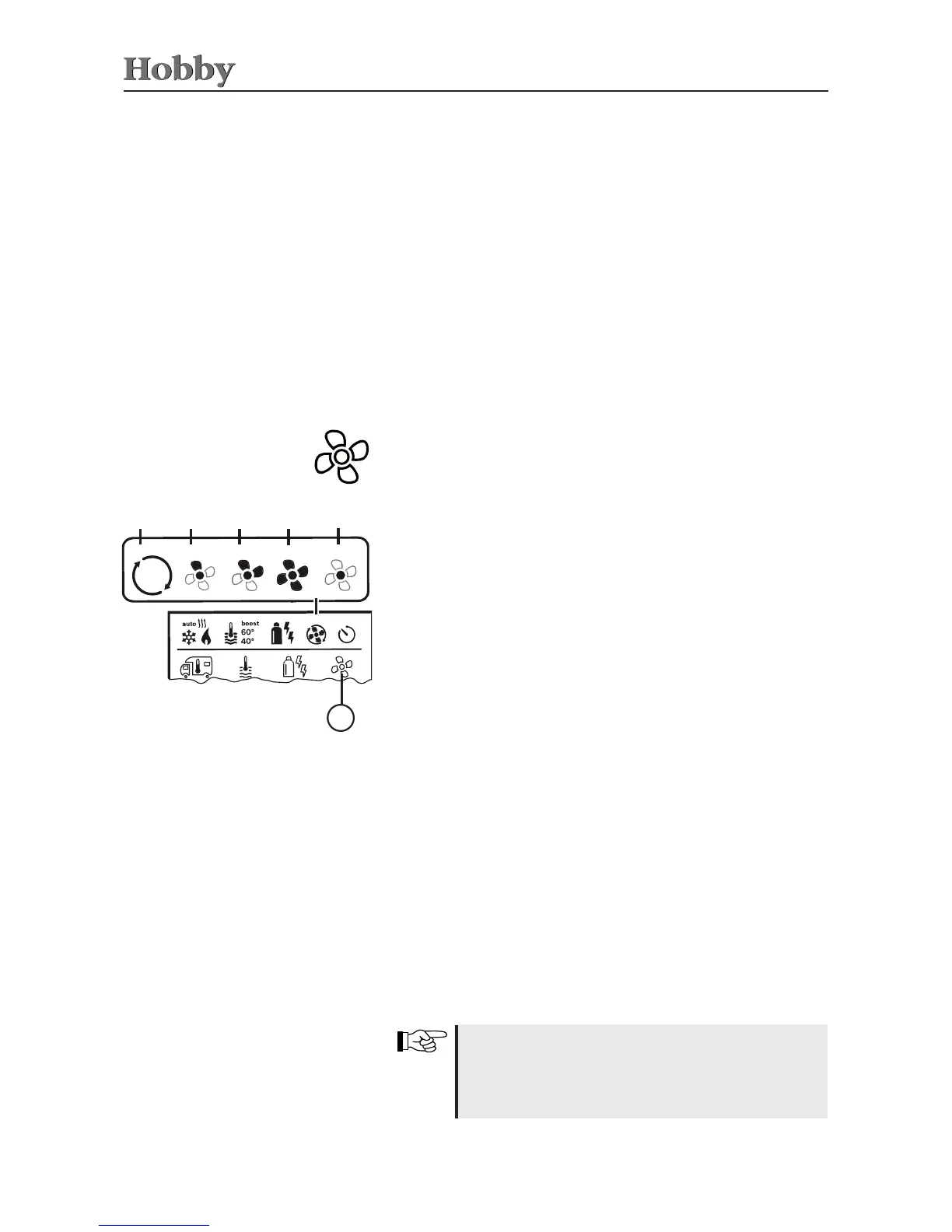
Icon Type of operation Description
- OFF Fan is switched o.
(Can only be used if no device is
being operated.)
a VENT
1)
Air circulation, if no device is
being operated.
RPM can be selected in
10 increments.
b ECO Low fan speed
c HIGH
2)
High fan speed
d BOOST To heat room rapidly
Available if the dierence between
the selected and the actual room
temperature is more than 10°C.
Use the adjusting knob / pushbutton to select the icon in the
menu line
l
.
• Press to switch to the setting mode.
• Use the adjusting knob / pushbutton to select the desired fan
speed.
• Press the adjusting knob / pushbutton to conrm the temperature.
Selecting the fan speed
a
b c
d
3
e
Special features in electric operation
- If the 230V power supply is interrupted and the 12V supply has
been switched on, an error code will be shown on the display.
- As soon as the 230V power supply has been reinstated, the
heating system will automatically be restarted using the previous
settings. The error code will disappear.
1)
Can lead to higher engine wear, depending on how often it is selected.
2)
The “HIGH” fan speed has a higher current consumption, higher noise
level and higher engine wear.
As soon as the heating has been switched on (room
temperature and hot water temperature have been ac-
tivated) the fan speed selected in the previous heating
operation is displayed in the status line. Manufacturer's
default setting: “ECO”.



 To Next Page