10. Built-in devices
118
Use the adjusting knob / pushbutton to select the icon in the
menu line
m
.
• Press to switch to the setting mode.
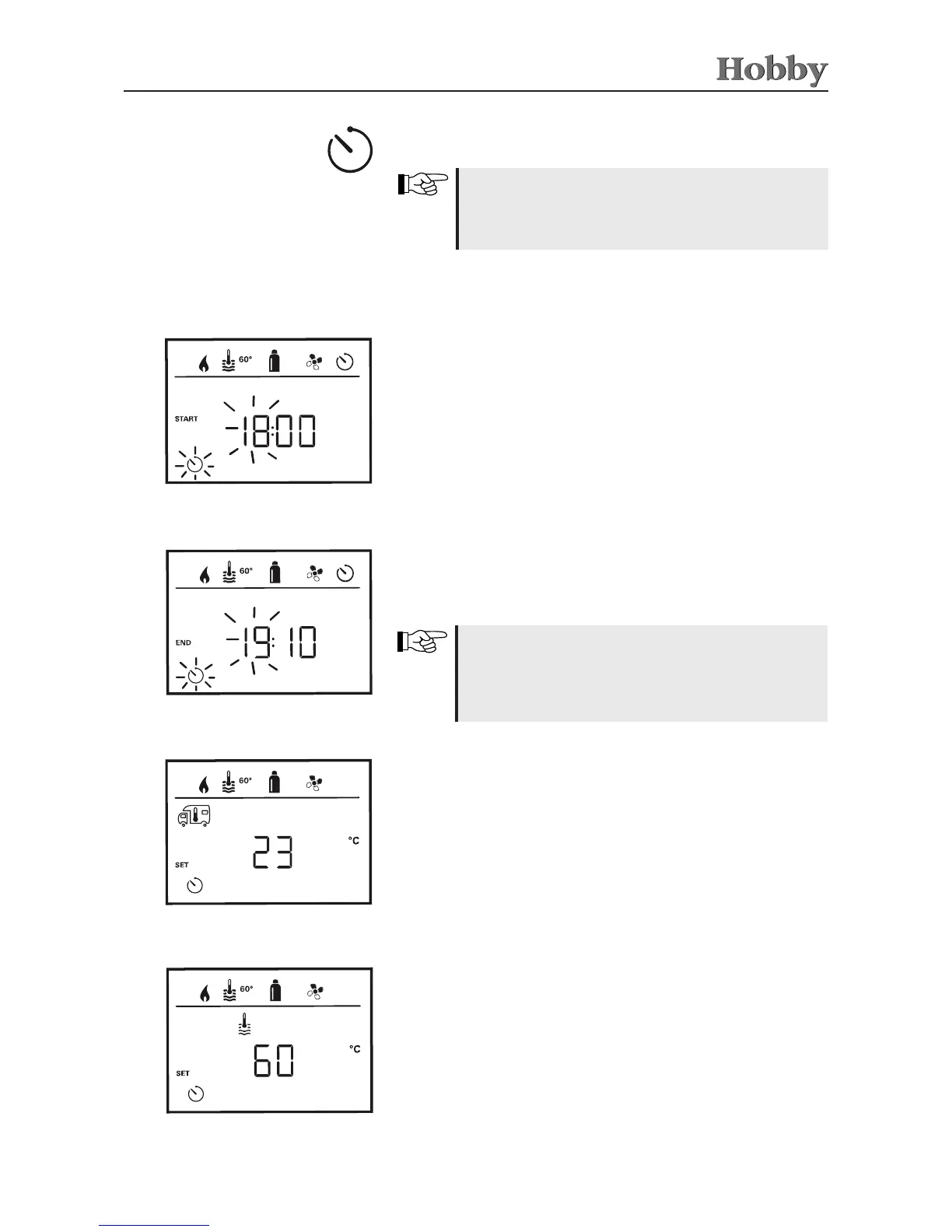
Setting the timer
• Use the adjusting knob / pushbutton to set the hours and then
the minutes.
Entering the start time
• Use the adjusting knob / pushbutton to set the hours and then
the minutes.
Entering the end time
The timer can only be selected if the clock on the control
panel has been set.
If the timer has been activated (ON), the menu item
Activate timer (OFF) is rst displayed.
If the start/end time was exceeded during entry, the
operating parameters will only be taken into account
after the next start/end time has been reached. Until
then, the operating parameters set outside the timer
will remain valid.
Setting the room temperature
• Use the adjusting knob / pushbutton to select the desired room
temperature.
• Press the adjusting knob / pushbutton to conrm the temperature.
Setting the hot water temperature
• Use the adjusting knob / pushbutton to select the desired hot
water temperature.
• Press the adjusting knob / pushbutton to conrm the temperature.



 To Next Page