73
7. Installation of electrical devices
Lighting system
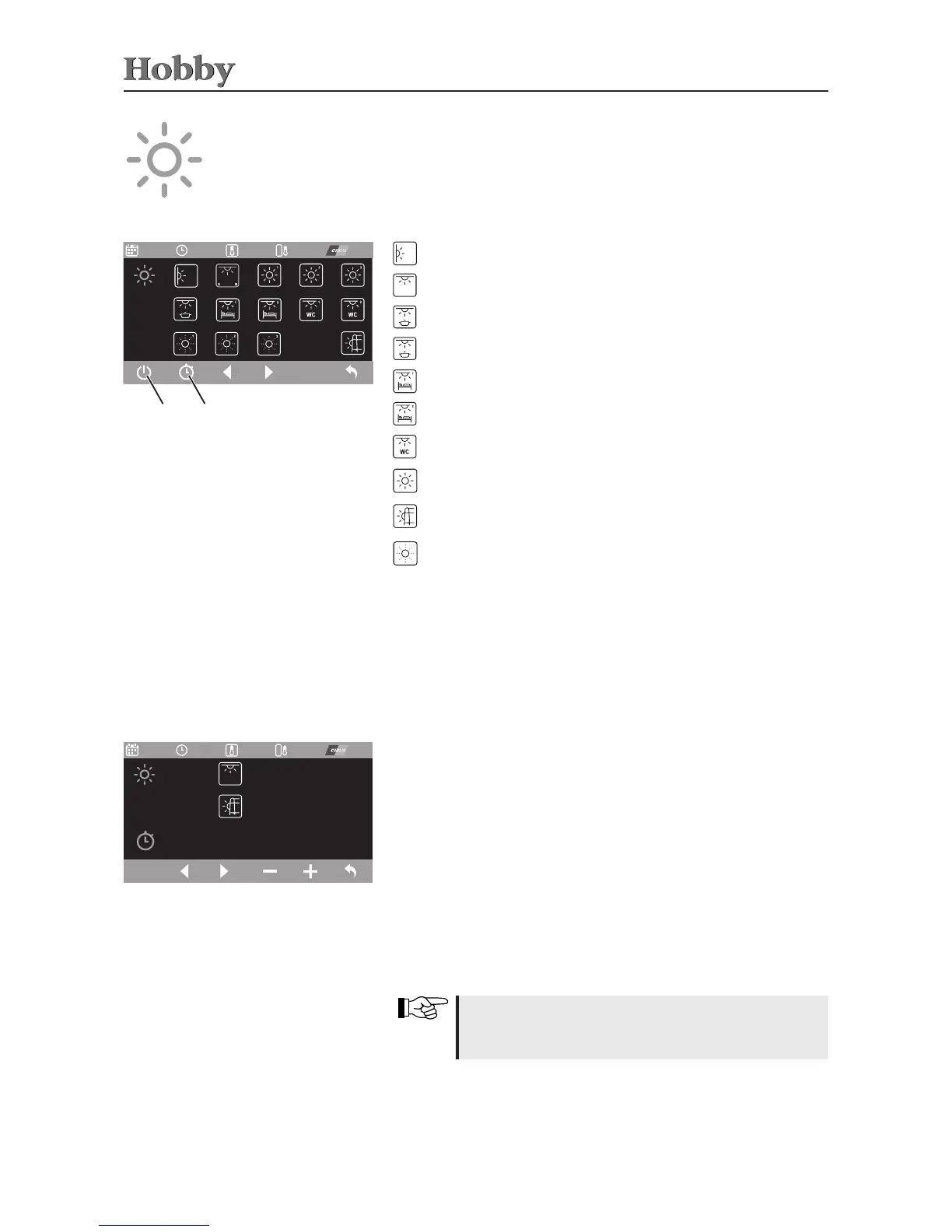
Selectthedesiredlightinthemenuforthelightingsystembymeans
ofthecontrolknoborthearrowfunctions(display:yellow).Press
onthecontrolknobortheleftsoftkeytoswitchthecorresponding
lightonoro(activatedlightsaredisplayedingreen).
Lichtsystem
09.01.2015
17:00 to 22:00
12:25 27,4°C
06.06.16
26,4°C
14:00 -------
01.07.15
-------
Lichtsystem
09.01.2015
17:00 to 22:00
12:25 27,4°C
06.06. 16
26,4°C
14:00 -------
01.07. 15
-------
On/O Timer
Accessthe submenufor programmingthetimerbymeansofthe
timerfunction.Onlytheceilinglightandtheoutertentlightcanbe
regulatedusingthetimer.
10:00 to 14:30 on
0:00 to 0:00 off
12:25 27,4°C
06.06. 16
26,4°C
12:25 27,4°C
06.06. 16
26,4°C
•
Walllightsabovecentreseatingarrangement/seatingbench
Ceiling light
Kitchen light
Kitchen wall cabinet
Right bed
Left bed
Shower/Washroom/Washingarea
Ambientlighting
Outer tent light
(automaticallyswitchedoassoonasvehiclemotorisswitchedON)
Additionallighting(model-specic)
small blue dot = timer activated
small green dot = output on lighting control activated
Programming the timer
Triggerthedesiredvaluebymeansofthearrowkeysorthecontrol
knobandpressthe“On/O”functionorthecontrolknobtoselect
it.Turnthecontrolknoborusethe“+/-”functionstosetthetime.
Pressthecontrolknobagainorusethe“On/O”functiontoconrm
thesettime.
Activating/deactivating the timer
Thetimerwillonlybeactivatedifthefunctiontotherightischanged
from“O”to“On”(thewaytodothisisidenticaltoprogramming
thetimer).
Deactivatethetimerbysettingthefunctionfrom“On”backto“O”.
Theactivatedtimerisindicatedinthemainmenufor
thelightingsystembyabluedotinthecorresponding
light icon.
Exitthis menubyusing the“Back”function;otherwise,after one
minute,itwillautomaticallyswitchbacktothemainmenuonthe
controlpanel.



 To Next Page