88 Using an SD card
INSERTING THE SD CARD
1. Ensure that the device is in standby mode (see
page 39.
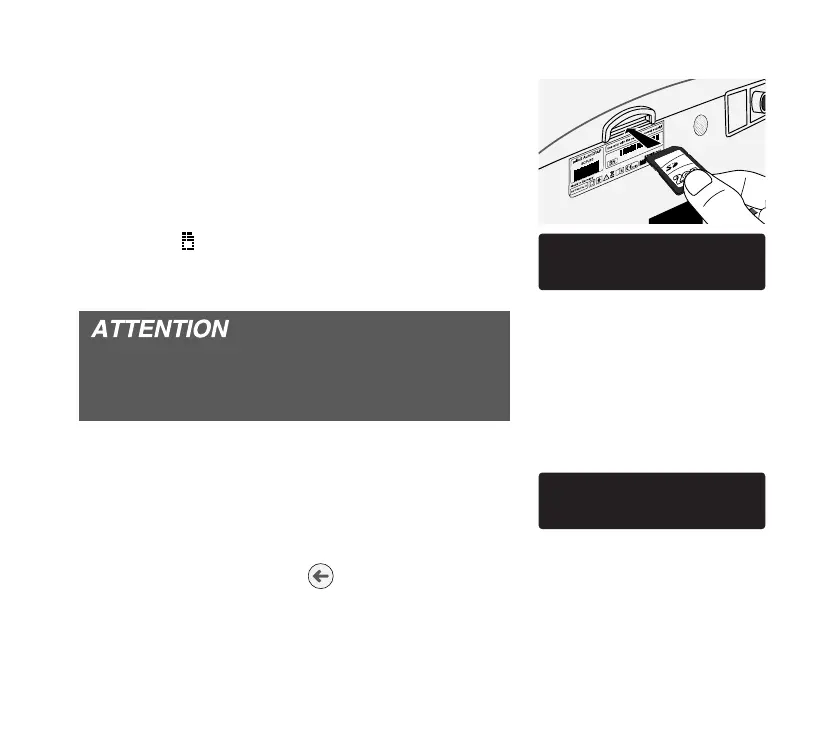
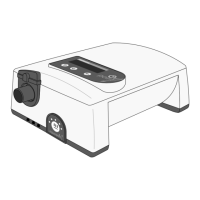
2. Insert the SD card into the SD card slot (see pic-
ture).
3. The device starts initializing while the message
“Do not remove the SD card” is displayed. Finally
the symbol
is shown at the display. The time
required for initialization depends on the device
settings.
During the initialization process do not remove
the SD card at any time! This could lead to loss
of data or damage the SD card.
4. After successful initialization, the message disap-
pears. If the SD card contains valid new therapy
parameters, the device is going to import them.
Finally “New Parameters were accepted” indi-
cates initialization to be successful.
5. By pressing the enter key or after 10 s the
message will be disappear automatically.
JAB122020
/$! .
+ *+/ .!)+2!
3!.! !,/!
!3 .)!/!.0


 To Next Page