Using an SD card 89
After the takeover of the parameters enter the Info-
Menu and validate the displayed parameters with
the values of your prescription.
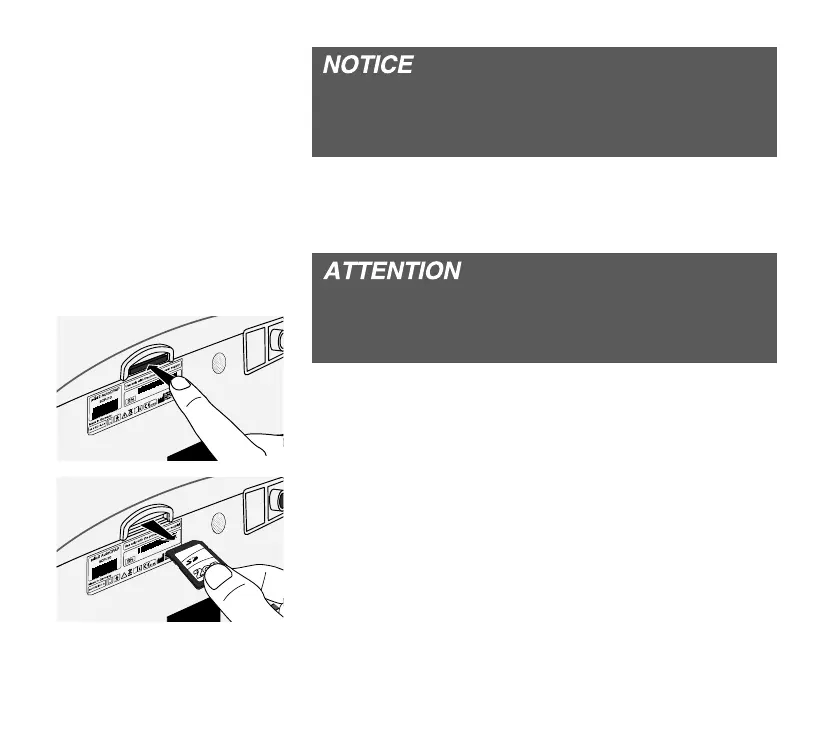
REMOVING THE SD CARD
Only remove the SD card in standby mode. Oth-
erwise data may be lost or the SD card might be
damaged.
1. Ensure that the device is in standby mode (see
page 39.
2. Carefully push the SD card into the card slot.
3. Remove the SD card.
JAB122020
JAB122020


 To Next Page