Discovery QDR Series Technical Manual
4-34
Note: If the customer is upgrading to the Body Composition Analysis option, you must
follow the procedure and meet the requirements in 4.12.1.
4.13 Check Phantom values
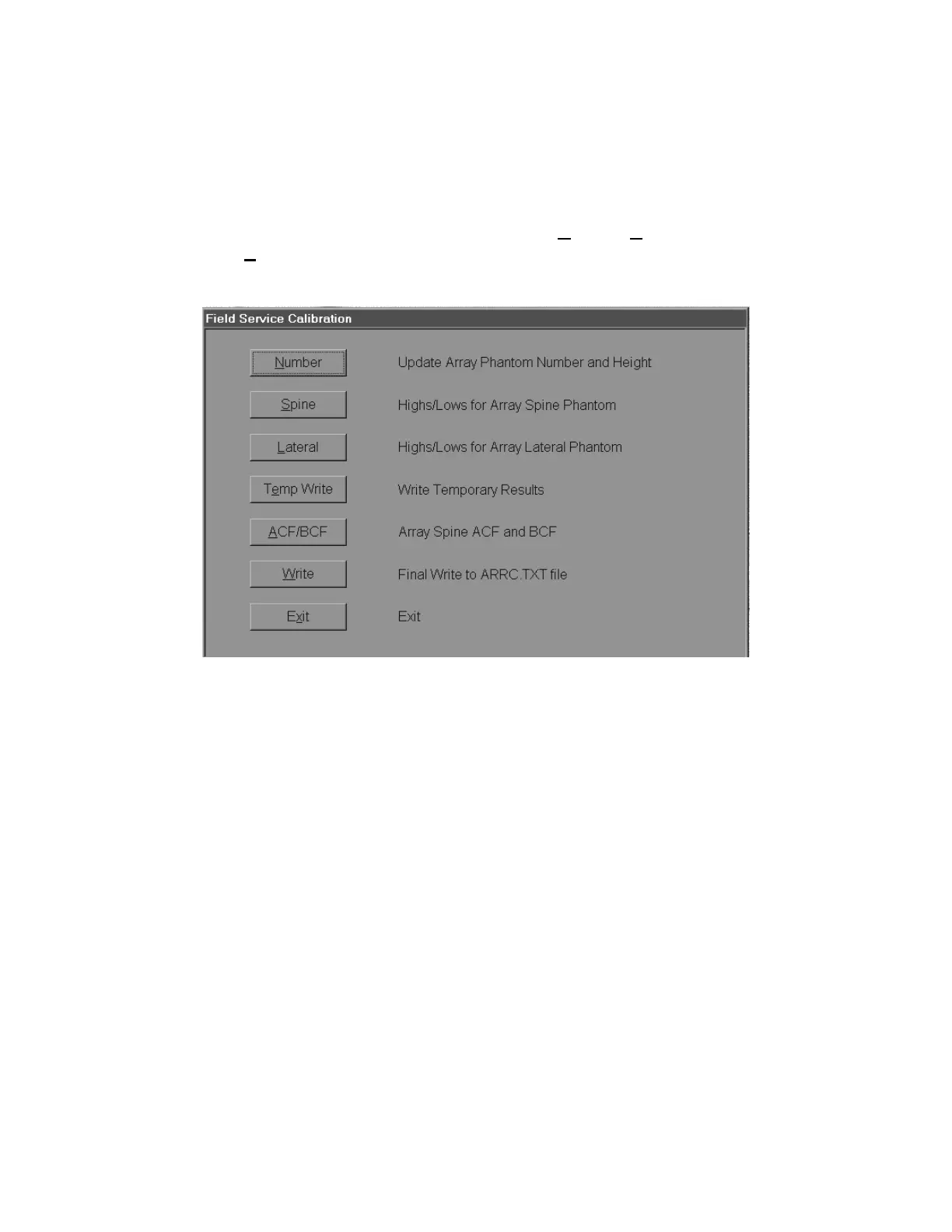
1. From the Discovery Main Menu screen, select Utilities|Service Utili-
ties|Field Service Calibration.
2. Click the Number button.
3. Compare values displayed with actual values printed on the phantom. If there is a
discrepancy, check to make sure you have the phantom that shipped with the unit.
Check with Hologic Technical Support if needed.
4.14 Area, BMD, and BMC Calibration
Calibration for Area, BMD, and BMC is accomplished in 3 stages:
a. Array Scan Thickness Measurement & Calibration
b. Calibration of Area and BMC for Array Scan Modes
c. Adding Array AP scans to the QC database
Follow the procedure, in order, and exactly as shown, for each stage of the calibration.
Note: If the Discovery being installed is to replace an existing QDR (model 2000plus,
2000, 1500, 1000plus, 1000 or 1000/W), then a cross-calibration must first be
performed to ensure that any longitudinal studies begun on the QDR being
removed can safely be continued on the new Discovery. Perform the cross-
calibration before de-installing the existing QDR. (Refer to QDR 1000-4500
Upgrade Procedure, 080-0767 for complete instructions.)











 To Next Page