Configuring Camera Settings
45
Local
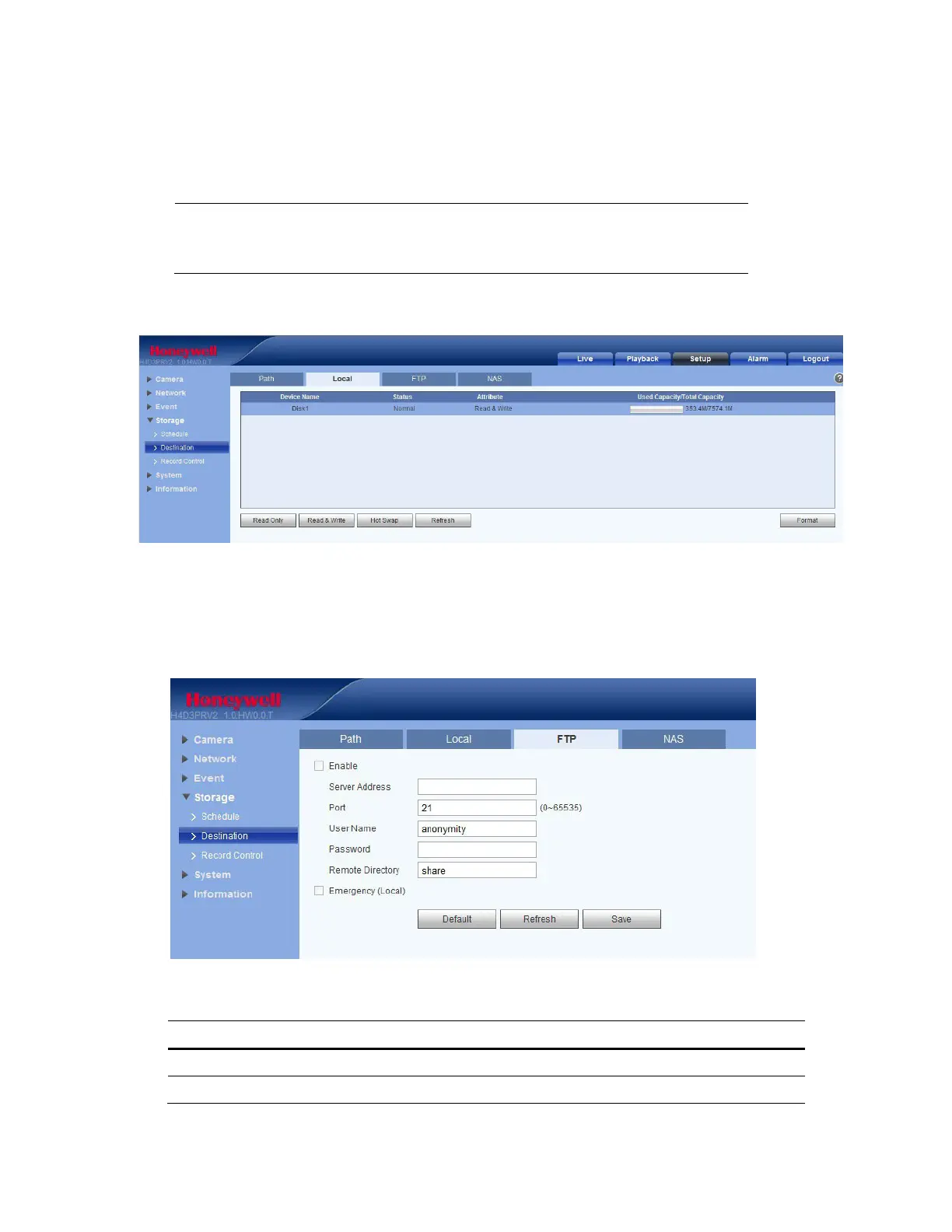
On the Local tab, you can view local microSD card or NAS disk information. You can also access the
Read Only, Read & Write, Hot Swap, and Format functions.
Note
This function is only supported by the following models:
H2W2PRV3/H2W4PRV3/HBW2PR2/HBW4PR2/HEW2PR2/HEW4PR2/
H4W2PRV2/H4W4PRV2.
Figure 5-27 Local Storage Configuration Interface
FTP
On the FTP tab, you can enable the FTP storage function. When enabled, event-triggered video and
snapshots (either scheduled or motion detection, depending on what you chose in Figure 5-26) will be
saved to the specified FTP server.
Figure 5-28 FTP Configuration Interface
Table 5-18 FTP Configurations
Parameter Function
Server Address Enter the IP address of the FTP server.
Port The default setting is 21. You can modify this setting as necessary.



 To Next Page
 Loading...