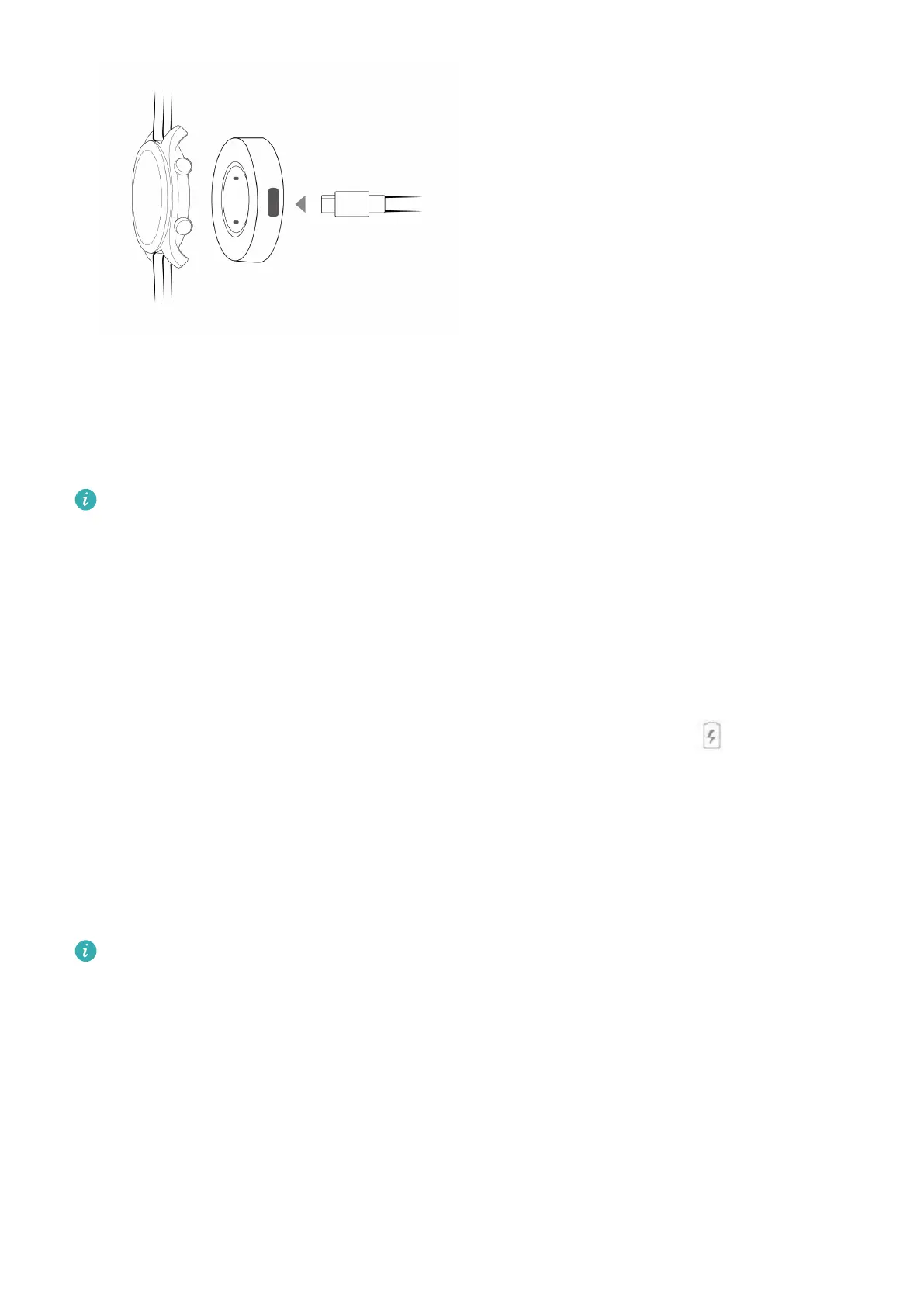
2 Rest your watch on top of the charging cradle, ensuring that the contacts on your watch and
the cradle are aligned. Wait until the charging icon appears on your watch screen.
3 When your watch is fully charged, 100% will be displayed on the watch screen and the
charging will stop automatically. If the battery level is below 100% and the charger is still
connected to the phone, the charging will start automatically.
• Use the dedicated charging cable, charging cradle, rated output voltage of 5 V, and rated output
current of 1 A or higher to charge your watch.
• It is recommended that you lift the charging cradle to attach it to your watch. Ensure that the side
of your watch with buttons is aligned with the charging port of the cradle. After the cradle and
watch are connected properly, check to see if the charging icon is displayed. If you cannot see the
charging icon, you may need to slightly adjust the position of the cradle until contact is established
and the charging icon appears.
• Your watch will automatically power off when its battery level is too low. The icon will be
displayed during charging. After it is charged for a while, your watch will automatically power on.
Charging time
Your watch will be fully charged within two hours. When the charging indicator displays 100%,
the watch is fully charged. Disconnect your watch from the power adapter once it is fully
charged.
• Charge your watch in a dry and well-ventilated environment.
• Before charging, make sure that the charging port and metal parts are clean and dry to prevent
short circuits or any other risks.
• Before charging, make sure the charging port is dry. Wipe off any water or sweat stains.
• The charging cradle is not water resistant, so keep it dry at all times.
• It is recommended that the ambient temperature is between 0 and 45°C.
• To protect the battery, the charging current will be reduced if the ambient temperature is low, which
will prolong the charging time without affecting the battery lifespan.
Getting started
4



 To Next Page