6 Operation
Rotary actuators 135 • M140 • M150 • M180
24 Version 2.0 - June 2012 Operating instructions
6 Operation
6.1 Changing between manual and automatic mode
Manual adjustment is possible when combined with a suitable add-on kit.
How to change-over in manual
mode
1 Disconn
ect the actuator from the power supply.
Risk of damage to device when adjusted manually
The actuator may sustain damage if the rotary actuator is not disconnected from
the power supply.
• Disconnect actuator from power supply
.
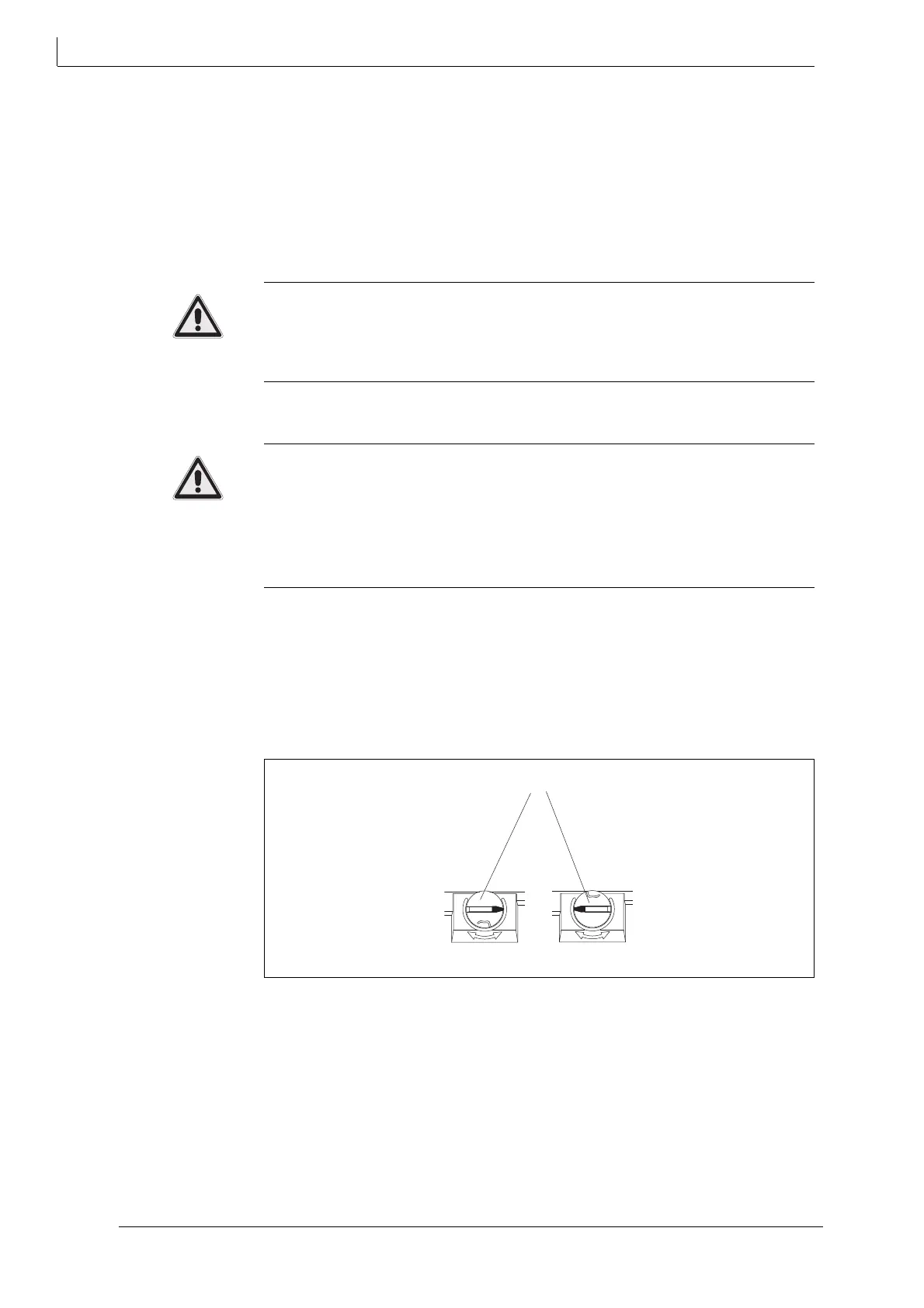
2 Turn the rotary knob (34) to MAN position.
Risk of damage to flap and actuator during manual mode!
The flap may get damaged if it is pushed too hard into its receptacle during
manual mode.
• Stop operating the hand lever when the physical effort required increase
s
noticeab
ly
.
• Never use force !
3 Adjust the flap with the help of the hand lever.
How to change into automati
c mode
1 T
urn the rotary knob to (34) AUTO position.
2 Operate the hand lever until the gear engages.
3 Turn on the power supply.
7 Maintenance, care and repairs
The rotary actuator is low-maintenance. You do not have to carry our continuous
or periodical maintenance.
34 Rotary knob
Fig. 16 Operating mode selection MAN / AUTO
MANMAN
AUTOAUTO
MANMAN
AUTOAUTO



 To Next Page