22 INSTALLATION MANUAL
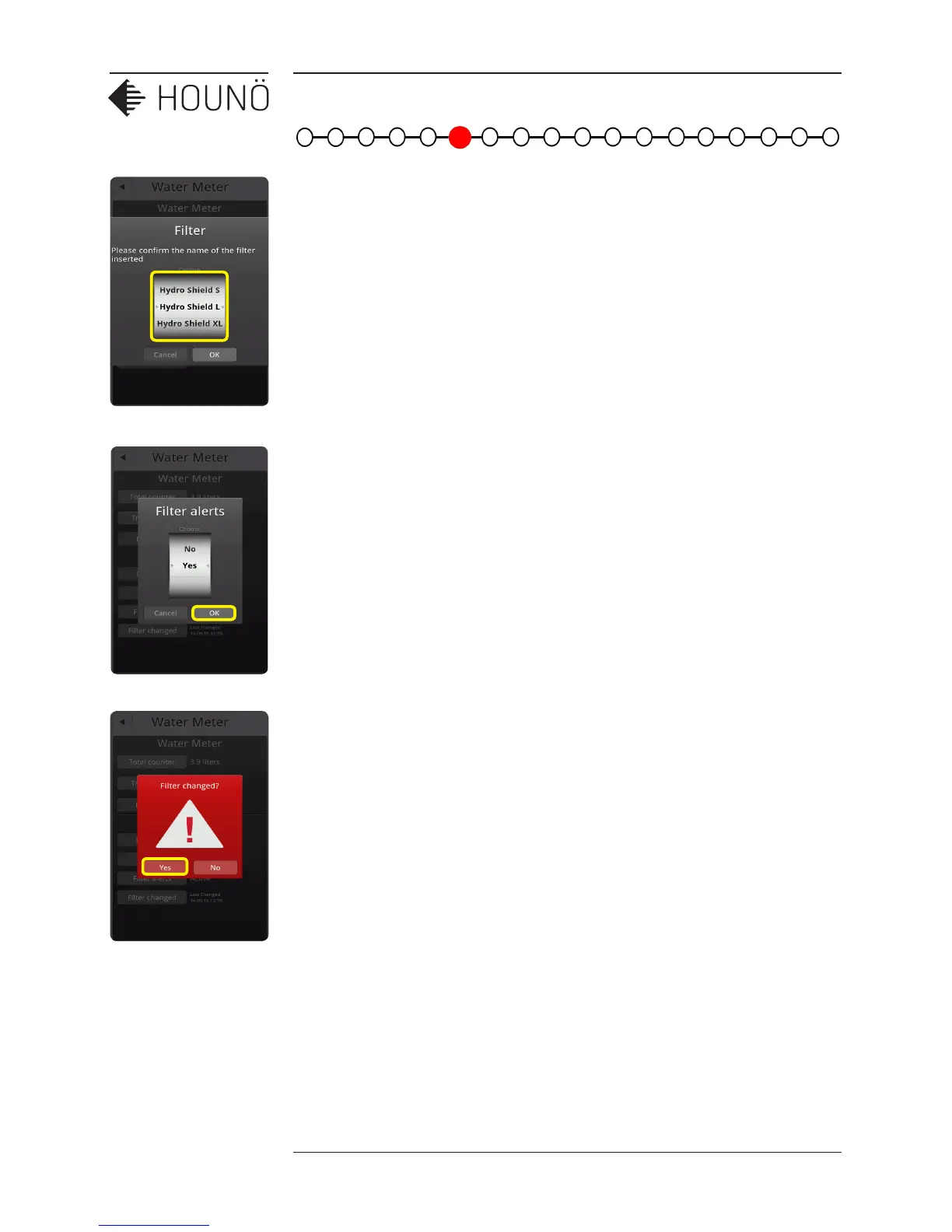
7. Select: Filter size to select the filter size which is fitted to the supply line.
8. Select: Filter alerts, and activate the filter alarm, so the oven will let the user know when
the filter needs to be replaced.
9. Select: Filter change, and reset the liter counter for the filter capacity. Now the water
meter is reset and ready for use.
The oven is now set up to give a warning when the filter needs to be changed.



 To Next Page