48 INSTALLATION MANUAL
FLUE GAS ANALYSIS
Before you start the analysis, the fan motor in the chamber must run High left, and the oven
door must be open during adjustment of the burner.
SMARTTOUCH: FLUE GAS ANALYSIS GUIDE
Make sure that the ventilation is running when you adjust the oven,
and monitor the CO values closely. The CO values must not exceed
400 ppm for an extended period of time. If this happens, it can
cause fatal poisoning.
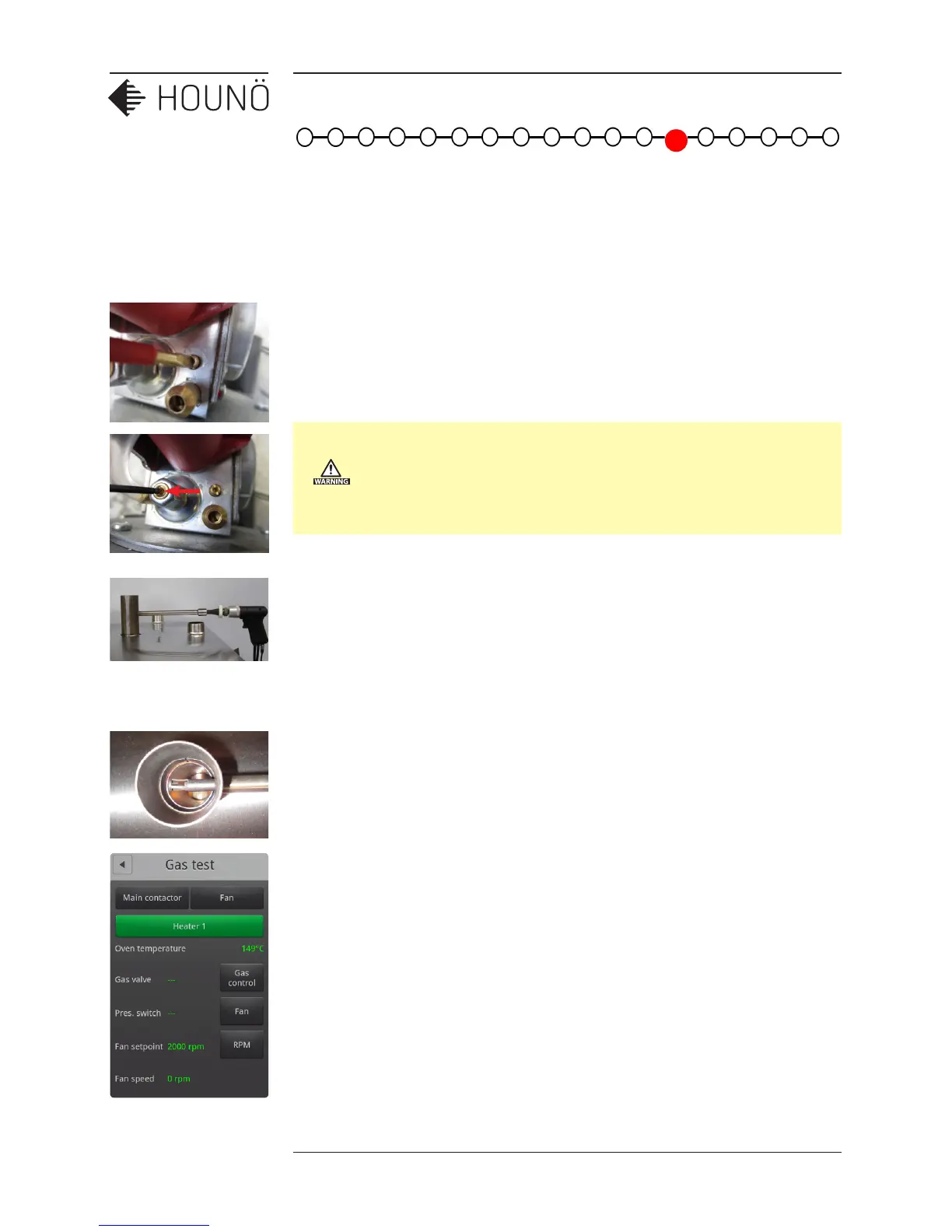
1. Place the adaptor for the flue gas meter at the top of the exhaust pipe from the
heat exchanger, and then insert the probe from the flue gas meter into the 14 mm
pipe on the adapter.
2. Ensure that the tip of the probe is exactly in the center of the 50 mm pipe on the
adapter.
3. Open the oven door.
4. On the Technician display, touch Test functions, and then touch Gas.
5. Touch Main contactor, and then touch the Fan button next to the Main contactor
button.
6. Touch RPM. Select the correct start value based on the Gas Burner table, see Gas
Burner Settings (page 46).
7. Touch Gas Control and wait for 10 seconds.
8. Touch the Fan button next to Pres. Switch. The gas valve is activated and the burner
starts. The pressure switch is also activated.
9. Touch RPM and select Max RPM for O
2
setting. For more information, see Gas
Burner Settings (page 46).



 To Next Page