Hybrid/AC-coupled Inverter User Manual
© 2024 Hoymiles Power Electronics Inc. All rights reserved.
44
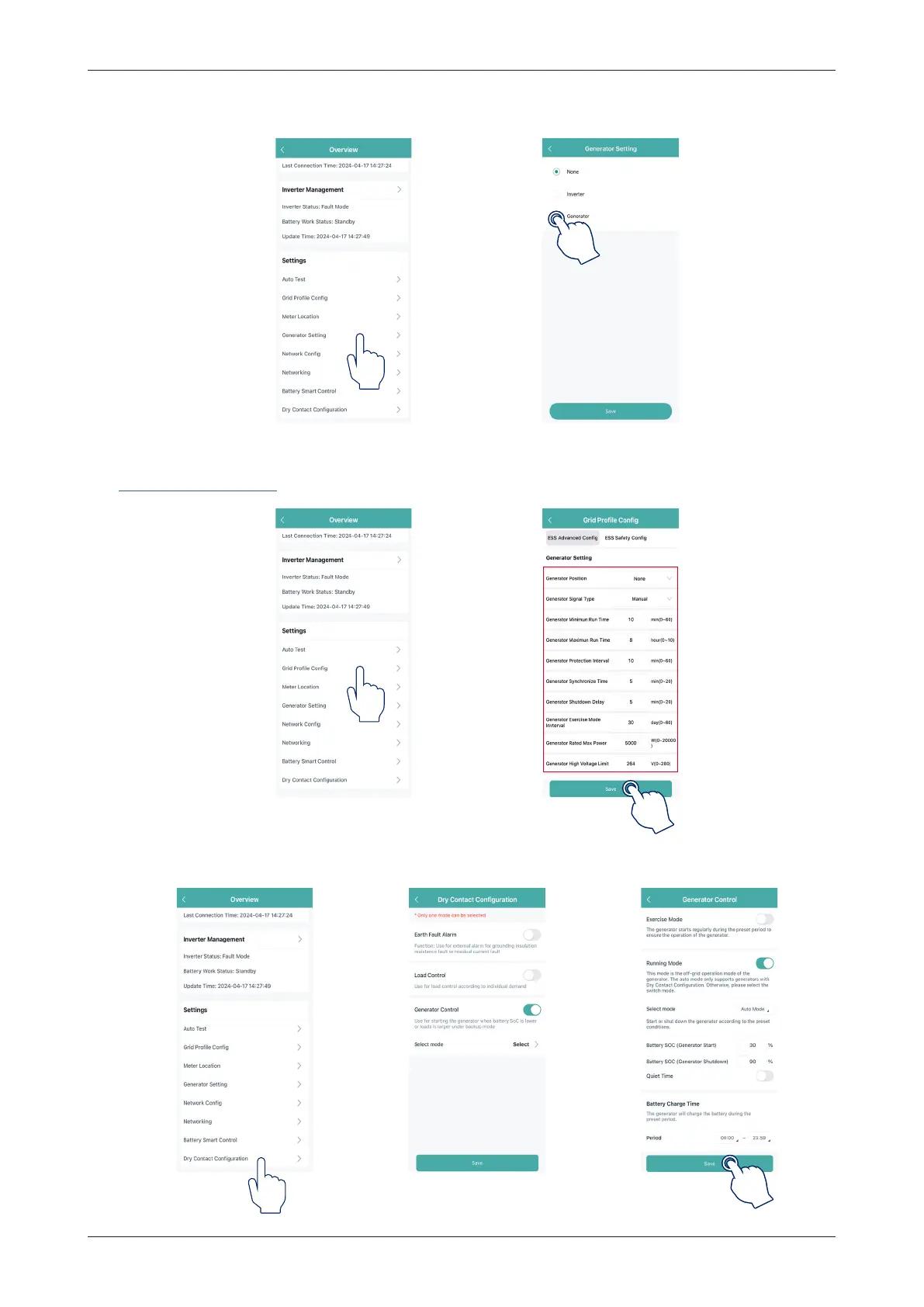
4. Tap “Generator Setting”, choose the corresponding option according to whether the device connected to
the GEN port is “Inverter” or “Generator”, and tap “Save”. (The default option is “None”.)
(a) If the GEN port is connected to the generator, tap “Grid Profile Config
→
ESS Advanced Config”, slide
your finger up to set generator parameters, and tap “Save”. For detailed parameters, please refer to
NO.2 Generator Setting.
After setting the generator parameters, tap “Dry Contact Configuration
→
Generator Control” to set its
mode and corresponding parameters, and tap “Save”.


 To Next Page
 Loading...