Hybrid/AC-coupled Inverter User Manual
© 2024 Hoymiles Power Electronics Inc. All rights reserved.
45
Exercise Mode
The generator starts regularly during the preset period to ensure the operation of the generator.
Running Mode
This mode is the off-grid operation mode of the generator, including switch mode and auto mode. The
switch mode is used to turn on or turn off the generator manually; the auto mode is used to turn on or turn
off the generator according to the battery capacity. The auto mode only supports generators controlled by
Dry Contact. Otherwise, please select the switch mode.
Mode
Parameter
Auto Mode
Battery SOC (Generator Start)
When the battery capacity drops to the set value, the generator will
turn on automatically.
Battery SOC (Generator Shutdown)
When the battery capacity reaches the set value, the generator will
turn off automatically.
Quiet Time During the quiet time, the generator is disabled.
Battery Charge Time
Description: The generator will charge the battery during the preset period.
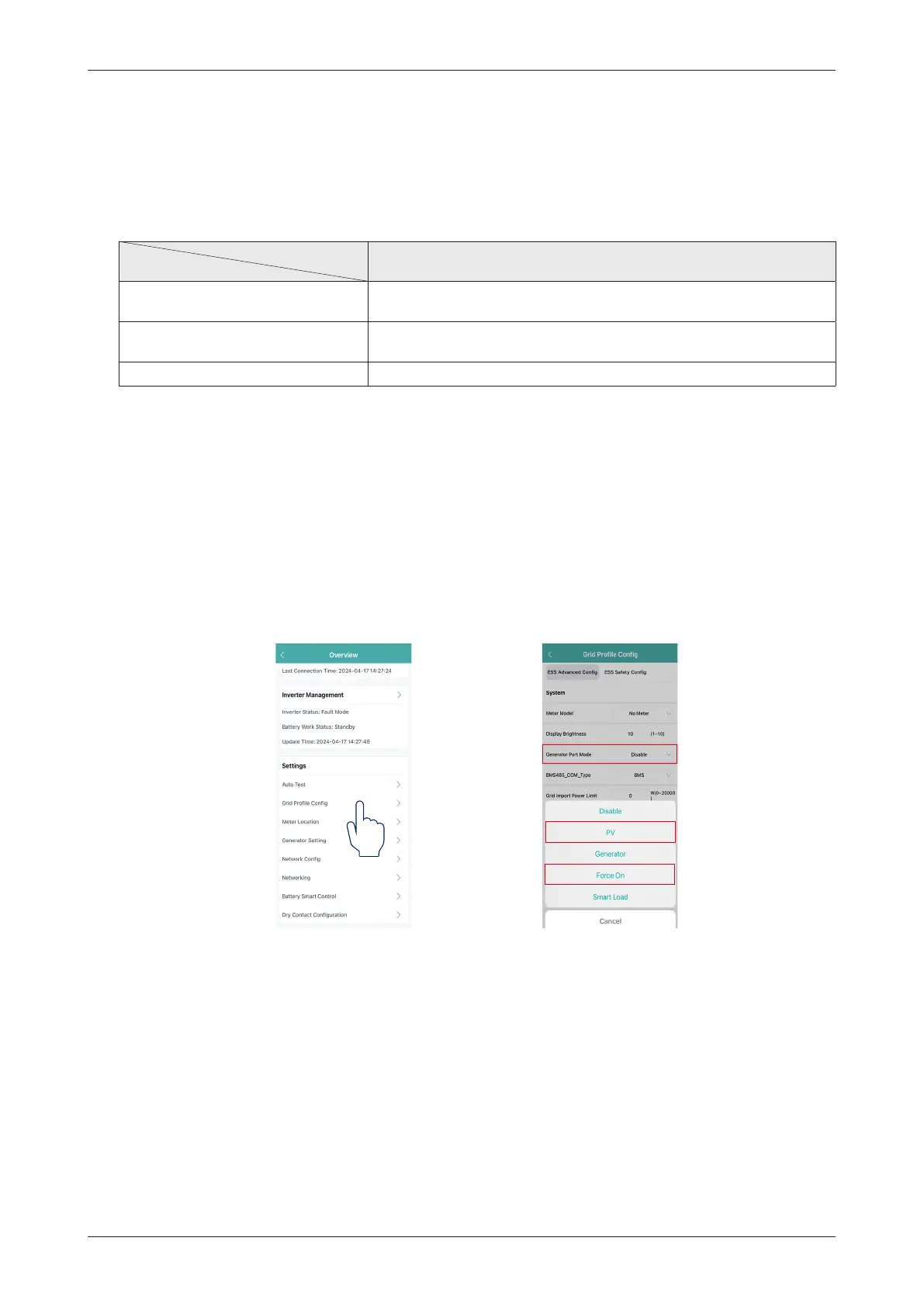
(b) If the GEN port is connected to the PV inverter, ensure that the PV side meter must be configured.
If the PV inverter cannot operate normally and has a meter communication fault, first tap “Grid Profile
Config
→
Generator Port Mode
→
Force On” to enable the GEN port.
Secondly, check if the address, baud rate, data bits, and check digit are consistent with the master, if
not, correct the wrong one. Note that the address of the PV side meter should be set to 001, and its
corresponding data bits should be set to n1-9600.
After the meter address is correctly set and the communication is normal, tap “Grid Profile Config
→
Generator Port Mode
→
PV”, and tap “Save”.


 To Next Page
 Loading...