Removal and Replacement Procedures
Maintenance and Service Guide 5–45
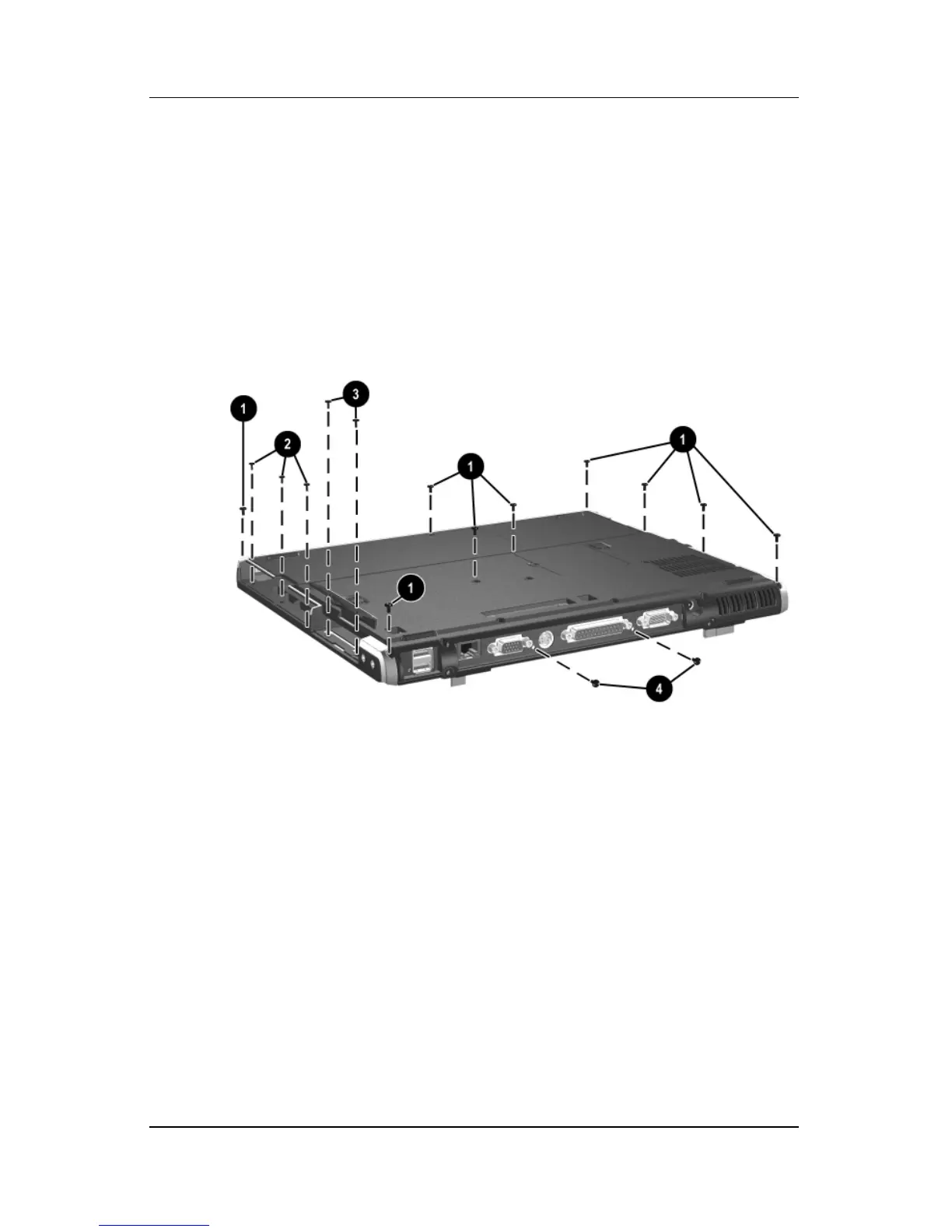
3. Remove the following screws:
1 Nine T8M2.5×9.0 screws from the bottom of the notebook
2 Three PM2.5×3.5 screws from the MultiBay
3 Two PM2.5×3.5 screws from the hard drive bay
4 Two T8M2.5×5.5 screws from the rear panel
Removing the Top Cover Screws



 To Next Page