Removal and Replacement Procedures
Maintenance and Service Guide 5–19
5.8 Integrated Smart Card
✎
The integrated smart card is located in the bottom PC Card slot.
1. Prepare the notebook for disassembly (refer to Section 5.3).
2. Remove any PC Card or spacer from the top PC Card slot.
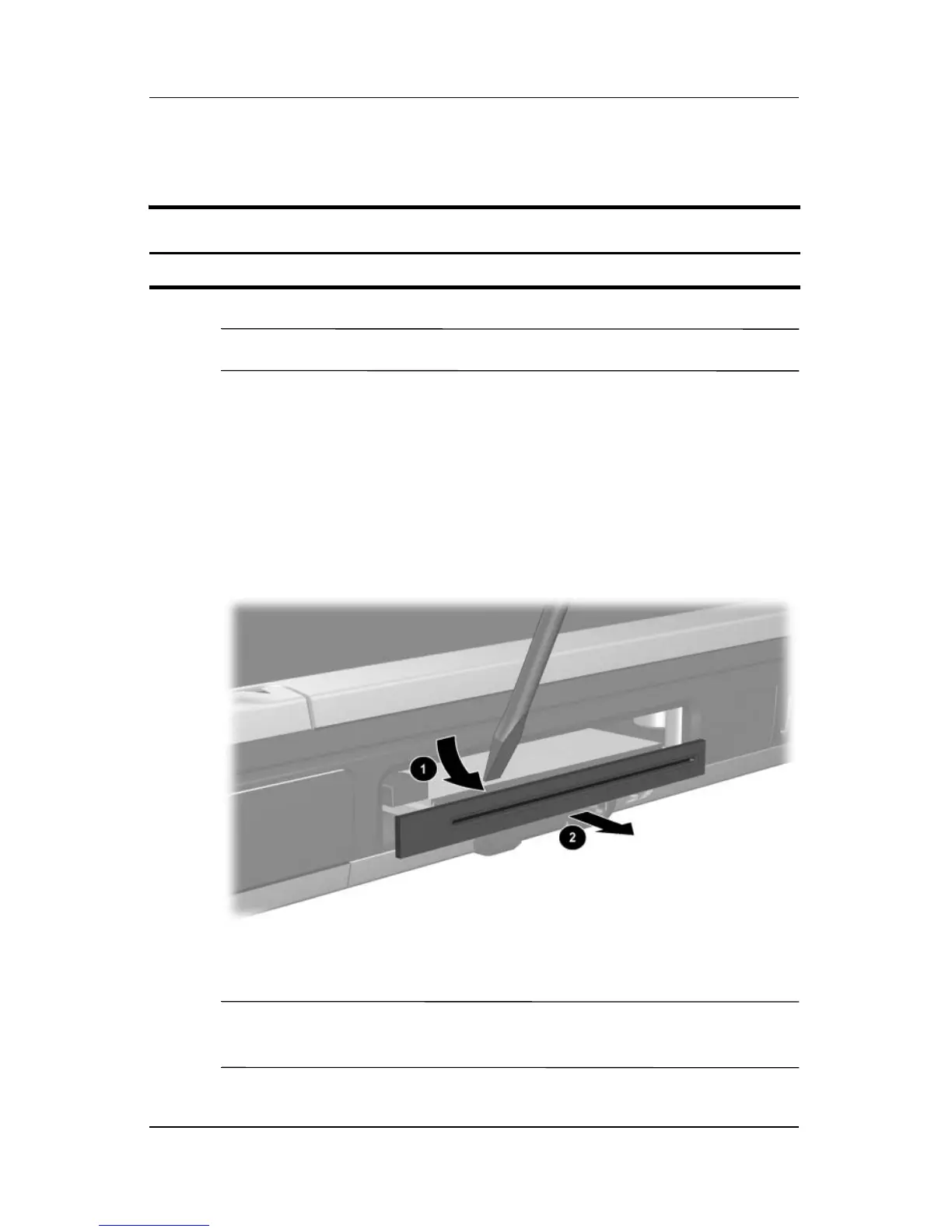
3. Using a flat-bladed tool, pry the smart card bezel off of the
notebook 1. The bezel releases with a small amount of force.
4. Remove the bezel from the notebook 2.
Removing the Smart Card Bezel
✎
The integrated smart card bezel is included in the Miscellaneous
Plastics Kit, spare part number 344411-001.
Spare Part Number Information
Integrated smart card 379336-001



 To Next Page