5–30 Maintenance and Service Guide
Removal and Replacement Procedures
5.13 Keyboard Plate
✎
The keyboard plate is included in the Miscellaneous Plastics Kit,
spare part number 344411-001.
1. Prepare the notebook for disassembly (refer to Section 5.3).
2. Remove the keyboard (refer to Section 5.9).
3. Remove the switch cover (refer to Section 5.12).
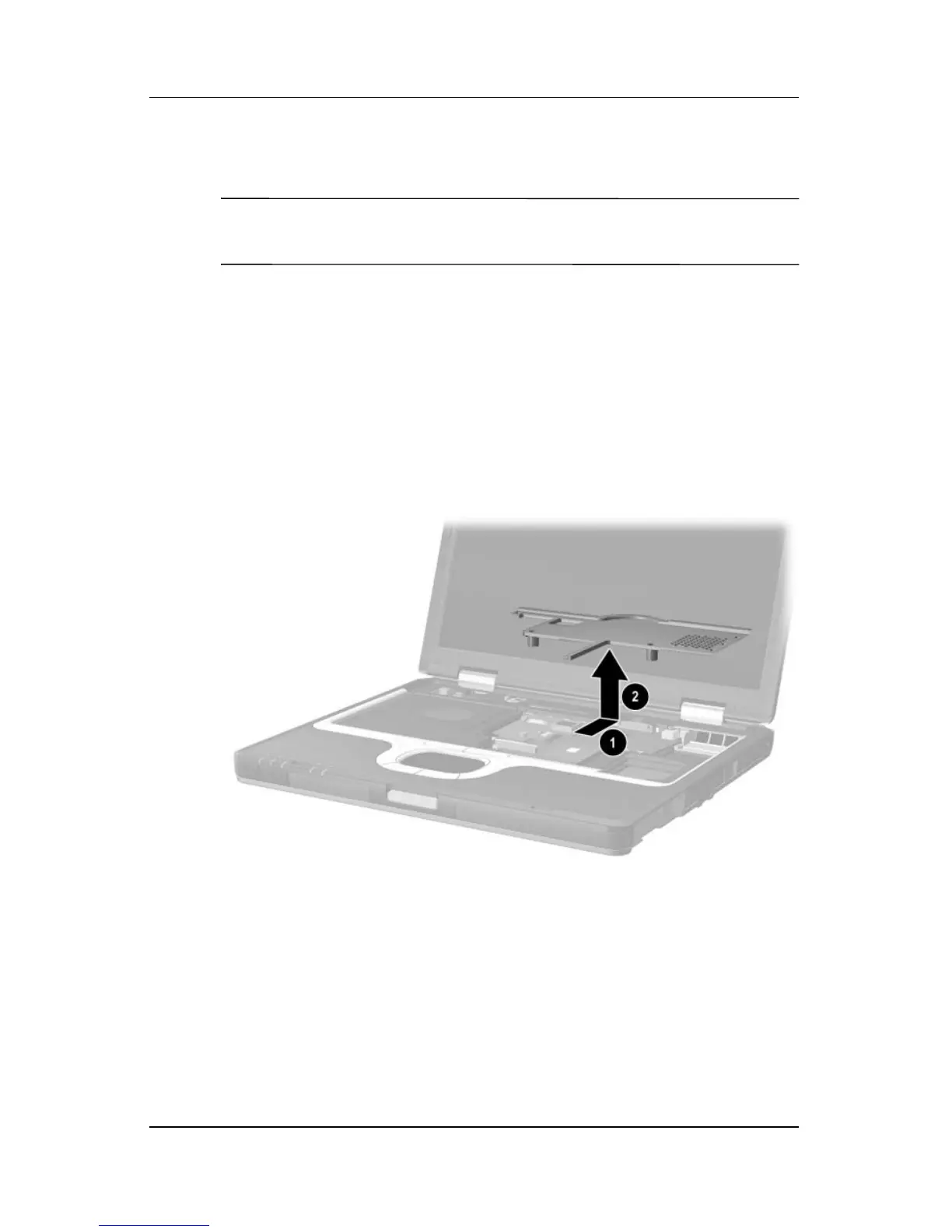
4. Slide the keyboard plate toward the back of the notebook 1
to disengage the plate tabs from the slots in the top cover, and
then lift the plate straight up 2 to remove it.
Removing the Keyboard Plate
Reverse the above procedure to install the keyboard plate.



 To Next Page