5–56 Maintenance and Service Guide
Removal and Replacement Procedures
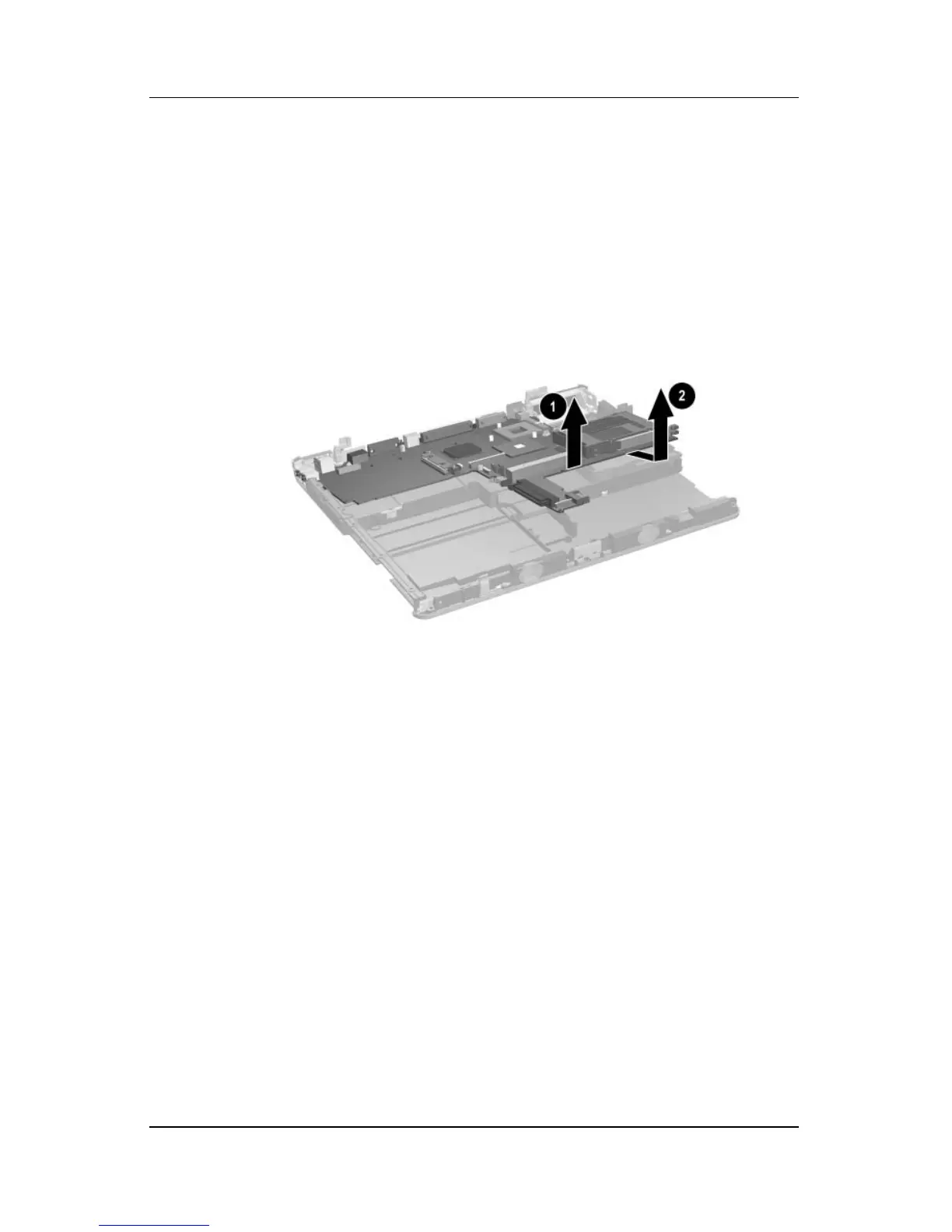
5. Lift the front edge of the system board 1 until it rests at an
angle.
6. Slide the system board forward at an angle, and then lift it
straight up to remove it 2.
Removing the System Board
Reverse the above procedure to install the system board.



 To Next Page