Model 141A
Section
III
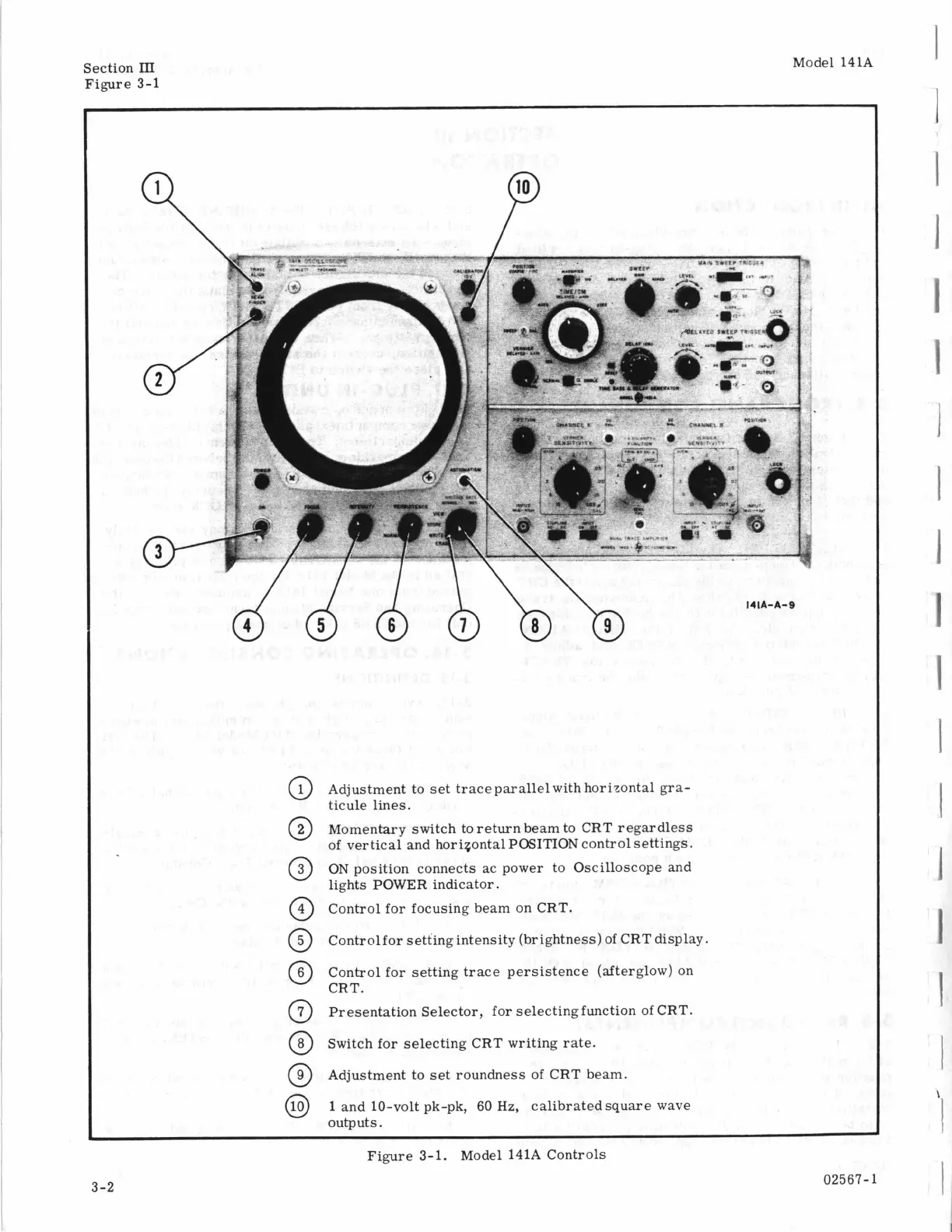
Figure 3-1
Adjustment to set trace parallel with horizontal gra-
ticule lines.
Momentary switch to return beam to CRT regardless
of vertical and horiqontal
POSITION
control settings.
ON
position connects ac power to Oscilloscope and
lights POWER indicator.
Control for focusing beam on CRT.
Control for setting intensity (brightness) of CRT display.
Control for setting trace persistence (afterglow) on
CRT.
Presentation Selector, for selectingfunction of CRT.
Switch for selecting CRT writing rate.
Adjustment to set roundness of CRT beam.
1
and 10-volt pk-pk, 60
Hz,
calibratedsquare wave
outputs.
Figure 3-1. Model 141A Controls
02567-1
3-2
1
1
I
I
1
1
I
I
I
1
1
I
I
1
1
1
I
‘I
I



 To Next Page