Section
III
paragraphs
3-25
to
2-27
approach. The amplitude of the phenomena and the
sweep-time required to display
it
will affect the per-
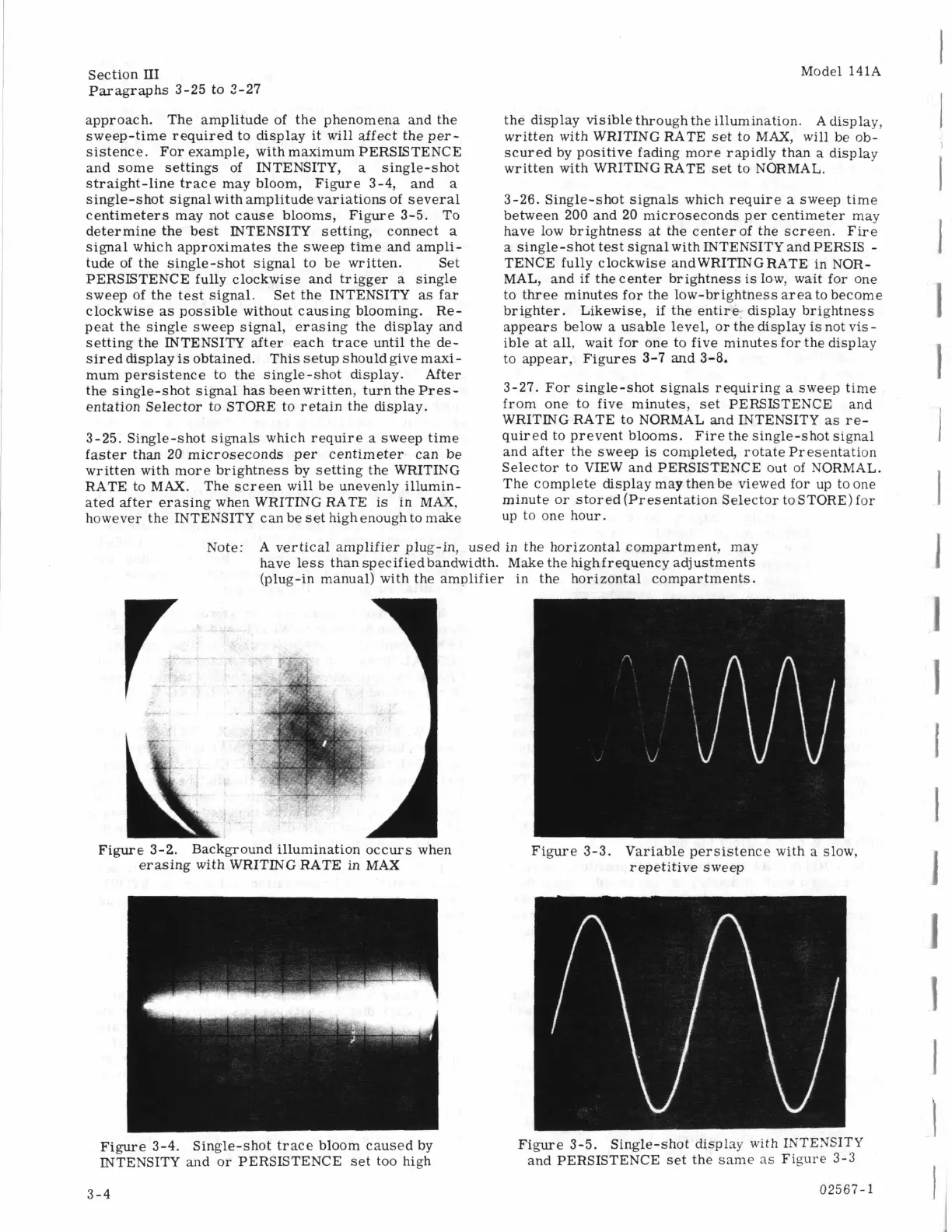
sistence. For example, with maximum PERSISTENCE
and some settings of INTENSITY,
a
single-shot
straight-line trace may bloom, Figure
3-4,
and
a
single-shot signal with amplitude variations of several
centimeters may not cause blooms,
Figure
3-5.
To
determine the best INTENSITY setting, connect
a
signal which approximates the sweep time and ampli-
tude of the single-shot signal to be written. Set
PERSISTENCE fully clockwise and trigger
a
single
sweep of the test signal. Set the INTENSITY
as
far
clockwise
as
possible without causing blooming. Re-
peat the single sweep signal, erasing the display and
setting the INTENSITY after each trace until the de-
sired display
is
obtained. This setup should give maxi-
mum persistence to the single-shot display. After
the single-shot signal has been written, turn the
Pres-
entation Selector to STORE to retain the display.
Model 141A
3-25.
Single-shot signals which require
a
sweep time
faster than
20
microseconds per centimeter can be
written with more brightness by setting the WRITING
RATE to MAX. The screen
will
be unevenly illumin-
ated after erasing when WRITING RATE is in MAX,
however the INTENSITY can be
set
high enough to make
the display visible through the illumination. A display,
written with WRITING RATE set to MAX, will be ob-
scured by positive fading more rapidly than a display
written with WRITING RATE set to NORMAL.
3-26.
Single-shot signals which require
a
sweep time
between
200
and
20
microseconds per centimeter may
have low brightness at the centerof the screen.
Fire
a
single-shot test signal with INTENSITY and PERSIS
-
TENCE fully clockwise and WRITING RATE in NOR-
MAL, and
if
the center brightness is low, wait for one
to three minutes for the low-brightness area to become
brighter. Likewise,
if
the entire- display brightness
appears below
a
usable level, or the display
is
not vis-
ible at
all,
wait for one to five minutes for the display
to appear, Figures
3-7
and
3-8.
3-27.
For single-shot signals requiring a sweep time
from one to five minutes, set PERSISTENCE and
WRITING RATE to NORMAL and INTENSITY as
re-
quired to prevent blooms. Fire the single-shot signal
and after the sweep
is
completed, rotate Presentation
Selector to VIEW and PERSISTENCE out of NORMAL.
The complete display may then be viewed for up to one
minute or stored (Presentation Selector to STORE) for
up to one hour.
Note: A vertical amplifier plug-in, used in the horizontal compartment, may
have
less
than specifiedbandwidth. Make the highfrequency adjustments
(plug-in manual) with the amplifier in the horizontal compartments.
A
Figure
3-2.
Background illumination occurs when
erasing with WRITING RATE in
MAX
Figure
3-3.
Variable persistence with
a
slow,
repetitive sweep
Figure
3-4.
Single-shot trace bloom caused by
INTENSITY and or PERSISTENCE set too high
Figure
3-5.
Single-shot
display
uith
IXTENSITY
and PERSISTENCE set the same
as
Figure
3-3
3-4
02567-1



 To Next Page