Technical Reference Guide 3–15
Installing or Replacing Parts
Installing or Replacing a PCI or AGP Card
NOTE: For specifications on your graphics card, visit the manufacturer’s web site or refer to the
graphics documentation included in the acccessory kit.
To install an accessory or graphics card:
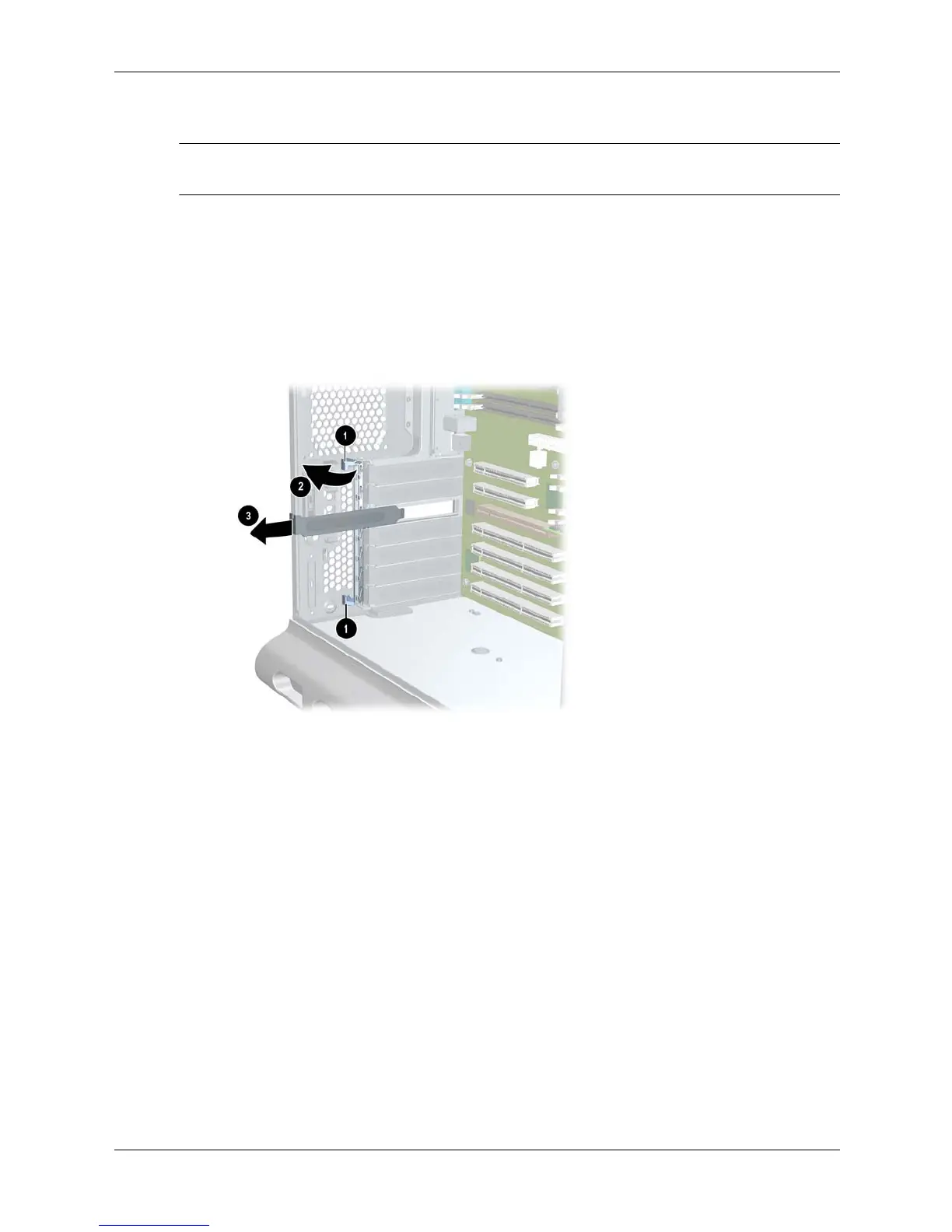
1. Remove the existing card or bulkhead blank that is in the slot you want to use.
a. From the inside of the case, push on the two blue release snaps at the ends of the
PCI/AGP retainer clip 1 then rotate the clip into the open position 2.
b. If the slot has a card installed, remove it (page 3-12).
c. If the slot is empty, pull the filler blank out of the system 3.
Removing the existing card or bulkhead blank





 To Next Page