HP D300 Digital Dispenser
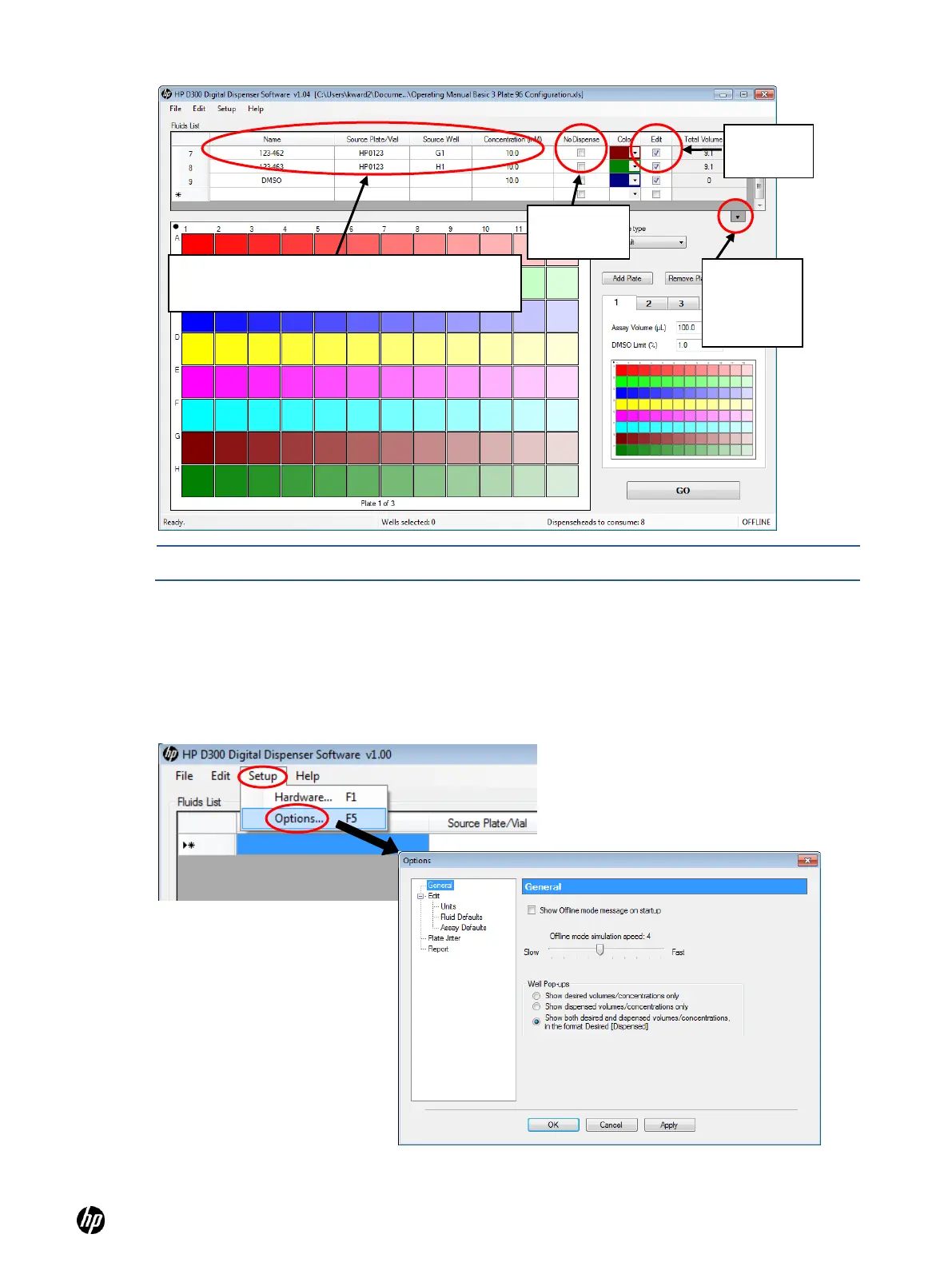
Figure 4-9 Main operating window showing Fluid Table options.
NOTE: The Fluids List can also be managed by clicking Edit and then Fluids List.
4-4 Get to know the Options dialog box
At the HP D300 Digital Dispenser main operating window, click Setup and then Options to open
the Options dialog box.
Figure 4-10 Click Setup and then Options to open the Options dialog box
Click here
to view the
entire fluids
list
If necessary, enter the new fluid name, source
plate, source well and concentration here



 To Next Page