HP D300 Digital Dispenser
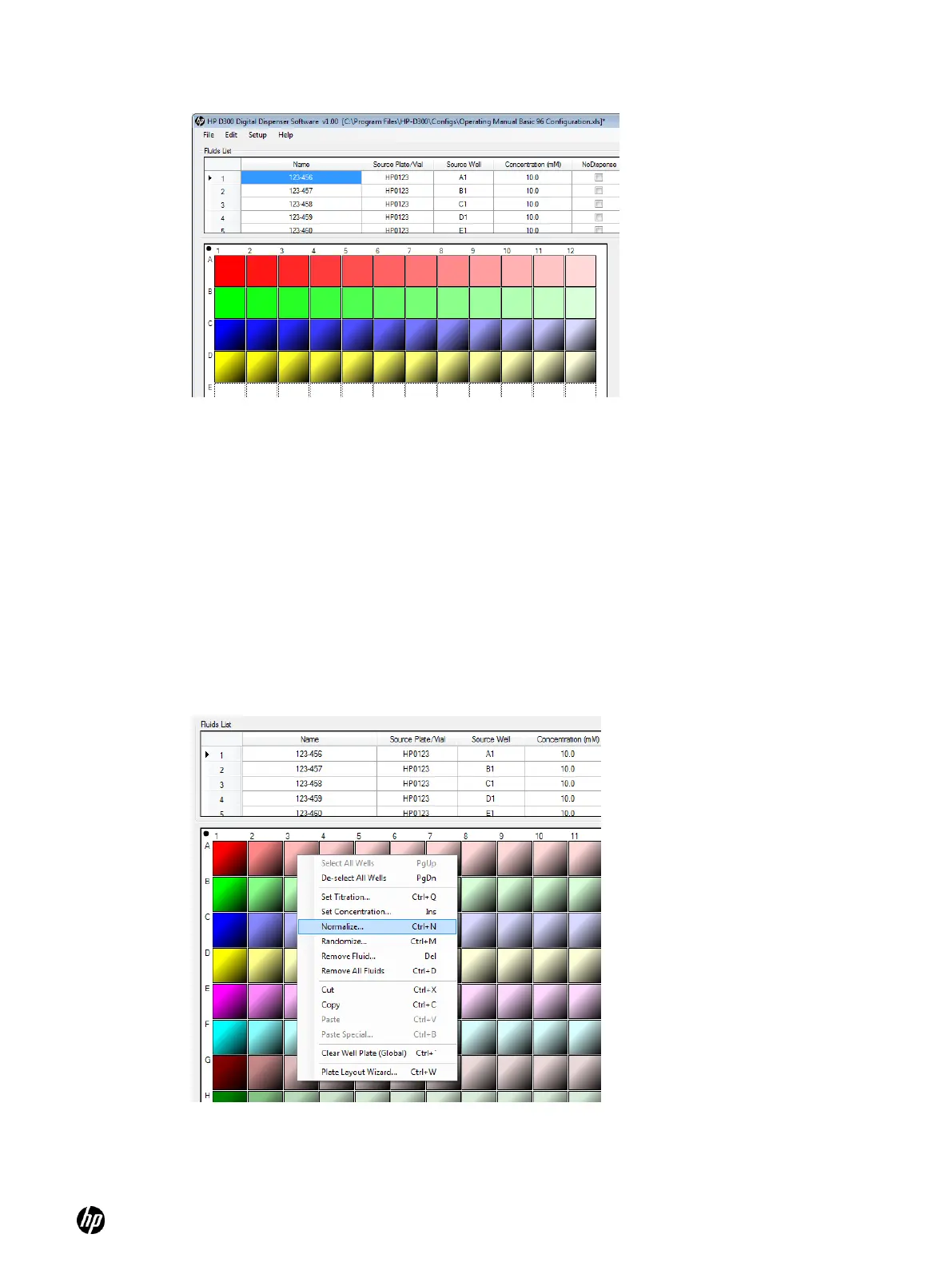
Figure 5-9 Result of Paste Special operation shown in Figure 5-8
3. Repeat steps 1 and 2 for each fluid until all desired wells on the plate are designed.
5-6 Normalize
Once the plate has been fully configured with the fluids that will be dispensed, a DMSO
normalization can be programmed.
1. Ensure that the Fluids List contains the normalization fluid, for example a fluid named DMSO.
2. Click and drag in the well plate image to select wells to normalize (using the control key if you
need to select more than one region because some areas of the well plate do not need
normalization), then right-click to open the Edit Well Plate menu, and then click Normalize.
The DMSO Normalize dialog box appears (see Figure 5-11).
Figure 5-10 Select Normalize in the Edit Well Plate menu



 To Next Page