HP D300 Digital Dispenser
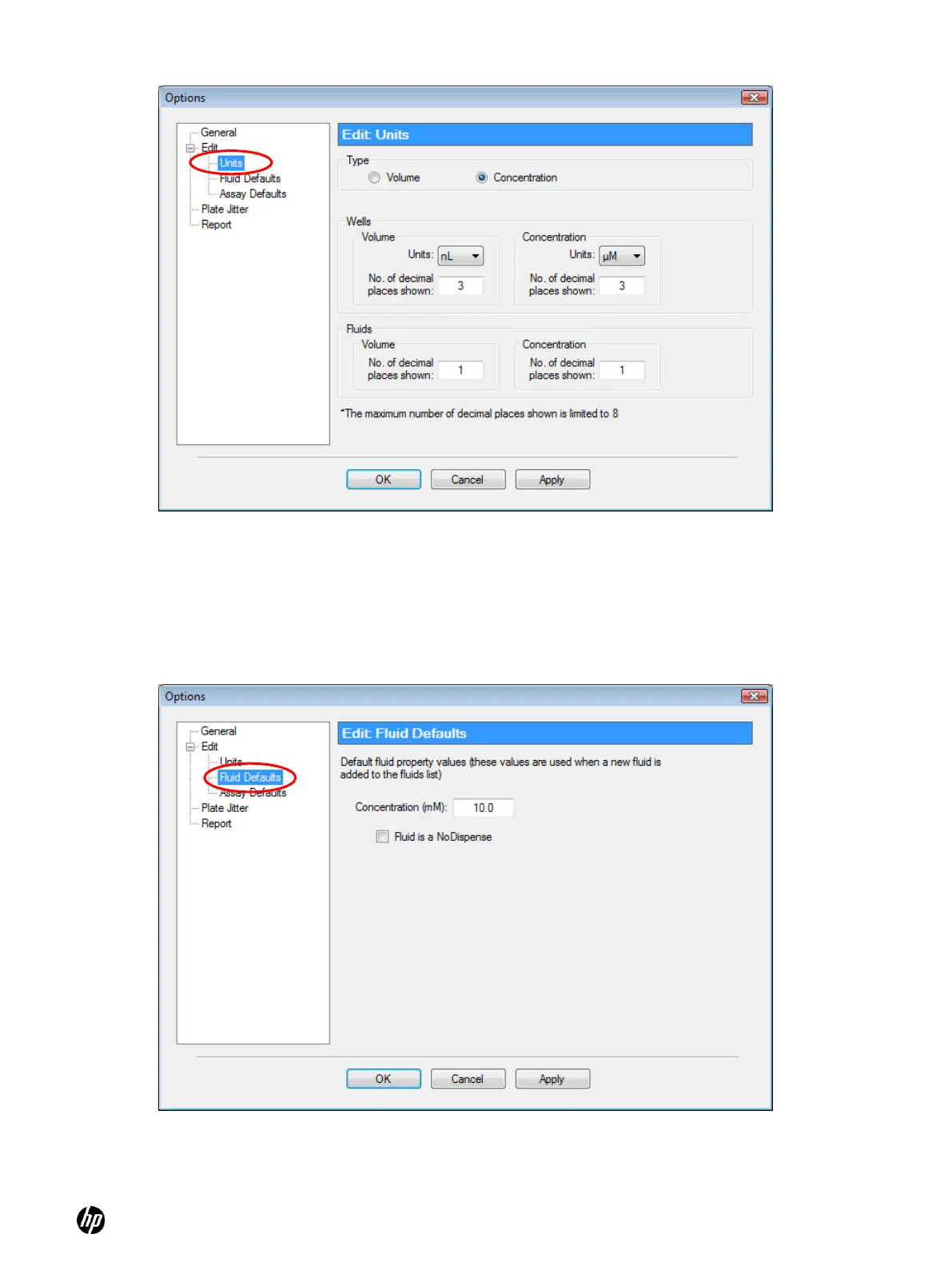
Figure 4-12 Edit: Units pane of the Options dialog box
4-4-3 Options: Edit: Fluid Defaults
In the Options dialog box, click Edit and then Fluid Defaults to open the Edit: Fluid Defaults pane
of the Options dialog box. Set the default concentration for new fluids and specify whether default
fluids will be dispensed. See Figure 4-13.
Figure 4-13 Edit: Fluid Defaults pane of the Options dialog box



 To Next Page