HP D300 Digital Dispenser
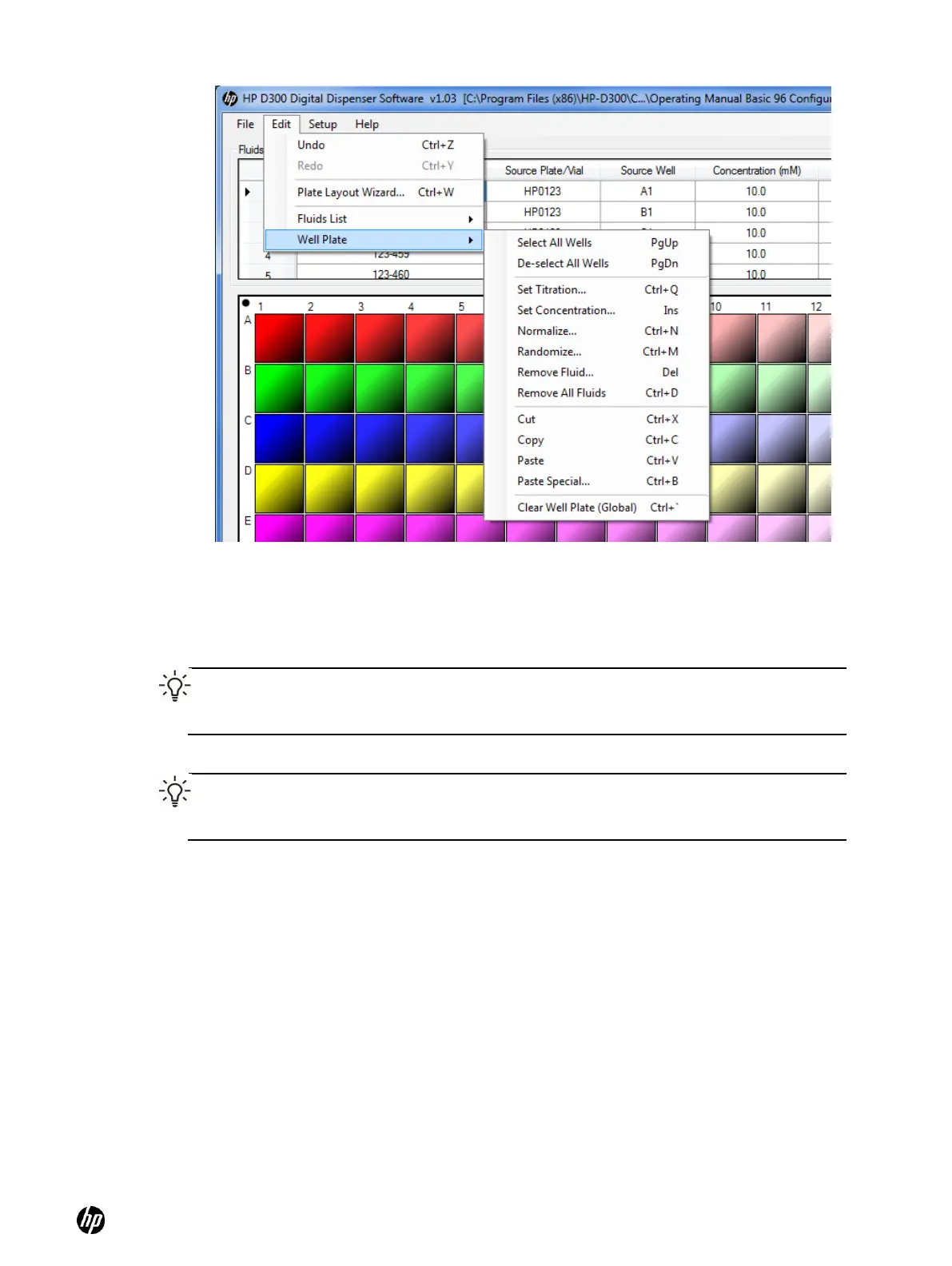
Figure 5-3 Edit Well Plate menu
Each well in the well plate can contain multiple fluids. For example, two fluids of interest in a drug-
drug interaction experiment can each be added to the desired wells in the desired sequence of
concentrations or volumes, then a third fluid can be added to the same wells to normalize the wells
to a constant DMSO level. Each fluid is added to the selected wells in a separate programmatic
step.
TIP: All of the fluids are shown in the Global View, whereas only the fluids marked for
editing (by selecting the Edit check box in the Fluids List) are shown in the well plate
image. See Figure 5-4.
TIP: If a well does not contain any fluid, it has a dotted outline. The dotted outline is also
used to denote a well that exceeds a dispense condition, such as containing more fluids
than the DMSO limit, or having a requested volume of less than one 13pL drop.



 To Next Page