HP D300 Digital Dispenser
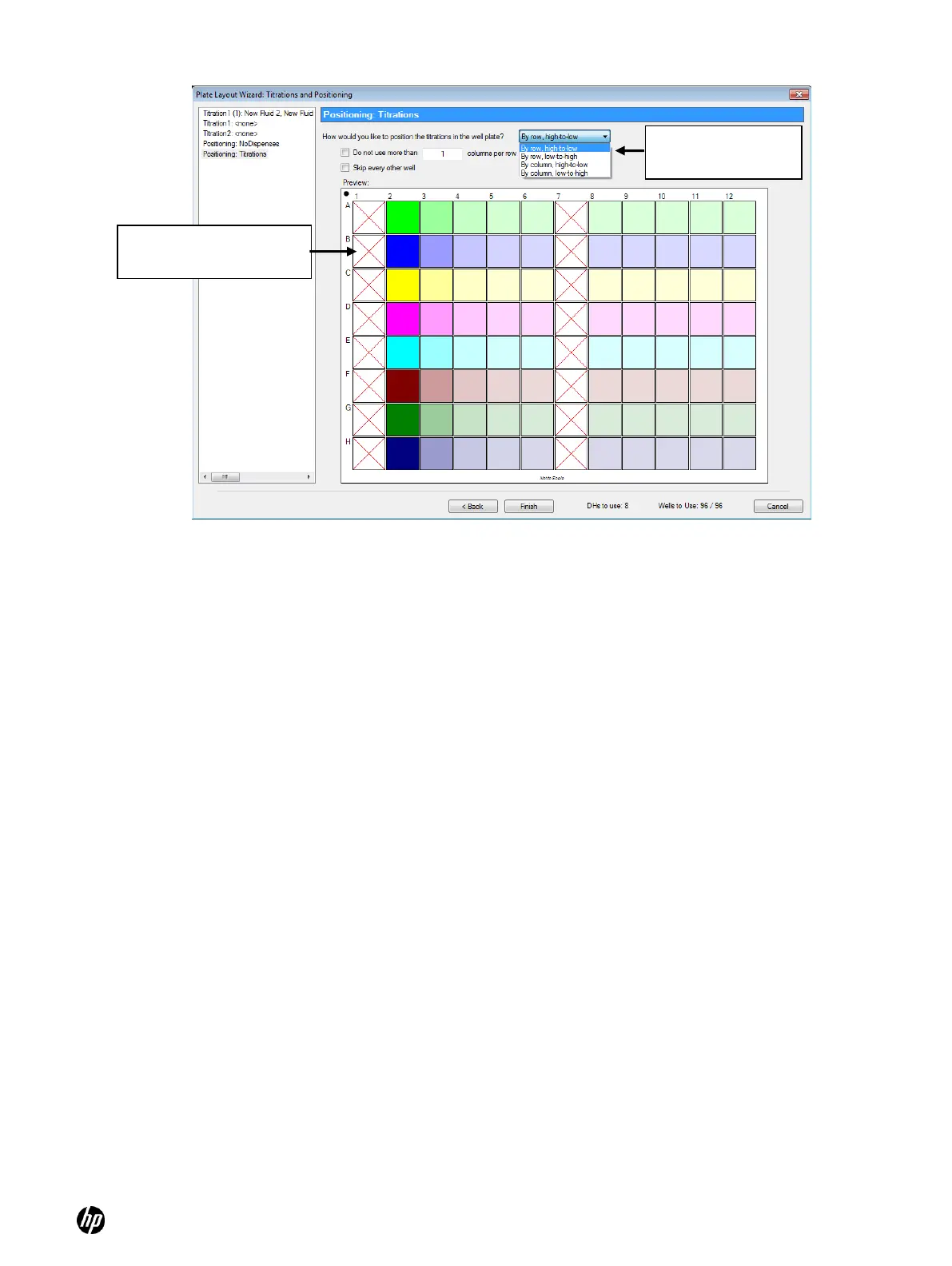
Figure 5-21 Positioning: Titrations pane
a. Select the Do not use more than ____ columns per row check box and type in a number
to limit titrations which span more than one row or column.
b. Select the Skip every other well check box to generate an interleaved well plate.
c. Once the titrations are positioned properly, click Finish to exit the Plate Layout Wizard.
More complex designs are described in the following section.
Select a positioning
preference here
No Dispense (control)
wells denoted with red X



 To Next Page