HP D300 Digital Dispenser
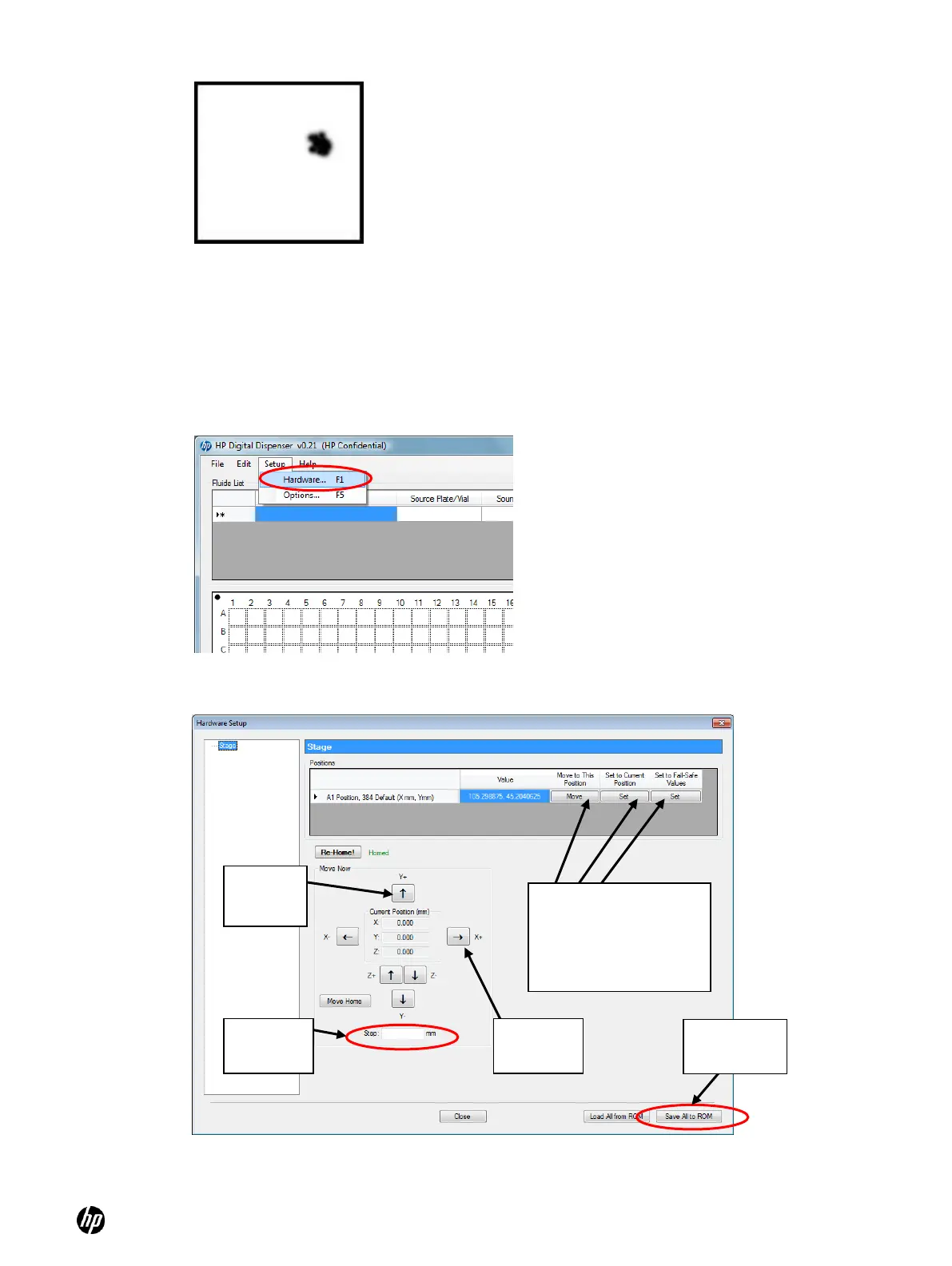
Figure 6-1 Make a picture that shows where the drop landed
2. Measure the approximate offset of the fluid from the center of the well using a metric ruler.
Just measure within a quarter millimeter or so, then note the offsets on your drawing.
3. Wipe the dispensed fluid off of the tape that covers the well plate and replace the plate on the
destination well plate holder.
4. Click Setup, Hardware. The Stage Setup dialog box opens.
Figure 6-2 Stage Setup pane
Figure 6-3 Hardware Setup Stage pane
Move to This Position,
Set to Current Position
and Set to Fail-Safe
Values buttons on the
A1 Position lines



 To Next Page