5–36 Maintenance and Service Guide
Removal and Replacement Procedures
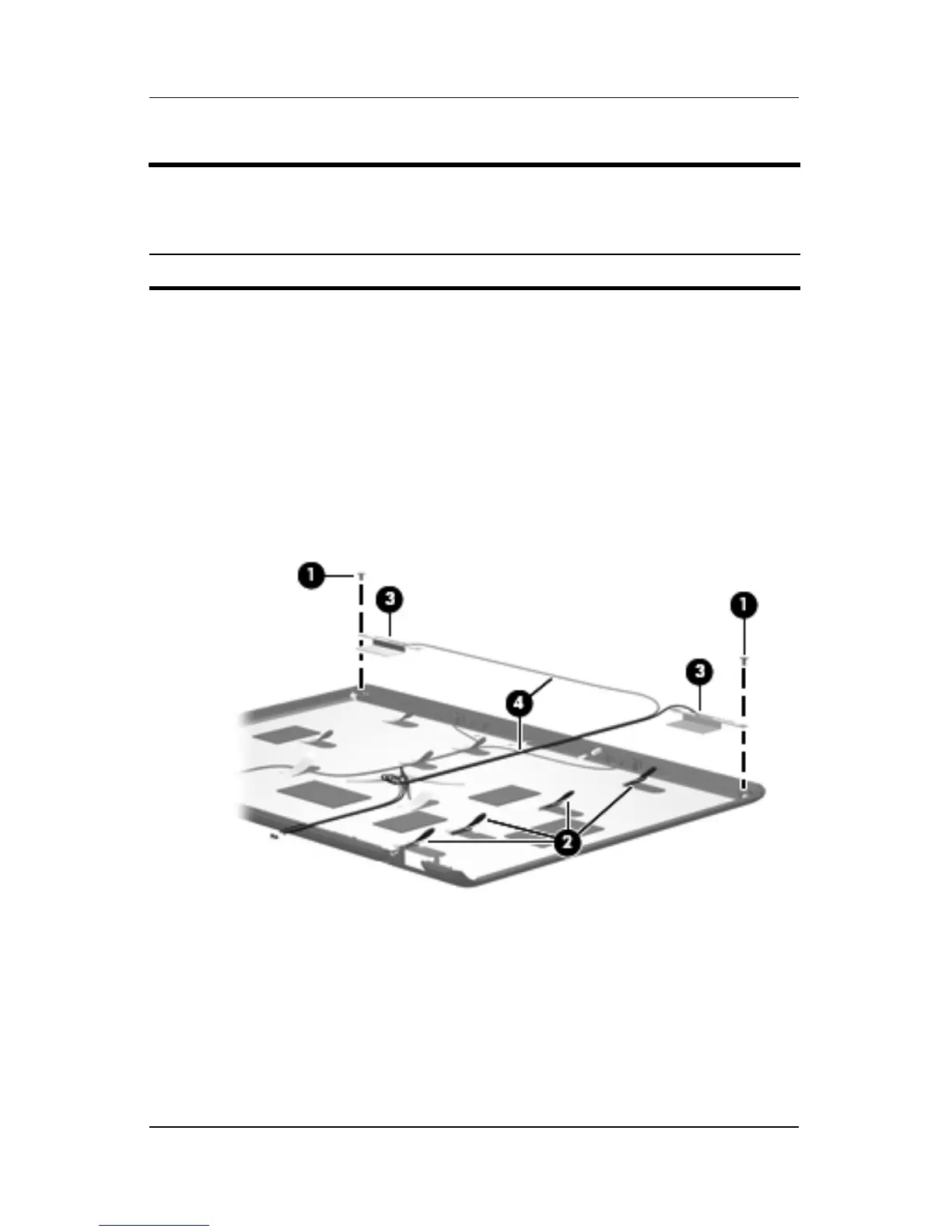
24. If it is necessary to replace the wireless antenna transceivers
and cables, remove the Phillips PM2.0×4.0 screw 1 that
secures each transceiver to the display enclosure.
25. Remove the wireless antenna cables from the clips 2 built
into the display enclosure.
26. Detach the wireless antenna transceivers 3 from the
display enclosure.
27. Remove the wireless antenna cables 4.
Removing the Wireless Antenna Transceivers and Cables
Display Assembly Subcomponents
Spare Part Number Information
Wireless antenna transceivers and cables 431398-001











 To Next Page