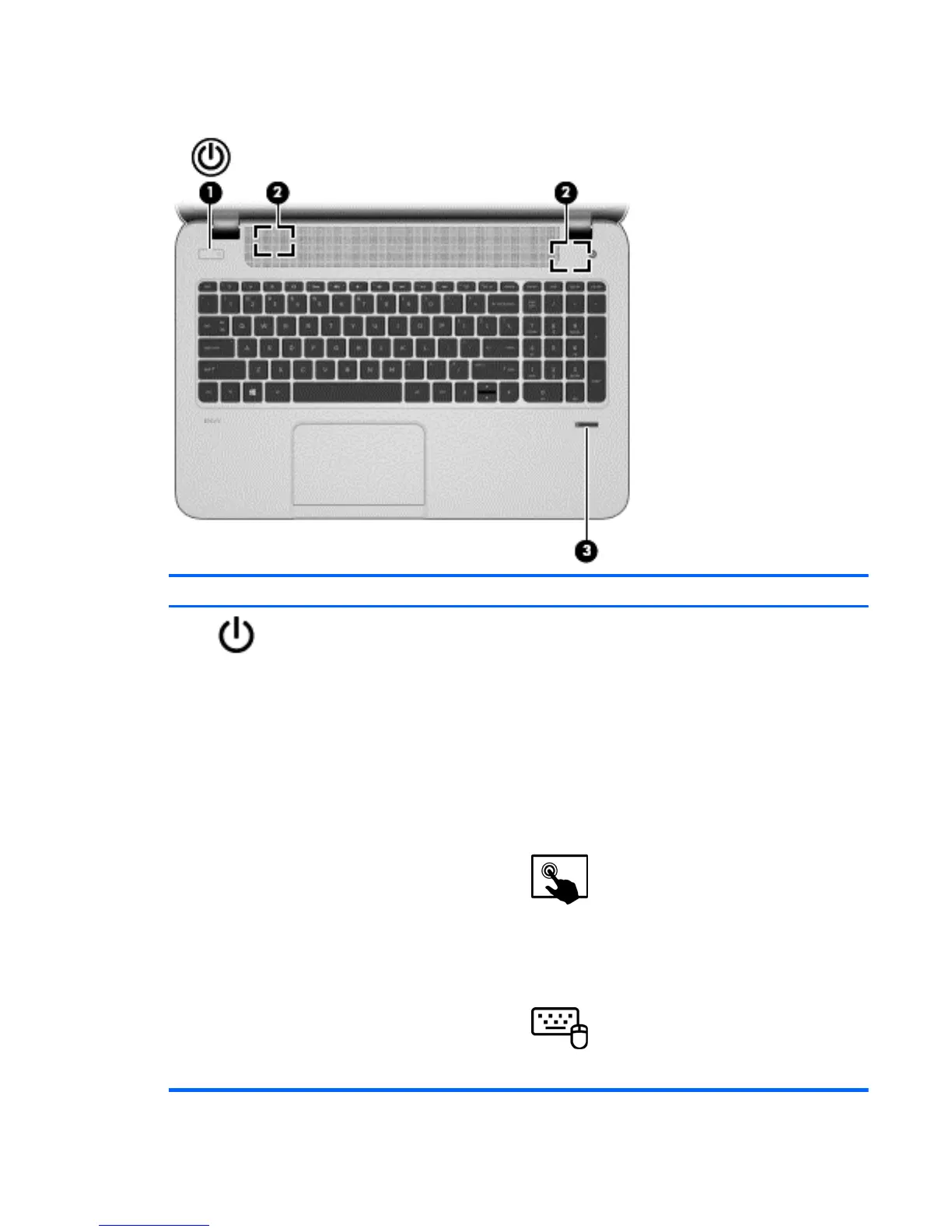
Buttons and speakers
Component Description
(1)
Power button ● When the computer is off, press the button to turn on
the tablet.
●
When the computer is on, press the button briefly to
initiate Sleep.
● When the computer is in the Sleep state, press the
button briefly to exit Sleep.
CAUTION: Pressing and holding down the power button
will result in the loss of unsaved information.
●
If the computer has stopped responding and
Microsoft® Windows® shutdown procedures are
ineffective, press and hold the power button down for
at least 5 seconds to turn off the tablet.
Swipe from the right edge of the TouchPad or
touch screen (select models only) to display the charms,
tap Search, and then tap the search box. In the search box,
type power, select Settings, and then select Power
options.
– or –
To learn more about your power settings, from
the Start screen, type p. In the search box, type power,
select Settings, and then select Power options.
Buttons and speakers 7



 To Next Page